 Installation guide
 Owner’s manual
 Error Codes








What is the most common problem with Whirlpool dishwashers?
The most common problems we see on Whirlpool dishwashers like model WDF540PADM0 are draining complaints (water left in the tub) and cleaning performance issues (food left on dishes). In many cases, the root cause is a restriction in the filter area, drain path, or spray system; the WDF540PADM0 owner's manual outlines key troubleshooting checks.
Most common issues and what usually causes them
- Not draining: clogged filter, blocked drain hose, dirty air gap (if installed), or a failing drain pump
- Not cleaning well: clogged spray arm holes, overloaded racks, low water temperature, or restricted water fill
- Not drying: rinse aid empty, heater issue, or cycle options not set for drying
- Won’t start or stops: door not fully latched, cycle pauses that are normal, or a household power issue
- Leaks: loading issues causing overspray, or worn seals (less common than drain and wash complaints)
Quick checks we recommend first (before replacing parts)
- Confirm the door is fully closed and latched (a loose latch can stop a cycle).
- Clean and reseat the filters; the manual shows how the upper filter locks into place.
- Check the drain path: disposer knockout (new installs), sink drain connection, and any kinks in the hose.
- If you have an air gap, clean it (a common cause of slow or no drain).
- Run a reset if the control seems stuck; follow how to reset a Whirlpool dishwasher.
Parts that commonly solve these symptoms on WDF540PADM0
| Symptom | Most likely area | Example part for this model |
|---|---|---|
| Water left in bottom | Drain system | Dishwasher drain pump WPW10348269 |
| Poor wash coverage | Spray system | Dishwasher spray arm WPW10491331 |
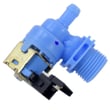
| Weak fill or no fill | Water supply | Dishwasher water inlet valve W11175771 |
Why it matters
Drain and wash-flow problems often start small (a partially clogged filter or spray arm) and quickly turn into repeat failures: dirty dishes, odors, and standing water. Catching restrictions early helps protect the pump, heater, and control from extra strain.
Last updated: February 2026
How to do a hard reset on a Whirlpool dishwasher?
For the Whirlpool WDF540PADM0 dishwasher, a “hard reset” is done by cycling power at the breaker (or unplugging) for about 1 minute, then restarting a cycle. If the control is unresponsive or a cycle is stuck, canceling and draining (then restarting) often restores normal operation; see the WDF540PADM0 owner’s manual.
Hard reset options (start with the simplest)
- Power cycle (true hard reset): Turn the dishwasher’s circuit breaker OFF, wait 60 seconds, then turn it ON.
- Cancel and drain: Close the door firmly; press CANCEL to start a drain (about 2 minutes if needed). Let it finish.
- Restart the cycle: Select a cycle and options, press START/RESUME, then close the door firmly.
- If START/RESUME is flashing: Close the door and press START/RESUME again (the cycle will not resume until you do).
- Check Control Lock: If buttons do nothing, press and hold SANI RINSE/CONTROL LOCK or DELAY (varies by model) for 3 seconds to unlock.
What we recommend for WDF540PADM0 (quick sequence)
- Turn breaker OFF for 1 minute.
- Turn breaker ON.
- Close door firmly.
- Press CANCEL once (let the drain complete).
- Choose Normal (or your preferred cycle), press START/RESUME, and close the door within a few seconds.
Why it matters
A power cycle clears a “hung” control state after a power interruption, while Cancel/Drain clears a stalled cycle and helps prevent standing water and odor.
Reset method comparison
| Method | What it fixes | What you’ll notice |
|---|---|---|
| Power cycle at breaker | Frozen keypad, odd behavior after outage | Control lights reboot |
| Cancel/Drain | Stuck cycle, water left in tub | 2-minute drain, then stops |
| Control Lock off | Buttons won’t respond | Lock light turns off |
Last updated: February 2026
Where to find part number on Whirlpool dishwasher?
On Whirlpool dishwasher model WDF540PADM0, the most important number to locate first is the model and serial tag inside the tub near the door; we use that model number to match the correct replacement part number for your exact dishwasher. See the location details in the WDF540PADM0 user manual.
Where to look on the dishwasher
Open the door and check the tub opening area:
- Look along the right-hand or left-hand side of the dishwasher interior, near the door opening.
- Find the model and serial number label (often a sticker or metal tag).
- Write down the full model number (WDF540PADM0) and the serial number.
- Use that model number when searching for parts like a drain pump, water inlet valve, or spray arm.
What “part number” means (and where it is)
Most Whirlpool dishwasher parts have their part number printed on the part itself, but the location varies by part.
| What you have | Where to find it | What to do with it |
|---|---|---|
| Model/serial tag | Inside tub near the door | Use it to confirm the correct parts list for WDF540PADM0 |
| Part number on the part | Printed or stamped on the component | Use it to verify you are replacing the same item |
| Sears PartsDirect part ID | Listed on the part listing | Use it to order the exact replacement |
Common examples for this model
If you are replacing a specific component, match by model first, then confirm the part number:
- Heating issues: check the element assembly W10518394
- Not draining: check the dishwasher drain pump WPW10348269
- Poor cleaning: inspect the dishwasher spray arm WPW10491331
- Filling problems: check the water valve (often tied to inlet issues)
Why it matters
Whirlpool dishwashers can look similar across model series, but parts like the drain pump, heater, and spray arm can differ by revision. Using the WDF540PADM0 model tag prevents ordering a part that does not fit or connect correctly.
Last updated: February 2026
What does F4 mean on a Whirlpool dishwasher?
On a Whirlpool dishwasher like model WDF540PADM0, an F4 code points to a drain problem (the dishwasher is not pumping water out as expected). In most cases, clearing a blockage in the drain path or fixing a drain component restores normal operation; see the WDF540PADM0 owner's manual.
What to check first (fast drain checks)
- Cancel the cycle and let the unit stop; then restart a drain or cancel-drain sequence per the WDF540PADM0 owner's manual.
- Check the sink drain and garbage disposal inlet (a clogged sink drain can back up the dishwasher).
- If you have a drain air gap, remove the cap and clean it (a blocked air gap commonly causes poor draining).
- Inspect the drain hose for kinks, crushing, or a low loop issue under the sink.
- Remove and clean the filter area in the bottom of the tub; debris here can restrict water flow to the pump.
Parts that commonly cause an F4 drain fault
If the drain path is clear but the dishwasher still will not drain, these parts are the most common suspects on this model:
- Drain pump: dishwasher drain pump WPW10348269
- Drain hose: dishwasher drain hose 8269144A
- Drain hose and check valve (prevents backflow): dishwasher drain hose and check valve WPW10545278
Quick symptom guide
| What you notice | Most likely cause | What to do |
|---|---|---|
| Standing water after cycle | Clog in filter, air gap, hose, or sink drain | Clean filter, air gap, and hose path |
| Hums but no draining | Pump jammed or failed | Check for debris; replace drain pump if needed |
| Drains then refills with dirty water | Check valve issue or improper hose routing | Inspect check valve and hose routing |
Why it matters
A true drain fault can leave dirty water in the tub, trigger repeated beeping or stopping mid-cycle, and can lead to odors. Fixing the drain path first prevents unnecessary part replacement and gets your WDF540PADM0 washing normally again.
Last updated: February 2026










