 Installation guide
 Owner’s manual




What does cl mean on a Kenmore dishwasher?
On the Kenmore Elite dishwasher model 66512789K311, CL means the control lock is turned on, so the keypad is locked to prevent accidental button presses. Unlocking the controls restores normal button operation; the cycle itself may continue running.
How to unlock CL (control lock)
Use the exact steps for your control panel in the 66512789K311 owner's manual. In most Kenmore dishwashers, you unlock by pressing and holding the Control Lock button (or the labeled lock option) for about 3 seconds.
- Press and hold the Control Lock key until CL turns off
- If your model uses an option key for locking, press and hold that option key (often labeled with a lock icon)
- Try the sequence with the door closed and latched
- If the display keeps showing CL, cancel the cycle and re-try the unlock
- Restore power (turn off the breaker for 1 minute, then turn it back on) and try again
What you can and cannot do while CL is on
Control lock is meant to stop unwanted changes, especially during a wash.
| Dishwasher state | What you will notice | What to do |
|---|---|---|
| CL on, cycle running | Buttons do not respond | Unlock controls, then change options if needed |
| CL on, idle | You cannot start a new cycle | Unlock controls before selecting a cycle |
| CL won’t clear | Display stays on CL | Power reset, then follow manual lock procedure |
Why it matters
Control lock prevents kids or accidental bumps from pausing, canceling, or changing cycle and option selections. It is a common “dishwasher won’t start” cause when everything else looks normal.
Last updated: January 2026
Are Kenmore dishwashers quiet?
Yes. Many Kenmore dishwashers are designed to run quietly, and your Kenmore Elite 66512789K311 is built for low-noise operation when it is installed level, the door is fully latched, and the wash system is circulating water normally (not grinding on a loose item). For model-specific operating tips, use the 66512789K311 owner's manual.
What “quiet” means for a dishwasher
Dishwasher noise is usually a mix of normal water sounds and occasional mechanical sounds.
Common normal sounds include:
- Water spraying and swishing during wash and rinse
- Brief drain pump hum during draining
- Detergent dispenser opening with a click
- Water fill at the start of a cycle
Quick ways to make your dishwasher as quiet as possible
We recommend these practical checks first because they solve most “suddenly louder” complaints.
- Confirm the door closes tightly and latches every time (a poor latch can increase vibration)
- Load so nothing protrudes into the spray path (utensils can rattle against the spray arm)
- Keep lightweight plastics from flipping and tapping the tub
- Make sure the dishwasher is level and firmly mounted (reduces cabinet vibration)
- Clean the filters regularly to prevent grinding and strain on the wash system
Noisy symptoms and the most likely cause
| What you hear | Most common cause | What to check first |
|---|---|---|
| Rattling/clacking | Dishes contacting each other or the spray arm | Re-load; secure tall items |
| Buzzing/humming | Pump working harder than normal | Check filters and sump area |
| Thumping | Spray arm hitting an item | Remove the obstruction |
| Loud vibration | Unit not level or loose mounting | Leveling feet and mounting brackets |
Why it matters
A dishwasher that is “quiet” but suddenly gets louder is often telling you something is loose, obstructed, or vibrating. Fixing the cause early helps protect the pump, spray system, and racks from wear.
Last updated: January 2026
How to hard reset a Kenmore Elite dishwasher?
To hard reset the Kenmore Elite dishwasher model 66512789K311, we reset the control by canceling the current cycle and draining; this clears the control state so you can start a fresh cycle. For many “not responding” issues, this is the most reliable reset method.
Hard reset steps (control reset)
- Open the door slightly to stop the cycle; wait for spraying to stop.
- Press and hold CANCEL/DRAIN until the Cancel/Drain light turns on.
- Close the door; let the dishwasher run the drain cycle (about 2 minutes if water is present).
- If you need a full control reset before starting over, press and hold CANCEL/DRAIN twice.
- Select your new cycle and options.
- Press START/RESUME and close the door.
For the exact button names and indicator behavior on your console, use the 66512789K311 owner’s manual.
If it still will not start after a reset
These checks fix the most common “looks dead” or “won’t run” complaints:
- Make sure Control Lock is off (Locked light off).
- If Locked is on, press and hold TOP RACK ONLY for 3 seconds to toggle it off.
- If the panel seems asleep, press START/RESUME or CANCEL/DRAIN, or open and close the door once.
- Confirm the door is fully latched; a mis-latch can prevent starting.
- If the unit is not filling after reset, check household water supply and consider the dishwasher water inlet valve W11175771 if the valve is failing.
Quick reference table
| What you want to do | What to press | What should happen |
|---|---|---|
| Stop and drain | CANCEL/DRAIN (hold) | Drains if water is present |
| Reset control and restart | CANCEL/DRAIN (hold twice) | Clears cycle, ready to reselect |
| Unlock controls | TOP RACK ONLY (hold 3 sec) | Locked light turns off |
Why it matters
A true “hard reset” on a dishwasher is usually a control reset plus drain. It clears a stuck cycle, cancels a delay, and restores normal response so you can restart safely without forcing the door or interrupting power.
Last updated: January 2026
What is the code f4e1 on a Kenmore Elite dishwasher?
On Kenmore Elite dishwasher model 66512789K311, the F4E1 error points to a wash motor or wash pump (circulation) problem, meaning the dishwasher is not moving water through the spray arms correctly. After correcting the cause, clear the code using the reset steps in the 66512789K311 owner’s manual.
What you’ll usually notice with F4E1
- Dishes come out dirty because spray pressure is weak or missing
- You hear a hum but little to no “washing” sound
- The cycle may stop mid-cycle or drain out early
- Water may fill, but the spray arms do not rotate
- The unit may repeatedly try to restart the wash portion
Quick checks before replacing parts
- Power reset: Turn off the breaker for 1 minute, then restore power.
- Check for a jam: Make sure nothing is blocking the lower spray arm.
- Filter and sump area: Remove debris that could restrict circulation.
- Water supply: Confirm the shutoff valve is fully open and fill is normal.
- Drain issues that mimic wash issues: If water is not draining well, check the drain path and consider the drain hose condition.
If the dishwasher fills correctly but still will not circulate, the wash motor circuit is the most common direction to troubleshoot.
Parts that commonly fix the underlying problem
If testing points to a failed motor/pump function, these model-matched parts are common solutions:
| Symptom | Most likely area | Example model-matched part |
|---|---|---|
| Fills but won’t wash (no spray) | Circulation motor/pump | Dishwasher pump motor assembly W10894668 |
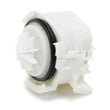
| Drains poorly or leaves water | Drain system | Dishwasher drain pump WPW10531320 |
| Underfills or fills slowly | Water inlet | Dishwasher water inlet valve W11175771 |
Clearing the code after the repair
Many Kenmore Elite dishwashers require a control reset after the issue is corrected. A common method is pressing any 3 keys in a 1-2-3 sequence three times (1-2-3, 1-2-3, 1-2-3). Use the exact sequence and timing shown in the 66512789K311 owner’s manual for your control panel.
Why it matters
F4E1 is a performance-stopping error: if the dishwasher cannot circulate water, detergent will not dissolve properly, spray arms will not clean, and the unit may repeatedly drain and refill without completing a normal wash.
Last updated: January 2026









