Installation guide
 Owner’s manual
 Error Codes


Can a Frigidaire Affinity washer and dryer be stacked?
Yes; the Frigidaire dryer model FEQ1442ES0 supports a stacked installation when you use the correct manufacturer stacking kit for your specific washer and follow the required clearances and venting layout shown in the FEQ1442ES0 installation guide.
What you need for a safe stacked setup
Stacking is only stable when the washer is the base, the kit is correct for the washer and dryer pair, and the dryer is secured exactly as instructed.
- A manufacturer-approved stacking kit that matches your washer model and FEQ1442ES0
- A solid, level floor; the washer must be leveled first
- Correct venting parts and routing (rear, side, or base exhaust as allowed)
- Proper electrical connection (and gas connection only if your dryer is a gas model)
- Two people to lift and position the dryer onto the washer
Space planning: what the guide shows
The installation instructions include a “stacked dryer installation dimensions” diagram and door-swing clearance so you can confirm the stack fits your laundry space.
| Planning item | What to check before stacking | Why it matters |
|---|---|---|
| Overall stacked height | Measure floor to shelf or cabinet above | Prevents fit issues in closets and alcoves |
| Depth for door swing | Allow space for the door to open fully | Avoids the door hitting walls or trim |
| Vent path and bends | Keep the duct run short with minimal turns | Improves drying and reduces overheating |
Tips to prevent vibration, long dry times, and overheating
Most stacking complaints come from leveling problems or restricted airflow.
- Re-level the washer after moving it into place; then install the stacking brackets
- Do not crush the vent duct behind the unit; keep a smooth, open airflow path
- Clean the lint screen every load and keep the exhaust area free of lint buildup
- If drying times increase after stacking, correct vent restriction before replacing parts
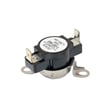
- If the dryer overheats or shuts down, inspect airflow first; a failed safety device such as the dryer thermal limiter 134120900 is often triggered by poor venting
Why it matters
A stacked laundry center saves floor space, but it concentrates vibration and heat in one vertical footprint. Using the correct stacking kit and maintaining proper venting keeps the stack stable and helps the dryer dry efficiently.
Last updated: February 2026
How do I reset my Frigidaire dryer E64?
To reset an E64 error on your Frigidaire FEQ1442ES0 dryer, we power-cycle the control by unplugging the dryer (or switching off the breaker) for 2 to 5 minutes, then restoring power and running a quick cycle check. If E64 returns, troubleshoot the heating circuit.
Safe reset steps (recommended)
- Turn the dryer OFF.
- Unplug the power cord; if you cannot access the plug, switch OFF the dryer breaker.
- Wait 2 to 5 minutes.
- Restore power and start a timed dry cycle.
- If the dryer will not start after reset, review the FEQ1442ES0 owner's manual “Avoid Service Checklist” items first.
If E64 comes back: what to check next
E64 is commonly tied to an electric-heating problem (heater circuit or temperature sensing). We focus on airflow first, then the heater safety devices.
- Confirm the dryer has strong airflow at the outside vent hood (restricted venting can overheat and trip safeties).
- Check the home electrical supply; many electric dryers need two fuses/breaker legs. If one side is out, the drum can run but heat will not.
- Inspect the heater circuit parts most likely to stop heat:
- Dryer thermal limiter 134120900 (opens if overheating occurs)
- High-limit thermostat (controls heater temperature)
- Heating element assembly (open coil stops heat)
- Thermistor (bad readings can trigger control errors)
Quick symptom-to-part guide
| What you notice | Most likely area | Common next step |
|---|---|---|
| Drum turns, no heat | Power supply or heater circuit | Check 2-pole breaker, then heater parts |
| Heat starts then stops | Overheating/airflow | Clean venting, then test limiter/thermostat |
| Long dry times | Vent restriction or lint buildup | Clean lint path and vent run |
Why it matters
Resetting clears a temporary control glitch, but if E64 repeats, the dryer is protecting itself from a real heating fault. Fixing airflow and the heater safety circuit prevents repeat shutdowns and poor drying performance.
Last updated: February 2026
How to find Frigidaire dryer model number?
On the Frigidaire dryer model FEQ1442ES0, we find the model number on the serial plate located on the left side of the door opening. Open the dryer door and look along the left inner frame to read the model and serial number.
Where to look on the dryer
- Open the dryer door fully.
- Check the left side of the door opening (inner cabinet frame).
- Look for a sticker or metal tag labeled Model and Serial.
- Write the numbers down exactly as shown (letters and digits).
- Keep the information with your purchase records for parts lookup and service.
What the label typically includes
| Label item | What it’s used for | Example format |
|---|---|---|
| Model number | Matching parts and diagrams | FEQ1442ES0 |
| Serial number | Warranty and production info | Mix of letters and numbers |
| Electrical ratings | Installation and troubleshooting | Volts/amps |
Why it matters
We use the exact model number to match the correct Frigidaire dryer parts (like a drum belt, heating element, or thermistor) because similar-looking dryers can use different components and wiring.
Helpful references
Last updated: February 2026
How to take off the front of a Frigidaire dryer?
On the Frigidaire FEQ1442ES0 dryer, removing the front typically means disconnecting power, opening the cabinet, labeling and disconnecting any front-panel wiring, then removing the front panel mounting screws and lifting the panel up and out. Use the FEQ1442ES0 installation guide for panel and fastener locations.
Before you start (safety and prep)
- Unplug the dryer (or switch off the breaker) before removing any panels.
- If the dryer is gas, shut off the gas supply valve before servicing.
- Pull the dryer forward so you can access the rear vent and sides.
- Take a quick photo of wire routing before disconnecting anything.
- Label wires before disconnection; wiring errors can cause improper and dangerous operation.
Basic front panel removal steps
- Disconnect power.
- Remove the top panel (most Frigidaire designs use rear screws, then the top slides back and lifts off).
- Locate the door switch wiring harness; disconnect the harness plug and release any wire clips or zip ties holding it to the front panel.
- Remove the front panel mounting screws (usually inside the cabinet near the top corners and sometimes near the bottom).
- Lift the front panel up to unhook it from the lower retaining tabs, then pull it forward and off.
What you may need to remove first
| If your FEQ1442ES0 has this | You may need to do this first | Why |
|---|---|---|
| Door switch harness | Unplug and free the harness | Prevents wire damage when the panel comes off |
| Lint duct/front ducting | Remove a few screws | Clears the path to lift the front panel |
| Door assembly | Remove hinge screws while supporting the door | Reduces weight and prevents hinge damage |
Why it matters
Removing the front panel the right way prevents pinched wires, broken door switch connectors, and cabinet alignment issues that can cause rubbing, noise, or poor door sealing after reassembly.
Helpful related DIY reference
For control-related symptoms you notice after reassembly (no start, beeping, flashing lights), use Frigidaire dryer error codes to narrow down what the dryer is reporting.
Last updated: February 2026
What does code e64 mean on a Frigidaire dryer?
On a Frigidaire FEQ1442ES0 dryer, error code E64 points to a heating circuit problem, most commonly the dryer detecting an issue with the heating element or its wiring. Start by resetting power, then check airflow and the heater circuit components.
Quick checks we recommend first
- Unplug the dryer (or switch off the breaker) for 2 minutes, then restore power and retry a heated cycle.
- Clean the lint screen and confirm strong airflow at the outside vent hood.
- Make sure the drum turns freely; a dragging drum can contribute to overheating and heater issues.
- If the code returns quickly, plan to inspect the heater circuit and safety devices.
Parts commonly involved with an E64 heating fault
On this model, these parts are frequent suspects when the heater circuit is not operating normally:
- Frigidaire dryer heating element assembly 131553900
- Dryer thermal limiter 134120900
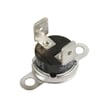
- Kelvinator dryer high-limit thermostat 3204267
- Thermistor 134587700
What each part does (at a glance)
| Part | What it monitors/does | Typical symptom when failed |
|---|---|---|
| Heating element | Produces heat | No heat, E64, or intermittent heat |
| Thermal limiter | One-time safety cutoff | Dryer runs but will not heat |
| High-limit thermostat | Overheat protection | Heat cuts out, overheating, repeated faults |
| Thermistor | Temperature sensing | Erratic temps, shuts down heat too soon |
Why airflow matters (a lot)
Restricted venting is one of the most common reasons an electric dryer overheats and trips safety devices. Even if the heating element is good, poor airflow can cause the high-limit thermostat or thermal limiter to open, which can trigger heater-related error codes.
Service and wiring notes for safe troubleshooting
We follow the same safety approach called out in the installation literature: disconnect power before servicing, label wires before disconnecting, and verify proper operation after repairs. For model-specific access steps and checks, use the FEQ1442ES0 owner's manual and keep the wiring diagram location in mind (often inside the console or under the top panel).
Last updated: February 2026
What is the balance load light on a Frigidaire quiet pack?
The Frigidaire FEQ1442ES0 is a dryer, and dryers do not use a “Balance Load” indicator like a washer does. If you are seeing a Balance Load light, it is coming from a different appliance (typically a Frigidaire washer or laundry center control panel). Use the FEQ1442ES0 owner’s manual to match the lights and buttons on your dryer’s console.
How to identify what the light belongs to
- Confirm the model number on the appliance data tag matches FEQ1442ES0.
- Check whether the control panel is on a washer, dryer, or stacked laundry center.
- Compare the exact wording on the console (for example, “Clean Lint Filter”, “Drying”, “Cool Down”).
- If the unit is stacked, verify whether the light is on the washer controls (top) or dryer controls (bottom).
- Use the control panel diagram and feature list in the manual to confirm indicator names.
What “Balance Load” means on Frigidaire washer-type models
On Frigidaire washer or laundry center washer controls, “Balance Load” indicates the load is uneven during spin. The fix is to pause, redistribute items, and restart so the washer can spin smoothly.
| Appliance type | Does it have “Balance Load”? | What to do |
|---|---|---|
| Dryer (FEQ1442ES0) | No | Identify the correct indicator for the dryer console |
| Washer / laundry center washer | Yes | Redistribute the load; avoid single heavy items |
Why it matters
Using the correct indicator guidance prevents wasted troubleshooting time and helps you focus on the right system. For FEQ1442ES0 dryer issues, the most common causes are airflow restrictions, heat problems, or control settings, not load balance.
If your dryer is beeping or showing unusual lights, use the Frigidaire dryer error codes reference to interpret dryer-specific indicators.
Last updated: February 2026
What is the capacity of the Frigidaire FEQ1442ES0?
The Frigidaire FEQ1442ES0 is a dryer, and its drum capacity is listed in the product specifications section of the FEQ1442ES0 owner's manual. If you are comparing dryers, most full-size 27-inch dryers are typically around 6.0 to 7.5 cu. ft.
Where to find the exact capacity
We recommend using the model-specific documentation because it matches your exact control, drum, and cabinet configuration.
- Check the specifications or features pages in the FEQ1442ES0 owner's manual
- Look for wording such as “drum capacity” or “capacity (cu. ft.)”
- If your manual lists only dimensions, capacity is sometimes shown on the model/serial tag area details
- Keep your model and serial number recorded for future reference (the manual notes the serial plate is at the left side of the door opening)
Typical capacity ranges (helpful for planning loads)
| Dryer type | Typical capacity range | Best for |
|---|---|---|
| Compact / apartment | 3.4 to 4.4 cu. ft. | Small loads, limited space |
| Standard full-size | 6.0 to 7.5 cu. ft. | Most households |
| Extra-large | 7.6 to 9.0 cu. ft. | Bulky items, large families |
Why it matters
Capacity affects drying performance and efficiency. Overloading restricts airflow, which can increase dry time and heat stress on components like the heating system and temperature sensors.
Last updated: February 2026