 Owner’s manual



How do I know what model my garage door opener is?
Your Craftsman garage door opener model is printed on the opener’s identification label, typically on the motor unit housing under the light lens or a cover. For model 13953672SRT1, confirm the exact number on that label and match it to the model list in the owner's manual.
Where to look for the model label
Check these common spots on the powerhead (the motor unit mounted to the ceiling):
- Under the light cover or light lens (most common)
- On the side or back of the motor unit near the wiring terminals
- On the end panel where other safety and rating labels are printed
- Near the antenna wire (if your unit has one)
- On the front cover area (some housings hide the label behind a snap-on panel)
What to write down (so you get the right parts and instructions)
Record the information exactly as shown on the label:
- Model number (example: 13953672SRT1)
- Series/family (often starts with 139.)
- Manufacturing date code (if listed)
- Motor unit type (AC vs. DC, if shown)
Quick match guide
Use this to avoid mixing up similar Craftsman 139-series models.
| If the label shows | What it means | What to do next |
|---|---|---|
| 13953672SRT1 | Exact match to this model page | Use the parts list and troubleshooting steps for 13953672SRT1 |
| 13953671SRT1, 13953673SRT1, etc. | Same manual family, different variant | Use the exact model number when searching parts and diagrams |
| Missing or unreadable label | Label is damaged or painted over | Compare the motor unit housing and control console style to the illustrations in the manual |
Why it matters
Craftsman openers that look alike can use different logic boards, wall controls, remotes, and safety sensor wiring. Using the exact model number helps us match the correct troubleshooting steps, error code meanings, and compatible replacement parts.
If you’re troubleshooting after you find the model, use Craftsman error codes to interpret flashing lights or diagnostic codes.
Last updated: February 2026
Will a universal remote work on any garage door opener?
No. A universal remote does not work on every garage door opener; it must match the opener’s radio system and programming method. For Craftsman model 13953672SRT1, the manual describes SECURITY+ remotes and SRT (learn) button programming, so compatibility depends on whether the universal remote supports that SECURITY+ platform.
How to check compatibility (fast)
- Confirm your opener is Craftsman 13953672SRT1 (label on the motor head).
- Identify the opener’s programming method; this model uses an SRT (learn) button.
- Look for SECURITY+ support on the universal remote packaging (often listed by brand families and years).
- If your opener has a wall control Lock feature enabled, turn it off before testing remotes.
- If you are adding a remote (not replacing), make sure the opener still has memory capacity for additional remotes.
What we know about 13953672SRT1 remote support
The 13953672SRT1 uses a rolling-code style system described as changing codes with each use (SECURITY+). It can be programmed to additional remotes using either a Premium Control Console method or the SRT (learn) button method. See the programming steps in the owner's manual.
Typical outcomes
| Situation | What usually happens | What to do next |
|---|---|---|
| Universal remote supports SECURITY+ learn-button programming | It programs and operates the door normally | Program it using the SRT (learn) steps |
| Universal remote does not support SECURITY+ | It will not pair, or it pairs but is unreliable | Use a compatible SECURITY+ style remote |
| Wall control Lock feature is on | Remotes appear “dead” | Turn off Lock, then re-test |
Programming and reset tips
- To add a remote: press and release the SRT (learn) button, then press the remote button you want to use.
- To erase all remotes: press and hold the SRT button until the indicator light turns off (about 6 seconds), then reprogram each remote.
- If the door moves unexpectedly during testing, stop and keep the doorway clear.
Why it matters
Using the wrong remote wastes time and can look like a bad receiver, bad wall control, or a failing logic board. Matching the correct SECURITY+ compatibility first helps you avoid unnecessary troubleshooting.
Last updated: February 2026
How to find a compatible garage door opener?
For a compatible garage door opener setup, we match the door type and spring system first, then confirm the control technology your current opener uses. For Craftsman model 13953672SRT1, the manual shows it uses SECURITY+ rolling-code remotes and supports specific accessories, so compatibility is mainly about choosing the right remote/keyless entry and installing the opener correctly for your door.
Step 1: Confirm what you are trying to make “compatible”
Most compatibility questions fall into one of these categories:
- Replacing the entire opener (motor unit and rail)
- Adding a new remote control
- Adding a wireless keypad (keyless entry)
- Fixing a door that will not close because of safety sensors
- Adding accessories like a plug-in light control
For model-specific programming and accessory notes, use the owner's manual.
Step 2: Match the opener to your garage door type and height
Installation compatibility depends on the door hardware you have.
- If your door has extension springs, the opener must be installed centered on the door.
- If your door has a torsion spring/center bearing plate, the opener can be installed within about 2 feet of the door center.
- If your door is over 7 feet tall, you typically need a rail extension kit.
- If you do not have another entry door into the garage, plan for an emergency key release so you can get in if power is out.
Quick compatibility checklist
| What you have | What to check | What it affects |
|---|---|---|
| Extension springs | Opener must be centered | Safe operation and smooth travel |
| Torsion spring/center bearing | Offset mounting may be OK | Header/door bracket clearance |
| Door taller than 7 ft | Rail extension kit | Full open height |
| No access door | Emergency key release | Manual entry during outages |
Step 3: Confirm remote and keypad compatibility (controls)
This Craftsman 13953672SRT1 is a SECURITY+ opener; the manual notes it works with:
- SECURITY+ remote controls (commonly identified by blue push buttons)
- One SECURITY+ keyless entry system (listed as Model 139.53684)
- Additional light-control accessories (where applicable)
If your goal is adding or replacing remotes, follow the programming steps in the owner's manual. For help interpreting flashing lights or diagnostic behavior, use Craftsman error codes.
Why it matters
“Compatibility” is not only about brand name. Door type (torsion vs. extension springs), door height, and the opener’s control system (like SECURITY+ rolling codes) determine whether the opener installs correctly and whether remotes and keypads will program and operate reliably.
Last updated: February 2026
How do I reprogram my remote control for my garage door opener?
To reprogram a remote for your Craftsman 13953672SRT1 garage door opener, we use the opener’s SRT (learn) button to “teach” the motor unit your remote’s code. You can add a remote in under a minute, and you can also erase all stored remotes and start fresh using the same SRT button (see the owner's manual).
Reprogram steps (most common method)
If you do not have a Premium Control Console
- Press and hold the button on the remote you want to program.
- While holding the remote button, press and release the SRT (learn) button on the back panel of the opener.
- Watch for the indicator light to blink and/or the opener light to flash once.
- Release the remote button.
- Test the remote by pressing the programmed button.
If you have a Premium Control Console
- With the door closed, press and hold the remote button you want to program.
- Press and hold the Light button on the door control.
- Press and hold the door control push button.
- When the opener light flashes, release all buttons.
- Test the remote.
How to erase all remotes (reset the opener’s memory)
Use this when you moved into a new home, lost a remote, or want to remove old remotes.
- Press and hold the SRT (learn) button on the opener panel.
- Keep holding until the indicator light turns off (about 6 seconds).
- Reprogram each remote using the steps above.
Quick checks if the remote still will not work
- Make sure the wall control is not in Lock mode (if your control has a Lock feature).
- Check that the opener’s antenna wire hangs fully downward.
- If range is short, try a different remote location in the vehicle; metal doors or foil-backed insulation can reduce range.
- If the door works from the wall control but not the remote, re-run the programming steps for each remote.
What you should see (confirmation table)
| What you do | What the opener does | What it means |
|---|---|---|
| Press and release SRT (learn) while holding remote button | Indicator blinks and/or opener light flashes once | Remote code learned |
| Hold SRT (learn) about 6 seconds | Indicator light turns off | All remote codes erased |
Why it matters
Programming the remote correctly keeps your Craftsman 13953672SRT1 operating reliably and helps maintain security by ensuring only your remotes are stored in the opener’s memory. For additional remote and Security+ details, we follow the procedures in the owner's manual.
Last updated: February 2026
Where can I buy Craftsman garage door opener parts?
You can buy replacement parts for your Craftsman garage door opener model 13953672SRT1 through Sears PartsDirect by matching your model number and then selecting the exact part number and description from the parts list. Use the owner's manual to confirm the correct part name and location.
How to make sure you order the right part
- Confirm the opener model number (13953672SRT1); the label is typically under the light lens on the front end panel.
- Identify the failed component by symptom (for example: won’t open, won’t close, noisy operation, or remote issues).
- Use the parts diagrams and repair parts lists in the manual to match the part number and part description.
- If your opener uses accessories (key switch, rail extension, remotes), match the accessory model number listed for your opener series.
- Order using the exact part number; avoid “looks similar” substitutions.
Common parts customers replace on this Craftsman opener
The manual for this model family lists many serviceable components. These are some of the most commonly replaced categories:
| Part category | What it affects | Common symptom |
|---|---|---|
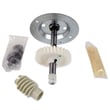
| Gear and sprocket / drive gear | Door movement and drive | Motor runs but door doesn’t move, grinding noise |
| Logic board | Controls and safety logic | Intermittent operation, no response |
| Capacitor (motor start) | Motor starting torque | Hums, struggles to start |
| Light socket / lens | Opener lighting | Light not working, lens damaged |
| Remote receiver programming items | Remote operation | Remotes won’t work or won’t program |
Troubleshooting before you buy parts
A quick check can prevent ordering parts you do not need:
- Make sure the door moves smoothly by hand (disconnect the trolley first).
- Check safety sensors for alignment and obstructions.
- Reprogram remotes and verify wall control operation.
- If you see diagnostic flashes or codes, use Craftsman error codes to narrow the failure.
Why it matters
Garage door opener parts are model-specific. Using the correct Craftsman 13953672SRT1 part number helps ensure proper fit, safe operation, and reliable travel limits and force settings.
Last updated: February 2026





