Installation guide
 Owner’s manual
 Error Codes



How long does it take for a Kenmore electric oven to self clean?
On the Kenmore Elite 79041023802 electric range, the Self-Clean cycle is typically set for 2, 3, or 4 hours depending on soil level; plan on about 1 extra hour afterward for cool-down and the door to unlock, so total time is often 3 to 5 hours. See the timing details in the owner's manual.
Typical self-clean times for this model
The control offers recommended cycle lengths based on how dirty the oven is:
- 2 hours for light soils
- 3 hours for average soils (this is the common default)
- 4 hours for heavy soils
- Add about 1 hour for cool-down and automatic door unlock after cleaning ends
| Soil level | Set clean time | Typical total time (includes cool-down) |
|---|---|---|
| Light | 2 hours | About 3 hours |
| Average | 3 hours | About 4 hours |
| Heavy | 4 hours | About 5 hours |
What to expect during and after self-clean
During self-clean, it is normal to notice heat, odor, and sometimes more smoke than usual. We recommend:
- Run a range hood or exhaust fan during the cycle
- Keep the oven door closed until the lock releases
- Allow the full cool-down period before trying to open the door
- Wipe out loose crumbs before starting (less smoke, better results)
- Remove oven racks if your manual instructs it (some racks discolor in self-clean)
Why the extra hour matters
Even when the display shows the cleaning portion is complete, the oven stays hot and the door remains locked until the temperature drops to a safe level. On this model, that cool-down and unlock period is normally about one hour, so it affects when you can use the oven again.
Last updated: February 2026
How to reset Kenmore stove?
To reset your Kenmore Elite electric range model 79041023802, restore the control to a known good state by turning power off at the breaker (or unplugging if accessible), waiting about 1 minute, then turning power back on. This clears many temporary control glitches.
Quick reset steps (power cycle)
- Turn all surface burner knobs to OFF.
- Switch the range circuit OFF at the home breaker panel (preferred), or unplug the range if you can reach the cord.
- Wait 60 seconds.
- Restore power.
- Set the clock if needed and test Bake and a surface element.
If the control is still acting up
Some settings changes and stored recipes can make the control behave unexpectedly. The manual for this model explains how to clear stored recipes, which also resets several user adjustments back to factory settings (time format, energy saving mode, silent operation, temperature units, and temperature offset). Use the steps in the owner's manual for the exact key sequence.
What a factory-style reset typically affects
| Reset method | What it does | What you may need to redo |
|---|---|---|
| Power cycle (breaker off/on) | Clears many temporary electronic glitches | Clock, any timed cooking settings |
| Clear stored recipes (per manual) | Resets multiple user adjustments back to defaults | Clock, 12/24-hour setting, bake mode preferences |
Why it matters
A proper reset helps you separate a one-time control error from a real failure. If the range works normally after a reset, you often avoid unnecessary part replacement.
When a reset does not fix it
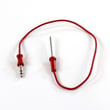
If the oven temperature is still inaccurate or the oven will not heat after resetting, a common next step is checking the oven temperature sensor circuit. For this model, the frigidaire range oven temperature sensor 316217002 is a listed replacement part.
- If the oven heats but is consistently off by a lot, suspect a sensor or calibration setting.
- If the oven will not heat at all, suspect a sensor, wiring connection, or control issue.
- If the display is dead after restoring power, check the house breaker and terminal connections.
Last updated: February 2026
How big is the Kenmore 79041023802?
The Kenmore Elite electric range model 79041023802 is a standard 30-inch slide-in range. Based on the installation requirements, the opening width is 30 inches, and the cabinet cutout depth range is 22 7/8 to 23 1/4 inches; overall height is typically about 35 5/8 to 36 5/8 inches when leveled. For the exact fit details, use the installation guide.
Key dimensions you can plan around
These are the measurements that matter most for fitting the range into a countertop cutout and aligning it with cabinets:
- Width (opening/cutout): 30 inches
- Cutout depth range: 22 7/8 inches (min) to 23 1/4 inches (max)
- Height under cooktop (leveling legs): about 35 5/8 inches (min) to 36 5/8 inches (max)
- Door clearance when open: allow at least 19 1/4 inches
- Minimum clearance to unprotected cabinets: 30 inches
Quick fit checklist before you move the range
Use this list to avoid common “it almost fits” installation problems:
- Measure the countertop opening width in at least 3 spots (front, middle, back).
- Measure cutout depth from the cabinet face to the back wall.
- Confirm the floor is level; leveling legs change final height.
- Plan for door swing clearance (19 1/4 inches minimum).
- Do not lift or maneuver the range by the cooktop glass.
Common measurements vs. what they mean
| Measurement | What it affects | Typical value for 79041023802 installation |
|---|---|---|
| Cutout width | Whether the range slides in | 30 inches |
| Cutout depth | Whether the back sits flush | 22 7/8 to 23 1/4 inches |
| Height under cooktop | Countertop alignment | 35 5/8 to 36 5/8 inches |
| Door clearance | Walkway space when open | 19 1/4 inches minimum |
Why it matters
Range “size” is not just the exterior width. For a slide-in electric range like the Kenmore Elite 79041023802, the cutout depth and leveling height determine whether the cooktop sits correctly on the counter and whether the oven door opens without hitting nearby cabinets.
Last updated: February 2026
What is the F2 code on a Kenmore oven?
On the Kenmore Elite electric range model 79041023802, an F2 error code indicates the oven control is sensing an over-temperature condition (the oven temperature is too high, or the control thinks it is). The most common causes are a failing oven temperature sensor circuit or a problem on the electronic oven control/relay circuit.
What to do first (safe, quick checks)
- Press STOP/CLEAR to silence the beeping and clear the code.
- Let the oven cool completely; do not run Self-Clean until the issue is resolved.
- If the code returns during preheat or baking, stop using the oven and troubleshoot.
- If the code appears right after a power outage or surge, reset power for 1 minute and retry.
- Check for obvious wiring damage at the back of the range (only if power is off at the breaker).
For control locations, keypad functions, and troubleshooting guidance specific to this range, use the owner's manual.
Likely causes on this model
In most Kenmore Elite electric ranges, F2 is triggered when the control reads an unsafe temperature or a sensor reading that looks like runaway heat.
Common root causes include:
- Oven temperature sensor out of range (sensor drifting, shorted, or open)
- Loose or damaged sensor wiring harness between the sensor and control
- Stuck relay on the control board (bake or broil relay contacts welded closed)
- Control board fault misreading temperature input
If you suspect a sensor issue, the model-specific replacement part is the frigidaire range oven temperature sensor 316217002.
Basic diagnosis guide
| Symptom | Most likely issue | What we recommend |
|---|---|---|
| F2 appears soon after starting Bake | Sensor circuit problem | Inspect sensor connector and wiring; test sensor resistance per manual guidance |
| Oven keeps heating past set temp | Stuck relay/control problem | Stop using oven; plan for control/relay circuit repair |
| F2 appears intermittently | Loose connection | Reseat connectors; check harness routing and pin fit |
Why it matters
An over-temperature condition can cause poor baking results, damage internal components, and create unsafe operating temperatures. Fixing the sensor circuit early often prevents repeat failures of the electronic control.
Last updated: February 2026
Why is my Kenmore Elite stove not working?
If your Kenmore Elite electric range 79041023802 is not working, the most common causes are a power supply issue (tripped double breaker or loose cord), an electronic control fault that needs to be cleared, or a failed heating circuit such as a surface element or oven temperature sensor.
Quick checks first
- Make sure the cord is fully seated in the outlet.
- Reset the home breaker; most electric ranges use a 240V double-pole breaker, so reset both sides.
- If the control is beeping or showing a code, press STOP/CLEAR and try Bake again.
- If only one burner fails, focus on that element and its wiring.
- If the whole range is dead, focus on the power connection at the rear.
What the symptom usually points to
| Symptom | Likely cause | What we do next |
|---|---|---|
| Entire range and oven dead | No power, loose cord, burned connection | Check breaker and outlet; then inspect connections (power off) |
| One surface element will not heat | Failed radiant element, relay issue, wiring | Check element for damage; test wiring and switching |
| Oven temperature is wrong or unstable | Sensor out of range, calibration needed | Test sensor; review temperature adjustment steps |
| F10, F30, or F90 beeping | Control detected a fault | Clear with STOP/CLEAR; if it returns, troubleshoot the related circuit |
Parts that commonly solve “not working” on this model
- Frigidaire range oven temperature sensor 316217002 (helps when oven temperature is inaccurate or won’t regulate)
- Terminal block 5304409888 (helps when the range is completely dead or power cuts in and out)
- Cooktop surface element 318198851 (helps when a 7-inch radiant burner will not heat)
Why it matters
A range can seem “dead” from a simple power interruption, but a single burner failure, error beeps, or unstable oven heat usually points to one electrical part or connection. Matching the symptom prevents replacing the wrong part.
Safety notes
- Turn off the breaker before removing panels or touching wiring.
- Do not operate the oven during a power failure; turn it off and restart after power is stable.
For model-specific troubleshooting and the “Before you call” section, use the owner's manual.
Last updated: February 2026