 Installation guide
 Owner’s manual
 Error Codes





What's the lifespan of a GE dishwasher?
A GE dishwasher like model CDT725SSF0SS typically lasts 10 to 12 years. With consistent cleaning and correct installation (level, drain hose not pinched, proper hot-water supply), many households see around 10 to 15 years of service.
What affects dishwasher lifespan most
- Water quality and temperature: Hard water and low water temperature increase buildup and reduce cleaning performance.
- Maintenance habits: Regular cleaning helps prevent clogs and pump strain.
- How often you run it: Heavy daily use wears pumps, seals, and racks faster.
- Installation quality: A unit that is not level or has pinched lines can have ongoing performance issues.
- Door and latch wear: A door that does not close and seal correctly can cause leaks or no-start symptoms.
Maintenance that helps you reach the high end of the range
Use these as a simple routine for CDT725SSF0SS:
- Clean the filter area and remove debris that can restrict circulation.
- Run a dishwasher cleaner periodically to reduce mineral scale.
- Keep spray arms clear of food labels, seeds, and broken glass.
- Check the door seal area for residue and wipe it clean.
- Confirm the dishwasher stays level and stable in the cabinet opening.
Quick reference: lifespan expectations
| Usage pattern | Typical lifespan | What usually fails first |
|---|---|---|
| Light (few loads/week) | 12 to 15 years | Racks, dispenser, seals |
| Average (most households) | 10 to 12 years | Drain/circulation components, heater |
| Heavy (multiple loads/day) | 8 to 10 years | Pumps, heater, door hardware |
Why it matters
Knowing the typical lifespan helps you decide whether to repair or replace. If your CDT725SSF0SS is near the 10 to 12-year mark and you are seeing repeated issues (draining, heating, or starting), it often makes sense to compare repair cost to the dishwasher’s remaining service life.
For model-specific care and operating guidance, follow the CDT725SSF0SS owner’s manual.
Last updated: January 2026
What is the most common problem with a GE dishwasher?
The most common GE dishwasher problem is a drain-related issue: water left in the bottom because the filter area, drain hose, or sink connection is restricted. On the GE CDT725SSF0SS, the next most common no-start causes are a door that is not fully latched and control-related faults; use the CDT725SSF0SS owner's manual for model-specific checks.
Most common symptoms and what they usually mean
- Standing water after the cycle: clogged filter/sump area, kinked drain hose, or a drain pump issue
- Won’t start or stops quickly: door not fully latched, control not accepting input, or a safety condition
- Poor drying: heater circuit issue, rinse aid problems, or cycle selection
- Leaks: door seal/tub gasket issues, loose hose connections, or over-sudsing
- Bad odor: food debris buildup in the filter/sump and spray arms
Quick checks we recommend first (fast, no parts guessing)
- Cancel the cycle and try a drain; listen for the drain pump running.
- Check the sink/disposal connection for a blockage (especially after a new disposal install).
- Inspect the drain hose routing for kinks or pinches; the install guide specifically calls out avoiding a pinched hose.
- Confirm the door closes smoothly and latches firmly; a weak latch can prevent starting.
- If the dishwasher shows an error, match it using GE electronic dishwasher error codes.
Common fixes and the parts that often solve them
| Problem you see | Common fix | Example part for CDT725SSF0SS |
|---|---|---|
| Won’t start, door feels “loose” | Replace door latch/lock | GE dishwasher door latch lock WD21X10490 |
| Not draining well | Clear restriction; replace drain hose if damaged | Dishwasher drain hose WD24X10062 |
| Not drying well | Check heater circuit; replace heater if failed | Dishwasher heater element WD05X30818 |
Why it matters
Drain restrictions and door-latch issues can look like bigger failures (control board, pump), but they are often simpler to diagnose. Starting with hose routing, latch closure, and error-code checks helps prevent unnecessary parts replacement.
Last updated: January 2026
Does a GE dishwasher have a filter that needs to be cleaned?
Yes. On the GE CDT725SSF0SS dishwasher, the wash system uses a filter area at the bottom of the tub that should be checked and cleaned periodically so food debris does not restrict water flow, cause odors, or reduce cleaning performance. Use the CDT725SSF0SS owner’s manual for the exact filter location and removal steps.
How to check and clean the dishwasher filter
- Turn the dishwasher off and let it cool.
- Pull out the lower rack.
- Look at the bottom of the tub for the filter cover or filter assembly.
- Remove the filter (many GE designs unlock with a twist, then lift out).
- Rinse under warm running water; use a soft brush for stuck-on debris.
- Reinstall the filter fully seated and locked, then run a quick rinse cycle.
Cleaning tips that prevent damage
- Use warm water and a soft brush or old toothbrush.
- Avoid wire brushes or abrasive pads that can tear mesh.
- Do not run the dishwasher without the filter installed.
- Check for glass shards before handling the filter.
- Wipe the sump area around the filter before reinstalling.
When a “dirty filter” looks like another problem
A clogged filter can mimic other issues such as poor wash pressure or drainage trouble.
| Symptom | Common filter-related cause | What to do first |
|---|---|---|
| Grit on dishes | Debris recirculating | Clean filter and run hot cycle |
| Bad odor | Food trapped in filter area | Clean filter and tub |
| Not draining well | Debris restricting sump flow | Clean filter; then inspect drain path |
| Poor drying | Water not heating well due to restricted flow | Clean filter; verify heat/dry settings |
If the dishwasher still will not drain after cleaning, inspect the drain hose routing and kinks; the installation instructions call out that the drain hose must not be pinched and should be installed for proper drainage. Use the CDT725SSF0SS installation guide for the correct drain setup.
Why it matters
A clean filter helps the circulation pump move water at full pressure, improves detergent rinsing, and reduces strain on components like the heater and drain system.
Related help
- Use GE dishwasher error codes if the control displays an error after cleaning.
- If you suspect a drain restriction beyond the filter, follow dishwasher not draining video.
Last updated: January 2026
How to do a hard reset on a GE dishwasher?
To hard reset your GE CDT725SSF0SS dishwasher, we recommend doing a full power reset first (breaker off or unplug), then restoring power and canceling any stuck cycle by holding Start for 3 seconds. This clears many control glitches and gets the dishwasher ready to start fresh.
Hard reset steps (power reset + cancel)
- Turn the dishwasher OFF at the breaker (preferred) or unplug it.
- Leave power off for at least 1 minute (up to 5 minutes is fine).
- Restore power.
- Close the door and make sure it is fully latched.
- Press and hold Start for 3 seconds to cancel the current cycle; the unit should begin draining.
- After draining, select a cycle and press Start to test operation.
If it still will not start after the reset
These checks solve the most common “has power but won’t run” situations on electronic dishwashers:
- Confirm the door is latching firmly (a weak latch can prevent starting).
- Check for a stuck Cancel/Start condition; cancel again by holding Start for 3 seconds.
- Verify the dishwasher is getting water; the installation wet test procedure expects water to enter after Start.
- Look for standing water that did not drain; a kinked drain hose can keep the unit from completing a reset.
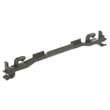
- If the door will not latch consistently, inspect the latch hardware such as the GE dishwasher door latch lock WD21X10490.
Quick reference: reset types
| Reset type | What you do | What it fixes most often |
|---|---|---|
| Power reset (hard reset) | Breaker off or unplug 1 to 5 minutes | Frozen control, random beeps, unresponsive keys |
| Cycle cancel/drain | Hold Start 3 seconds | Stuck cycle, won’t advance, needs to drain |
Why it matters
A dishwasher can look “dead” even with power if the control is locked in a cycle state or the door switch is not proving closed. A power reset plus a proper cancel/drain sequence restores normal start conditions and helps you pinpoint whether the issue is control-related, draining-related, or door-latch-related.
For model-specific button behavior and cycle details, use the CDT725SSF0SS installation guide.
Last updated: January 2026





