 Installation guide
 Owner’s manual
 Error Codes
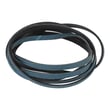


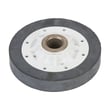
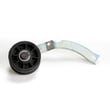
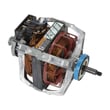
Does Amana make electric dryers?
Yes. Amana makes electric dryers, and your Amana NDE5805AYW is an electric dryer model that uses a household electrical supply and a properly installed power cord (pigtail) to operate.
The installation instructions for this model are specifically labeled for an electric dryer and call out electric-only requirements such as a 3-wire or 4-wire power cord and grounding.
- The dryer uses a power cord (3-wire or 4-wire) with a strain relief
- Wiring and grounding must follow electrical codes
- The power cord is not supplied with the dryer
- Extension cords and adapter plugs are not recommended for this appliance
For the exact electrical hookup method and safety steps, follow the NDE5805AYW installation guide.
| Feature | Electric dryer (like NDE5805AYW) | Gas dryer |
|---|---|---|
| Heat source | Electric heating element | Gas burner + igniter |
| Power connection | 240V circuit with 3-wire or 4-wire cord | 120V outlet plus gas supply |
| Common heat parts | Heating element, thermostats | Igniter, gas valve coils, flame sensor |
Knowing whether your dryer is electric helps you buy the correct power cord, confirm the right circuit, and troubleshoot heating issues correctly (electric dryers focus on the heating element and thermostats, not gas ignition parts).
Good airflow is critical for electric dryer performance and drying time. We recommend following the cleaning and efficiency steps in how to keep a dryer clean and economical.
Last updated: February 2026
How do you reset an Amana dryer?
To reset your Amana dryer model NDE5805AYW, we recommend a simple power reset: unplug the dryer (or switch the breaker off) for 5 to 10 minutes, then restore power and start a cycle again. This clears many minor control and cycle issues.
- Turn the cycle selector to Power Off.
- Unplug the dryer (or turn OFF the circuit breaker).
- Wait 5 to 10 minutes.
- Restore power.
- Close the door fully.
- Select a cycle and press the cycle selector dial to start.
These checks match common “doesn’t run” causes for the NDE5805AYW.
- Confirm the door is fully shut (the dryer will not start with the door open).
- Check the outlet power; reset the house breaker or replace a blown fuse.
- If the door was opened mid-cycle, press the control dial again to restart.
- Cancel the cycle by turning the dial to Power Off, then reselect the cycle.
A reset helps when the control is “stuck” or the cycle needs to be canceled and restarted. It will not fix a failed heating or airflow problem.
| Symptom after reset | Most likely area to check next | Example related part |
|---|---|---|
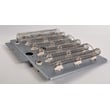
| Runs but no heat | Heat setting, heater circuit | Heat element WPY503978 |
| Runs but dries slowly | Lint screen, venting, exhaust hood | Exhaust kit WP528P3 |
| Loud rumbling or squeal | Drum support and drum movement parts | Dryer drum support roller WP37001042 |
Resetting correctly prevents unnecessary part replacement and helps you separate a simple control interruption from issues like restricted venting, a heating element problem, or worn drum support components.
For model-specific control details (including starting, pausing, and canceling cycles), use the NDE5805AYW owner’s manual.
Last updated: February 2026
How to check Amana dryer drum?
On your Amana NDE5805AYW dryer, checking the drum means confirming it tumbles smoothly, stays centered, and does not scrape or bind. With power disconnected, you can hand-rotate the drum and inspect common wear points like the support rollers, rear seal, and glides.
- Unplug the dryer (or switch off the breaker) before opening any panels.
- Do not reach into the dryer if the drum is moving.
- Let the heater area cool before touching internal parts.
- Open the door and spin the drum by hand; it should rotate smoothly with light resistance.
- Listen for squealing, thumping, or scraping.
- Check that the drum feels level and does not wobble side-to-side.
- Look for black marks on clothes (often from worn seals or glides).
If the drum is hard to turn by hand or makes noise, these parts are the most common causes:
- Support rollers: flat spots cause thumping and drag. Inspect and spin each roller.
- Idler and belt path: a seized idler can make the drum feel tight.
- Rear seal and felt: worn felt can cause scraping and poor airflow.
| Symptom | What we usually find | Parts to inspect |
|---|---|---|
| Thumping every rotation | Roller flat spot | Dryer drum support roller WP37001042 |
| Squealing or rumbling | Roller wear or dry shaft | Dryer drum support roller WP40113601 |
| Scraping/metal-on-metal sound | Worn seal or glide area | Dryer drum rear seal WP37001132 |
| Drum turns but feels “tight” | Idler issue or belt routing | Dryer idler assembly WP37001287 |
A drum that does not spin freely makes the motor work harder, increases dry time, and can damage the belt, rollers, and seals. Catching roller or seal wear early helps prevent bigger repairs.
During installation and first use, the drum should be wiped clean to remove manufacturing oils; follow the steps in the NDE5805AYW installation guide.
Last updated: February 2026





