Installation guide
 Owner’s manual
 Error Codes


What is the price of Samsung 674 Litre refrigerator?
Samsung “674 litre” side-by-side refrigerator pricing depends on the exact model number and where it’s sold. Your Sears PartsDirect page is for the Samsung RS267TDRS side-by-side refrigerator (about 26 cu. ft. class), so a 674 L model (often a different, newer model line) will have a different price.
How to get the right price (match the exact model)
Use these checks so you compare the correct refrigerator:
- Find the full model number on the rating label inside the fresh food section (not just “Samsung 674 L”).
- Match the suffix letters and numbers (they can change features and pricing).
- Compare the same finish (stainless, black stainless, etc.) and dispenser style.
- Confirm whether the listing is for a new unit, open-box, or refurbished.
- If you’re shopping parts for RS267TDRS, use the model-specific diagrams and procedures in the RS267TDRS owner's manual.
RS267TDRS vs “674 L” models: quick comparison
| Item | RS267TDRS (this page) | Typical “674 L” side-by-side listing |
|---|---|---|
| How it’s identified | Model number RS267TDRS | Model number varies by market |
| Capacity reference | “26 cu. ft. and larger capacity” class | Listed in liters (674 L) |
| Price you’ll see | Varies by seller and condition | Varies by seller and condition |
Why it matters
Pricing is tied to the exact model and market. Even when capacities look similar, Samsung side-by-side refrigerators can differ in controls, ice and water dispenser design, and internal components, which changes both retail price and long-term parts costs.
Last updated: February 2026
What is the capacity of the Samsung RS267TDRS?
The Samsung RS267TDRS side-by-side refrigerator is a large-capacity unit; most RS267-size Samsung side-by-sides are about 24 to 26 cu. ft. total. For the exact capacity rating for your specific RS267TDRS version, we recommend confirming it in the RS267TDRS owner's manual.
Typical capacity breakdown (what you can expect)
For Samsung side-by-side refrigerators in this size class, the total capacity is usually split between the fresh food (refrigerator) and freezer sections.
- Total capacity: typically 24 to 26 cu. ft.
- Refrigerator section: typically 15 to 17 cu. ft.
- Freezer section: typically 8 to 10 cu. ft.
- Capacity can vary by revision (XAA) and interior features (bins, icemaker location)
- Usable space is affected by items like the door icemaker and air ducting
Where to find the exact number on your refrigerator
You can confirm capacity using the model documentation and the appliance data label.
- Check the specifications section in the RS267TDRS owner's manual
- Look for the rating label inside the fresh food compartment (often on a side wall)
- If you have the serial number, keep it handy when matching specs to your exact unit
Why it matters
Capacity helps you compare storage space accurately and can affect how you plan food storage, set temperature targets, and evaluate performance (for example, how quickly the refrigerator recovers after door openings).
| What you’re checking | What it tells you |
|---|---|
| Total capacity (cu. ft.) | Overall storage volume for the whole refrigerator |
| Refrigerator capacity | Fresh food storage space available |
| Freezer capacity | Frozen food storage space available |
| Usable space | Real-world space after shelves, bins, and icemaker |
Last updated: February 2026
What is the most common problem with Samsung refrigerators?
Cooling problems are the most common issue we see on Samsung refrigerators, including the Samsung RS267TDRS. In many cases, the root cause is restricted airflow or a defrost-related failure that lets frost build up on the evaporator, which reduces cooling and leads to warm temperatures or inconsistent performance.
Most common symptoms customers notice
- Fresh food section warms up while the freezer seems OK
- Temperature swings (food freezing in the fridge or soft ice cream in the freezer)
- Fan noise, buzzing, or clicking from the freezer area
- Frost or ice buildup behind the rear freezer panel
- Water leaking or puddles (often after heavy frost/defrost issues)
What usually causes it (and what to check first)
Start with the basics, then move to the most common failure points.
- Airflow and settings: Make sure vents are not blocked by food packages; Samsung specifically warns not to block air holes because it can cause overcooling and other problems.
- Water supply conditions (for ice maker and dispenser): If ice production is poor, confirm household water pressure is in the normal operating range; the manual calls out 20 to 125 psi for proper ice maker operation.
- Defrost and fan components: If frost builds up, the defrost system and evaporator fan are common suspects.
Common parts involved (RS267TDRS)
| Problem area | What it affects | Example part for this model |
|---|---|---|
| Defrost system | Frost buildup, weak airflow, warm temps | Refrigerator defrost heater DA47-00322J |
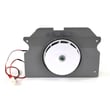
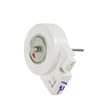
| Evaporator airflow | Cold air circulation to compartments | Samsung refrigerator evaporator fan motor (model-specific options vary) |
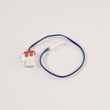
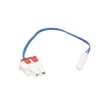
| Temperature sensing | Erratic temps, short cycling | Refrigerator temperature sensor DA32-10109W |
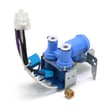
| Ice maker water fill | No ice, small cubes, slow fill | Refrigerator water inlet valve DA62-02291D |
Why it matters
A refrigerator can still sound like it is “running” while cooling performance drops. Catching airflow restrictions and early frost buildup helps prevent food spoilage and reduces strain on the compressor and fans.
Best next step for your model
Use the RS267TDRS owner's manual to confirm correct temperature settings, airflow guidance, and water line checks; then use the Samsung rf265 and rs267 models side by side refrigerator error codes guide if your display shows an error.
Last updated: February 2026
How do I reset my Samsung refrigerator control panel not working?
On the Samsung RS267TDRS, a “reset” for a non-working control panel is usually clearing a locked keypad or power-cycling the refrigerator. First, press and hold Energy Saver for 3 seconds to toggle Child Lock off; if the panel is still unresponsive, unplug the refrigerator for 5 minutes and plug it back in.
Quick reset steps (most common fixes)
- Turn off Child Lock: Press and hold Energy Saver (Hold 3 sec for Child Lock) for 3 seconds; the lock icon should turn off.
- Power-cycle reset: Unplug the refrigerator (or switch the breaker off) for 5 minutes, then restore power.
- Confirm the unit is cooling: After power is restored, allow several hours to reach normal temperatures.
- Dry the panel area: If there is moisture or condensation around the dispenser, wipe it dry and try again.
- Check for dispenser lock symptoms: If the dispenser pad does not respond but lights are on, Child Lock is still active.
What the buttons do on this model
The control panel uses “press and hold for 3 seconds” for several secondary functions. These are the ones most often confused with a reset:
| Button | Hold time | Result |
|---|---|---|
| Energy Saver | 3 seconds | Locks or unlocks the controls (Child Lock) |
| Water | 3 seconds | Resets the filter schedule after a filter change |
| Fridge | 3 seconds | Activates Power Cool |
| Freeze | 3 seconds | Activates or cancels Power Freeze |
For the exact button layout and lock behavior, follow the steps in the RS267TDRS user manual.
If the panel still does not respond
- Verify the outlet has power (try a lamp or phone charger).
- Make sure the doors are fully closed; some functions behave differently with doors open.
- If you notice burning smells or smoke, unplug the refrigerator immediately.
- If the display is blank after power is confirmed, a wiring issue or electronic control problem is likely.
Why it matters
A locked control panel can look like a failed display, and it also disables dispenser functions. Clearing Child Lock and power-cycling restores normal operation in many “control panel not working” complaints.
Last updated: February 2026