 Installation guide
 Owner’s manual
 Error Codes







How to identify Kenmore dishwasher model?
To identify your Kenmore Elite dishwasher model, open the door and look for the model and serial tag on the inner door frame or along the tub opening. For this unit, the model number format will match 66512776K310; use the full number when ordering parts or checking instructions in the 66512776K310 owner's manual.
Where to look on a Kenmore dishwasher
Check these common tag locations first (in order):
- Left or right side of the inner door frame (door jamb area)
- Along the tub rim near the front edge (top or side)
- Inside the tub near the front corners
- On the side wall of the tub opening (visible with the door open)
If the label is worn, use a flashlight and look for lightly printed characters.
What the model number helps you do
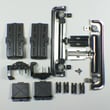
The exact model number (for example, 66512776K310) ensures you get the right fit and electrical match for parts like the rack hardware, pumps, and controls.
- Confirms correct replacement parts for your exact build
- Matches the correct installation requirements and clearances
- Helps troubleshoot symptoms and error codes accurately
Quick checklist: model vs. serial
Use this as a fast reference when you find the tag.
| Item on the tag | What it means | How we use it |
|---|---|---|
| Model number | Identifies the exact dishwasher design | Parts lookup and manuals |
| Serial number | Identifies the production run/date | Version differences and service history |
Why it matters
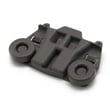
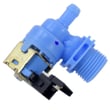
Kenmore dishwashers often share similar styling across multiple series, but internal parts can differ. Using the full model number prevents ordering a dishrack, water inlet valve, or electronic control that looks right but will not mount or connect correctly.
Last updated: January 2026
How to hard reset a Kenmore dishwasher?
To hard reset your Kenmore Elite dishwasher model 66512776K310, we recommend using the control-panel cancel/reset sequence in the 66512776K310 owner's manual. If the dishwasher is unresponsive, a power reset (turning power off, then back on) also clears many temporary control glitches.
Reset options that work most often
- Cancel/Drain reset: Press the model’s Cancel/Drain (or Cancel) option to stop the cycle and force a drain.
- Heated Dry + High Temp sequence (common on many Kenmore 665 models): Press Heated Dry, then High Temp, then repeat once (a total of 4 presses). Close the door and wait a few minutes.
- Power reset: Turn the dishwasher breaker OFF for 1 minute, then ON.
- Door reset: Open the door, wait 10 seconds, then close and restart the cycle.
Step-by-step: power reset (safe, universal)
- Turn the dishwasher OFF at the circuit breaker.
- Wait 60 seconds.
- Turn the breaker ON.
- Select a normal cycle and press Start/Resume.
If the dishwasher still will not respond
These checks solve most “won’t start” or “buttons not working” complaints:
- Confirm the door is fully latched (a weak latch can prevent starting).
- Make sure the control panel is not in a locked mode (if your model has Control Lock).
- If the unit is stuck mid-cycle, run Cancel/Drain and let it finish draining.
- If the door drops open or won’t stay balanced, correct door tension so the latch aligns properly (see the 66512776K310 installation guide).
What a reset does (and does not) do
| Reset type | Clears control glitch | Stops current cycle | Fixes a mechanical problem |
|---|---|---|---|
| Cancel/Drain | Yes | Yes | No |
| Power reset | Yes | Yes | No |
| Button sequence | Yes | Sometimes | No |
Why it matters
A hard reset is the fastest way to clear a temporary electronic “hang” after a power flicker, paused cycle, or keypad confusion. If the problem returns right away, focus on the door latch, wiring, or the electronic control.
Last updated: January 2026
What are the common problems with Kenmore dishwashers?
Common problems on Kenmore dishwashers like model 66512776K310 are draining failures, not starting, poor cleaning, leaks, and weak drying. Most of these trace back to a few basics: power and door latch issues, water supply problems, clogs in the drain path, or worn wash system parts; our 66512776K310 installation guide helps confirm the key checks.
Quick checks we recommend first
- Confirm the door closes tightly and latches.
- Check the house breaker or fuse.
- Verify the water supply valve is fully turned on.
- Start a short cycle and, after about 2 minutes, open the door and confirm there is water in the bottom of the tub.
- If the unit is hard-wired or uses a cord kit, make sure wiring is secure and properly grounded.
Most common symptoms and likely causes
| Symptom | Most likely causes | Parts that often relate |
|---|---|---|
| Won’t start | Door not latched, breaker tripped, cycle not set, control lock, wiring issue | Electronic control board, control panel |
| Won’t drain | Clogged drain hose, blocked pump area, drain pump failure | Dishwasher drain pump WPW10531320, drain hose |
| Poor cleaning | Spray arm blocked, low water fill, detergent issues, diverter problem | Spray arm, diverter motor |
| Leaks | Loose hose connections, worn seals, door not closing square | Hoses, sump and seal |
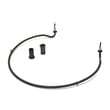
| Not drying | Heater circuit issue, cycle selection, rinse aid use | Dishwasher heater W10703867 |
Why it matters
A dishwasher that is not filling, not draining, or not heating can leave dishes dirty and can also strain the pump and motor over time. Catching a simple issue (like a closed water valve or a kinked drain hose) prevents bigger repairs.
When a part is a strong suspect
- Draining problem with standing water: inspect the drain path first; if clear, the drain pump is a common failure point.
- No heat or poor drying: the heater and its connections are common suspects.
- Intermittent starting: door latch alignment and control components are common culprits.
Last updated: January 2026
Why is the start button not working on my Kenmore Ultra Wash quiet guard?
On the Kenmore Elite dishwasher model 66512776K310, a Start/Resume button that seems “dead” is usually caused by the door not latching fully, the door not being closed within the required time after pressing Start/Resume, or a power/control issue. We start by confirming the door latch and basic power checks, then move to control components.
Quick checks that fix most “won’t start” complaints
- Press Start/Resume, then close the door within 3 seconds; if you miss the window, press Start/Resume again and close the door promptly (the Start/Resume light can flash when the timing is missed).
- Make sure the door is closed tightly and latched; a slightly unlatched door prevents the cycle from starting.
- Check the home breaker/fuse and confirm the dishwasher has power.
- Confirm a cycle is actually selected (not paused between selections).
- If the unit was just installed or moved, verify wiring and grounding match the instructions in the 66512776K310 installation guide.
What to check next (in order)
- Door latch alignment and switch: If the latch does not fully engage, the control will not allow Start.
- Control panel response: If other keys respond but Start does not, the keypad or control panel can be the issue.
- Electronic control: If the dishwasher has power but won’t run any cycle reliably, the control board can be suspect.
- Wiring connections: Loose connections at the terminal box or control can interrupt operation.
Common symptoms and likely causes
| What you see | What it usually means | What to do |
|---|---|---|
| Lights on, Start/Resume flashes | Door not closed within 3 seconds or not latched | Re-press Start/Resume and latch door firmly |
| No lights, no response | Power supply issue | Check breaker, wiring, terminal box connections |
| Some buttons work, Start doesn’t | Keypad/control panel problem | Inspect control panel and harness connections |
| Starts sometimes, then stops | Latch switch or control issue | Check latch engagement, then control diagnostics |
Why it matters
The dishwasher is designed to prevent operation unless the door is safely latched; that is why Start/Resume behavior is closely tied to the door latch and the “close within 3 seconds” requirement.
For model-specific operating steps and indicator light behavior, use the 66512776K310 owner’s manual.
Last updated: January 2026









