 Owner’s manual
 Error Codes
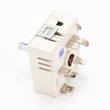




How do I get my oven out of lock mode?
On Kenmore electric range model 62946775690, the oven door locks only during a self-clean cycle. To get out of lock mode, press CANCEL to stop self-clean, then wait for the oven to cool; once the LOCK indicator turns off, move the door lock lever left to unlock.
Quick unlock steps (safe order)
- Press CANCEL to end the clean cycle or any active program.
- If the LOCK indicator is on, wait up to 1 hour for the oven to cool down.
- When the LOCK indicator turns off, slide the door lock lever back to the unlocked position.
- Open the door normally; do not force it.
- If “door” shows on the display, confirm the door is fully closed, then unlock after cooldown.
What the lock indicators mean
| What you see | What it usually means | What to do |
|---|---|---|
| LOCK light on | Oven is hot enough that the internal lock is engaged | Wait for cooldown (up to 1 hour), then unlock |
| “door” on display | Door is not in the correct locked position for self-clean | Move lever fully to the correct position or press CANCEL |
| Door won’t open after clean | Lock is still engaged | Do not force; wait until LOCK turns off |
Why it matters
Forcing the door open while the LOCK indicator is displayed can damage the door and lock lever. Waiting for cooldown protects the latch mechanism and helps prevent misalignment.
If it keeps re-locking or won’t unlock
- Make sure self-clean is fully canceled (press CANCEL once, then wait).
- Let the range cool completely; the lock will not release while the oven is still hot.
- Review the self-clean and door lock lever instructions in the owner's manual.
Last updated: February 2026
How do I reset my Kenmore oven control board?
For your Kenmore 62946775690 electric range, the reliable “reset” for the oven control board is a power reset: turn the range off at the breaker (or unplug it) for 5 to 10 minutes, then restore power. If a fault code returns, cancel it and troubleshoot the cause.
Quick reset steps (safe and effective)
- Turn OFF the range circuit breaker (or unplug the cord if accessible).
- Wait 5 to 10 minutes to let the control fully discharge.
- Restore power.
- Press CANCEL to clear any beeping or a displayed fault code.
- Set the clock and try BAKE or BROIL again.
If the display is beeping or shows an F-code
Your manual notes that when a fault code (example: F2) appears and beeps sound, you should press CANCEL. If the code continues after a power reset, focus on the most common triggers: overheating, a sensor issue, or a stuck keypad. Use the troubleshooting and operating details in the owner's manual.
Common causes and what to check first
- Oven overheats or won’t regulate temperature: check the oven temperature sensor circuit and connections.
- Random beeping or immediate fault return: check for a stuck or wet keypad area; let it dry and retry.
- After self-clean: let the oven cool completely; heat-related faults often clear after cooling and a power reset.
Control “reset” vs. temperature calibration (not the same)
If your oven heats but runs consistently hot or cool, you usually want calibration, not a control-board reset. The manual describes an adjustment procedure using the OVEN TEMP pad (up to ±35°F in 5°F steps).
| Symptom | Best first step | What it tells you |
|---|---|---|
| Display frozen or error beeping | Power reset, then CANCEL | Clears glitches and resets the control logic |
| Oven temperature consistently off | Temperature calibration | Corrects cooking results without replacing parts |
| Fault code returns immediately | Troubleshoot sensor/keypad/overheat | Points to a component or wiring issue |
Why it matters
A power reset clears temporary control glitches, but repeated fault codes usually indicate a real problem (sensor, overheating condition, or control input issue). Resetting without addressing the cause can lead to repeated shutdowns during baking or self-clean.
Last updated: February 2026
What is the average lifespan of 62946775690?
A Kenmore electric range like model 62946775690 typically lasts 13 to 15 years with normal household use. Lifespan depends most on how often you cook, how well the oven door seals, and whether heating components are kept in good working order.
Typical lifespan and what affects it
Most ranges reach the end of their service life due to heat-related wear on electrical parts and heavy-use components.
- Frequent high-heat baking and broiling speeds up element wear
- Self-clean cycles add extra heat stress to wiring and controls
- Slamming or leaning on the oven door can damage hinges and sealing surfaces
- Poor leveling can affect baking results and increase wear (legs and frame)
- Spills and grease buildup can shorten the life of switches and indicator lights
What usually fails first (and what we can replace)
These are common wear items for electric ranges, including parts available for this model.
| Component | Common symptom | Example part on this model |
|---|---|---|
| Oven light | No interior light | Oven bulb 8009 |
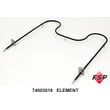
| Broil heat | Weak or no broil | Broiler element WPY04000059 |
| Leveling support | Range rocks or sits uneven | Leg W11665456 |
How to help your range reach the full lifespan
Use these habits to reduce heat stress and prevent avoidable damage.
- Keep the oven door fully closed during baking to maintain temperature
- Avoid opening the door repeatedly; it lets heat escape and can affect results
- Clean spills after the oven cools to protect wiring and switches
- Use self-clean only when needed, and follow the timing and safety steps
- Confirm the range is level and stable after moving it
Why it matters
Knowing the 13 to 15 year average helps you decide whether to repair or replace. If your 62946775690 is near that range and needs multiple major electrical repairs, planning ahead can prevent unexpected downtime.
For model-specific operating and care guidance, use the 62946775690 owner's manual.
Last updated: March 2026




