Installation guide
 Owner’s manual










How can I tell if my Maytag dryer is under warranty?
For your Maytag MEDB835DW0 electric dryer, the fastest way to confirm warranty coverage is to match your purchase date to the warranty terms listed in your documentation, then verify the model and serial number on the dryer’s data label. Start with the MEDB835DW0 owner's manual.
What to check first
- Purchase date on your receipt, invoice, or delivery confirmation
- Model number (MEDB835DW0) and serial number from the dryer’s data label
- Whether the issue is a part failure versus an installation or venting problem
- Whether the dryer was used in residential (typical warranty) versus commercial use
Where to find the model and serial number
On most Maytag dryers, the model and serial information is on a label inside the door opening or on the cabinet opening near the door. Use the exact serial number when you contact support or schedule service.
Warranty coverage checklist (quick guide)
| Item to confirm | What it tells you | What you need |
|---|---|---|
| Warranty term | How long coverage lasts | Warranty section in the manual |
| Start date | When coverage begins | Proof of purchase date |
| Covered items | Parts, labor, or limited components | Warranty details |
| Exclusions | What is not covered | Warranty exclusions list |
Why it matters
Warranty eligibility often depends on the exact purchase date and serial number, and some symptoms (no heat, long dry times, overheating) can be caused by airflow restrictions rather than a failed component. Checking the warranty first helps you avoid paying for a repair that may be covered.
If you’re troubleshooting a symptom while you check warranty
These are common dryer issues that can look like a “warranty problem” but are often maintenance-related:
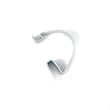
- Clean the lint screen before every load (replace if damaged, such as dryer lint screen (white) W10859086)
- Confirm the vent is not crushed, kinked, or clogged
- Avoid overloading; it reduces airflow through the drum
Last updated: February 2026
How do I troubleshoot my MEDB835DW0?
For the Maytag MEDB835DW0 electric dryer, we troubleshoot by matching the symptom (no heat, no start, noisy, or long dry times) to the most likely airflow, power, or safety-device cause, then confirming with simple checks and a meter test. Use the wiring diagram and diagnostic steps in the MEDB835DW0 owner's manual.
Quick symptom checklist
- No heat: verify 240V supply, then check heating circuit parts.
- Won’t start: confirm door closes and the control is getting power.
- Noisy or thumping: inspect drum support and drive components.
- Long dry times: treat as an airflow restriction until proven otherwise.
- Stops mid-cycle: look for overheating from blocked venting.
Step-by-step troubleshooting (most common fixes first)
- Check airflow: clean the lint screen, inspect the lint duct, and confirm the exhaust vent is not crushed or clogged.
- Confirm power: an electric dryer can run but not heat if one leg of power is missing; reset the breaker fully OFF then ON.
- Test safety fuses (unplug dryer first): a blown thermal fuse or thermal cut-off stops heat (and sometimes the motor).
- Test heating components: check the heater, high-limit thermostat, and thermistor for proper continuity/resistance.
- Address noise: inspect drum rollers, shafts, and idler components for flat spots, wobble, or wear.
Parts that commonly relate to these symptoms
| Symptom | Common part to check | What it does |
|---|---|---|
| No heat / overheating | Thermal fuse W10909685 | Opens the circuit if the dryer overheats |
| No heat | Heater element W11025156 | Produces heat for drying |
| No heat / temp issues | Dryer thermistor WP8577274 | Senses exhaust temperature |
| Squeal / rumble | Dryer drum support roller WPW10314173 | Supports the drum as it turns |
Why it matters
Most MEDB835DW0 problems trace back to restricted venting or a failed safety device. Fixing airflow first prevents repeat failures of the heater, thermal fuse, and high-limit thermostat.
Last updated: March 2026
What is the average lifespan of MEDB835DW0?
The average lifespan of the Maytag MEDB835DW0 electric dryer is 10 to 13 years with normal household use and proper venting. Keeping airflow clear and replacing wear items early (rollers, fuses, heater parts) helps the dryer reach that range.
What affects lifespan the most
- Venting and airflow: restricted exhaust overheats the heater and safety devices.
- Load habits: chronic overloading strains the motor, drum supports, and blower.
- Heat settings: consistently running high heat increases thermal stress.
- Maintenance: lint buildup inside the cabinet and duct shortens component life.
- Wear parts: rollers and idler components wear gradually and get noisy before failing.
Typical wear items over time
| Component area | What you may notice | Example part for MEDB835DW0 |
|---|---|---|
| Drum support | Thumping, rumbling, squealing | Dryer drum support roller WPW10314173 |
| Heating safety | No heat, stops mid-cycle | Dryer thermal cut-off fuse kit 279973 |
| Air movement | Poor drying, burning smell, loud whoosh | Dryer blower wheel WP697772 |
Maintenance that extends dryer life
- Clean the lint screen every load and wash it occasionally to remove residue.
- Check outside vent airflow; strong, steady flow indicates a clear duct.
- Keep the vent run short and free of kinks; clean the duct periodically.
- If drying times increase, fix airflow before replacing heating parts.
Why it matters
Most “dryer died early” situations are really overheating from poor venting. Protecting airflow reduces repeat failures of the heater, thermal fuse, and high-limit thermostat, and it keeps cycles efficient.
For model-specific care and cleaning intervals, follow the MEDB835DW0 installation guide.
Last updated: March 2026