Installation guide
 Owner’s manual




How do I tell which Electrolux dryer I have?
To tell which Electrolux dryer you have, match the model number on the dryer’s identification label to your paperwork. For this parts page, the correct model is EWMED70JMB0; you’ll use that model number to get the right parts, manual, and installation details.
Where to find the model number on the dryer
Most Electrolux front-load dryers place the model and serial label in one of these common spots:
- Open the dryer door and check the door opening (door jamb area)
- Look on the inside face of the door
- Check the back panel near the power cord or gas connection area
- If your dryer is stacked, you may need a flashlight to read the label clearly
For the exact locations and how Electrolux documents the model and serial fields, use the EWMED70JMB0 owner’s manual.
How to confirm you have the right model
Use this quick checklist to avoid ordering the wrong Electrolux dryer parts:
- Model number: should read EWMED70JMB0 (letters and numbers must match exactly)
- Serial number: record it too; it can matter for production changes
- Fuel type: gas vs. electric (installation requirements differ)
- Door style and control panel: compare to your unit if the label is hard to read
Model number vs. serial number (what each is for)
| Item | What it identifies | When you use it |
|---|---|---|
| Model number | The dryer design family | Parts lookup, manuals, compatibility |
| Serial number | Your specific unit’s build | Verifying revisions, service history |
Why it matters
Electrolux dryers often share similar styling across model families, but parts like a heating element, thermistor, or drive belt can vary by model. Using EWMED70JMB0 ensures you land on the correct diagrams and compatible replacement parts.
Last updated: February 2026
What is the life expectancy of an Electrolux dryer?
An Electrolux dryer like model EWMED70JMB0 typically lasts 10 to 15 years with normal household use. Consistent airflow (clean lint screen and venting), correct installation, and avoiding overheating are the biggest factors that keep the drum, motor, and heating system running longer.
What affects dryer lifespan the most
- Airflow and venting: restricted airflow overheats the heater and thermostats.
- Lint control: a clogged lint screen reduces drying performance and raises operating temperatures.
- Load size: chronic overloading strains the drum belt, rollers, and drive motor.
- Electrical supply: loose connections at the terminal block can cause heat damage and intermittent operation.
- Routine maintenance: periodic internal lint removal reduces wear and nuisance shutdowns.
Quick maintenance checklist (best ROI)
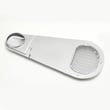
- Clean the lint screen every load; replace a damaged screen with the dryer lint screen 134793600.
- Verify the vent is short, smooth, and not crushed; clean the vent run at least yearly.
- Keep the dryer level and stable; vibration accelerates roller and belt wear.
- If drying times increase, check airflow first before replacing heat parts.
- Follow Electrolux setup and clearances in the installation guide.
Common wear parts and what they usually mean
| Symptom | Most common cause | Typical fix |
|---|---|---|
| Squealing or thumping | Drum support roller wear | Replace roller(s) and inspect belt |
| Drum not turning | Broken/slipping belt | Replace belt |
| Runs but no heat | Heater or safety devices opened | Test heater and thermal limiters |
| Long dry times | Vent restriction or lint buildup | Clean venting and internal lint |
Why it matters
A dryer that runs hot or with poor airflow can shorten the life of the heating element, high-limit thermostat, and thermal limiter, and it also increases cycle times. Keeping airflow strong is the simplest way to protect performance and extend service life.
For model-specific operating and care guidance, use the EWMED70JMB0 owner’s manual.
Last updated: February 2026
Why are my clothes still damp after drying in Electrolux?
Clothes that are still damp after a cycle in your Electrolux EWMED70JMB0 dryer usually point to airflow restrictions, an Auto Dry sensor issue with small loads, or a heat problem. Start by cleaning the lint screen and confirming the cycle and dryness level settings in the EWMED70JMB0 owner's manual.
Quick checks that fix most “damp clothes” complaints
- Clean the lint screen before every load; make sure it is fully seated.
- Avoid very small loads on Auto Dry; moisture sensing bars may end the cycle early.
- Use a higher dryness level (if available on the selected Auto Dry cycle).
- Confirm the vent path is clear (lint buildup, crushed duct, blocked exterior hood).
- Do not overload; heavy, tightly packed loads dry unevenly.
Auto Dry vs. Time Dry: which to use
Auto Dry uses moisture sensing bars in the drum to detect remaining moisture and end the cycle when the selected dryness level is reached. If the load is too small or nearly dry, the sensors may not detect enough moisture and the cycle can end after a few minutes; switching to Time Dry finishes those loads more reliably.
| Situation | Best choice | Why |
|---|---|---|
| Small load (a few items) | Time Dry | Sensors can end Auto Dry early |
| Mixed fabrics | Auto Dry | Adjusts time based on moisture |
| Bulky items (comforter) | Auto Dry (Bulky/Bedding) | Designed for thick items |
| Items to hang dry | Auto Dry + Damp alert | Prompts you to remove items at damp-dry |
When damp clothes indicate a heating or airflow problem
If the dryer runs but never seems to dry, check airflow first (it is the most common cause). If airflow is good, a failed heating component can also cause long dry times or damp loads. On this model, common heat-related parts include the frigidaire dryer heating element 134792700, the dryer inlet thermal limiter 137032600, and the kelvinator dryer high-limit thermostat 3204267.
Why it matters
Poor airflow and incorrect cycle selection increase dry time, waste energy, and can overheat the dryer. Using the right cycle (Auto Dry vs. Time Dry) and keeping the lint screen and venting clean helps the EWMED70JMB0 dry evenly and protect fabrics.
Last updated: February 2026
What are common Electrolux dryer problems?
Common problems on the Electrolux EWMED70JMB0 dryer include long drying times, no heat, not starting, stopping mid-cycle, and loud squealing or thumping. Most issues trace back to airflow restrictions (lint screen or venting), overheating protection trips, or worn drum-drive parts; see the EWMED70JMB0 owner’s manual for model-specific checks.
Most common symptoms and what usually causes them
- Dryer takes too long to dry: clogged lint filter, restricted exhaust duct, or blocked outside hood
- Dryer feels too hot or smells hot: venting not meeting requirements (duct size, length, bends)
- Dryer won’t start: loose power cord, tripped breaker or blown fuse, or an overheated thermal limiter
- No heat (or weak heat): airflow problem first; then heating circuit parts (element, thermostats, limiter)
- Loud noise or drum not tumbling: worn belt, support rollers, blower wheel obstruction, or motor issues
Quick checks we recommend before replacing parts
- Clean the lint screen before every load; lint buildup is a top cause of long dry times.
- Inspect venting: use 4-inch rigid or semi-rigid metal ducting, keep runs short, and limit bends.
- Check power: confirm the plug is tight and the dryer is on a dedicated circuit; reset the breaker.
- Watch for overheating behavior: if the dryer stops and won’t restart until it cools, fix airflow first.
- Confirm load and cycle choices: overloading and overdrying can cause poor results and extra wear.
Parts that commonly fix these problems (when symptoms match)
| Symptom | Likely area | Example part for EWMED70JMB0 |
|---|---|---|
| Squealing, thumping, drum not turning smoothly | Drum drive system | White-westinghouse dryer drum belt 134719300, dryer drum support roller 5304523152 |
| No heat or overheating shutdowns | Heating safety and heat source | Frigidaire dryer heating element 134792700, dryer inlet thermal limiter 137032600, kelvinator dryer high-limit thermostat 3204267 |
| Long dry times with normal heat | Air movement and lint handling | Kenmore dryer lint screen 134793600 |
Why it matters
Airflow problems do more than slow drying; they can make the dryer run hotter than intended, trigger safety shutoffs, and shorten the life of components like the heating element, thermostats, belt, and rollers. The venting rules and troubleshooting checklist in the EWMED70JMB0 installation guide help prevent repeat failures.
Last updated: February 2026