
What is the common problem with a treadmill?
The most common problems we see on the Horizon T95 treadmill involve the walking belt system: the belt slips, drifts off-center, or slows down due to incorrect tension, lack of lubrication, or a worn walking board. Power and control issues (console, safety key, motor controller) are also frequent.
Most common treadmill issues (and what they usually point to)
- Walking belt slipping: belt tension is too loose, belt is worn, or the deck is dry and creating drag.
- Walking belt not centered: rear roller adjustment is off, or the belt has uneven wear.
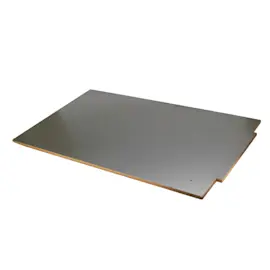
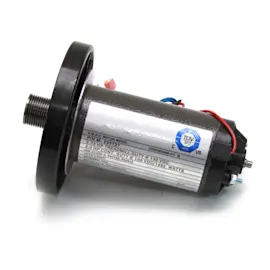
- Belt slows down under load: friction from a dry deck, worn walking board, or a weakening drive motor or motor controller.
- Console powers up but won’t start: safety key issue, wiring connection problem, or motor controller fault.
- Won’t power up at all: outlet or power cord issue, power switch, internal wiring, or control board failure.
Quick checks you can do first (safe, no disassembly)
- Confirm the safety key is fully seated and the console is responding normally.
- Inspect the belt for fraying, glazing, or shiny spots (common signs of wear).
- Walk at a slow speed and note whether slipping happens only when you step on (tension or friction clue).
- Check belt tracking: the belt should run centered without rubbing the side rails.
- Clean dust from exposed areas around the motor hood vents (with power unplugged).
Symptom-to-likely-cause guide
| Symptom | Most likely cause | Typical fix |
|---|---|---|
| Belt slips | Loose belt, worn belt, dry deck | Adjust tension; lubricate; replace belt/deck if worn |
| Belt drifts left/right | Tracking out of adjustment | Adjust rear roller bolts |
| Belt slows down | Excess friction, worn deck, controller/motor strain | Lubricate; inspect deck; test controller |
| Console on, belt won’t move | Safety key, wiring, motor controller | Reseat key; check connections; diagnose controller |
Why it matters
A slipping or slowing belt increases friction and heat, which can overwork the drive motor and motor controller. Keeping the belt aligned and properly maintained helps prevent bigger, more expensive failures.
Related DIY help
- How to maintain a treadmill
- Treadmill walking belt slipping
- Treadmill walking belt not centered
- Treadmill console powers up but the treadmill won't start
Last updated: January 2026
What is the weight limit on the Horizon t95 treadmill?
For the Horizon T95 treadmill, the correct weight limit is the maximum user weight printed on your unit’s capacity label (usually on the frame or near the motor hood). Use that posted rating as the safe limit for walking, running, and incline workouts.
How to find the weight limit on your T95
Look for the manufacturer label that lists “Max user weight” or “Maximum user weight.” Common places include:
- The inside or side of an upright (near the console mast)
- The front frame near the motor cover
- The underside edge of the running deck frame
- The model and serial tag area (sometimes combined with the capacity label)
What to do if the label is missing
If you cannot locate a capacity label, operate conservatively until you confirm the rating.
- Use walking speeds and avoid sprint starts
- Keep incline moderate to reduce load on the drive system
- Maintain proper belt tension and alignment
- Stop using the treadmill if the belt hesitates, slips, or surges under load
| Symptom under load | What it often points to | What to check first |
|---|---|---|
| Belt slips | Belt tension or worn belt/deck | Belt adjustment and deck condition |
| Belt slows down | Drive belt, motor control, friction | Lubrication and walking belt drag |
| Powers up but won’t start | Console safety key, control issue | Safety key and wiring connections |
Why the weight limit matters
Staying within the posted maximum user weight protects the walking belt, walking board (deck), drive motor, and motor controller; it also helps prevent belt slipping, speed drop, and premature wear.
Related troubleshooting and maintenance
Last updated: January 2026
How do I find the model number on my T95?
For a Horizon T95 treadmill, the model number is usually printed on an ID label on the frame, most often near the base by the front upright, the rear roller area, or underneath the motor hood. Match that label to “T95” when ordering parts or troubleshooting.
Where to look on a Horizon T95 treadmill
Check these common label locations first:
- On the frame near the front base, close to the power cord entry
- On or behind one of the uprights (left or right)
- Near the rear roller end caps (back of the deck)
- Under the motor hood (unplug first)
- On the underside of the frame (use a flashlight)
What to write down from the label
The label often includes more than just “T95”. Record everything you see so you get the right diagrams and parts.
- Model number (T95)
- Serial number
- Revision or “Rev” code (if listed)
- Electrical rating (volts/amps)
Quick ID checklist
| Label item | Why it matters |
|---|---|
| Model number (T95) | Ensures you are in the correct parts list and diagrams |
| Serial number | Helps confirm production run and compatible components |
| Revision code | Can affect console, wiring, and motor controller compatibility |
Why it matters
Treadmills often have multiple versions within the same model family. Using the full ID label details helps prevent ordering the wrong console, walking belt, drive motor, or motor controller for your Horizon T95.
If the label is missing or unreadable
Use these practical checks to narrow it down:
- Look for a second label under the motor hood or on the underside of the frame
- Check any paperwork that came with the treadmill (receipt, setup sheet)
- Compare your console layout and frame style to common T95 configurations using [treadmill common questions]
Last updated: March 2026