 Installation guide
 Owner’s manual
 Error Codes



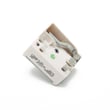
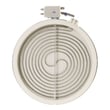
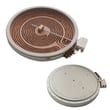

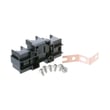
What are common problems with GE ranges?
Common problems on the GE JB630RF1SS electric range include the oven not heating correctly, surface elements not working or cycling oddly, error codes or a dead control panel, and door or light issues. Many of these trace back to a failed heating element, wiring connection, or an electronic control.
Most common symptoms we see
- Oven will not heat or heats unevenly (bake element, temperature sensor, or control issue)
- Cooktop radiant element not heating (failed radiant element or loose/overheated wiring)
- Error codes, beeping, or unresponsive keypad (control board or wiring)
- Oven light not working (bulb or socket)
- Door won’t lock/unlock for self-clean (latch/lock mechanism)
Quick checks before replacing parts
- Confirm power: An electric range needs full 240V supply; a tripped breaker can leave lights working but prevent heating.
- Look for obvious damage: Burn marks at the rear connection area can point to a wiring/connection problem.
- Check the basics: Make sure the correct cooking mode is selected and the clock is set if your model requires it.
- Inspect the cooktop element: If one burner stays cold, swap pans and try another element position (if applicable) to isolate the issue.
Parts that commonly fix these problems (JB630RF1SS)
| Problem | Likely part area | Example part for this model |
|---|---|---|
| Oven not heating | Bake circuit | Range bake element WB44X45495 |
| Dead display or error codes | Electronic control | Oven control WB27X45466 |
| Oven light out | Light bulb/socket | Range oven light bulb 40A15 |
Why it matters
Heating and control problems can be caused by loose or overheated connections. The installation instructions for this model also emphasize correct terminal block wiring and securing the range with an anti-tip bracket, which helps prevent unsafe movement during use or service.
Helpful references
- Use the JB630RF1SS installation guide for wiring/terminal block and anti-tip bracket details.
- If you’re seeing a fault code, match it to the symptom using GE freestanding range error codes.
Last updated: January 2026
Is GE profile considered high end?
Yes. GE Profile is widely considered GE’s higher-end line, positioned above standard GE models with more premium features, finishes, and cooking convenience options. For your GE electric range model JB630RF1SS, GE Profile is a step up in the GE lineup, not a requirement for reliable everyday performance.
How GE Profile compares to standard GE
GE Profile typically focuses on upgraded design and feature sets, while standard GE models prioritize core cooking performance and value.
- More advanced cooking modes and controls (varies by model)
- More premium styling and finishes (varies by model)
- More convenience features (for example, enhanced self-clean options on some models)
- Standard GE models still use proven components like bake elements, surface elements, and control boards
| Line | Typical positioning | What you usually get |
|---|---|---|
| GE (standard) | Mainstream | Core bake/broil performance, practical features |
| GE Profile | Higher-end within GE | More features, more premium design, more tech options |
What matters for JB630RF1SS owners
Even if your range is not GE Profile, you can still troubleshoot and repair it effectively using model-specific documentation and correct replacement parts.
- Use the JB630RF1SS installation guide for electrical hookup basics, clearances, and anti-tip bracket requirements
- If you have control or display issues, the oven control WB27X45466 is a common electronic component involved in clock, bake, and mode selection
- If the oven is not heating properly, the range bake element WB44X45495 is a common failure point on electric ranges
Why it matters
“High end” usually translates to more features and finish upgrades, not necessarily better basic heating. For repairs, the most important factors are correct model identification (JB630RF1SS), safe electrical practices, and using the right GE replacement parts.
Last updated: January 2026
What is the F1 code on a GE Profile?
On GE ranges like model JB630RF1SS, an F1 code usually points to a problem in the electronic oven control system, most often a stuck key or a failing control board. The range may beep continuously and may not respond normally until the fault is corrected.
What the F1 code typically means
F1 is commonly triggered when the control senses an invalid input or internal failure, such as:
- A stuck or shorted keypad (button panel) input
- A failing electronic oven control (EOC) or control board
- Moisture, heat, or contamination affecting the control area
- A wiring connection issue between the keypad and control
For this model, the most relevant replacement part is the oven control WB27X45466.
Quick checks we recommend first
Before replacing parts, we recommend these safe, practical steps:
- Cancel the cycle and let the range cool completely.
- Turn off power at the breaker for 2 to 5 minutes, then restore power.
- If the beeping returns immediately, avoid using the oven until the issue is resolved.
- If the code appears after cleaning, make sure the control area is dry and the oven has cooled.
- If you recently installed or moved the range, recheck the power connection at the terminal block.
For wiring and power-connection guidance, follow the installation guide.
What to do next (repair path)
In most cases, F1 troubleshooting comes down to isolating whether the keypad input is stuck or the control board is failing.
| Symptom | Most likely cause | Common fix |
|---|---|---|
| F1 beeps right after power is restored | Control board fault | Replace oven control |
| F1 happens when pressing certain keys | Stuck key or keypad issue | Inspect/replace control interface (varies by model) |
| F1 appears after heat or self-clean | Heat-related control failure | Replace oven control; verify cooling/venting |
If you also see other fault codes, use the GE freestanding range error codes reference to narrow the diagnosis.
Why it matters
An F1 condition can disable normal oven operation and, in some cases, cause the oven to behave unpredictably. Correcting the control or input problem restores safe, reliable temperature control and normal keypad response.
Last updated: January 2026
How do you reset a GE oven?
To reset a GE oven on model JB630RF1SS, we recommend starting with a power reset: turn the range off at the circuit breaker for 1 minute, then restore power and set the clock. This clears many control glitches and some error-code lockups.
Quick reset steps (most common)
- Press Cancel/Clear once to stop any active cycle.
- Turn OFF the range breaker (or remove the fuse) for 60 seconds.
- Turn the breaker ON.
- Set the clock and try Bake again.
- If the display is still unresponsive, repeat the power reset for 5 minutes.
If the oven still will not power up
The installation checklist for this GE electric range emphasizes verifying the home power supply at the breaker and that power is in service. Use these checks before assuming a part has failed.
- Confirm the circuit breaker is fully reset (OFF then ON).
- Make sure the range is on an individual, properly grounded circuit.
- If the cooktop works but the oven does not, check for an error code and follow the GE freestanding range error codes guidance.
- If the control panel is blank or erratic after a reset, the oven control can be a likely suspect.
Parts that can be involved
If resets do not restore normal operation, these parts are commonly involved in “no heat” or “dead control” symptoms on electric ranges.
| Symptom | What it often points to | Example part for JB630RF1SS |
|---|---|---|
| Display dead or keys do not respond | Oven control or power supply issue | Oven control WB27X45466 |
| Oven light out only | Bulb or socket | Range oven light bulb 40A15 |
Why it matters
A proper reset helps the electronic control recover from a temporary fault. Verifying the breaker and supply power first prevents unnecessary parts replacement and gets your GE range back to baking faster.
For model-specific operating details (clock setting, control behavior, and error displays), use the JB630RF1SS owner’s manual.
Last updated: January 2026





