


Are tiller tines universal?
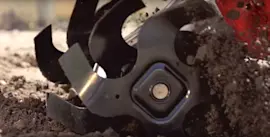
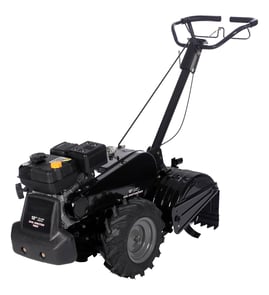
Tiller tines are not universal. On a Craftsman rear-tine tiller model 917299550, the tine must match the tine rotation style, mounting pattern, and shaft size for the tine set to fit and till correctly without vibration or drivetrain damage.
Even when two tines look similar, these details determine compatibility:
- Left vs. right tine orientation (they are mirror images)
- Bolt-hole pattern and spacing on the tine hub or flange
- Inside diameter and keyway style (if the tine mounts to a shaft)
- Tine rotation direction (forward-rotating vs. counter-rotating)
- Tine diameter and width (affects tilling depth and load)
For this model, we recommend replacing like-for-like using the correct side-specific parts: tine, left 532101193 and tine, right 532101194.
Use this checklist on your existing tine:
- Confirm whether you need left, right, or a full set
- Count mounting holes and measure center-to-center spacing
- Compare the bend direction and cutting edge orientation
- Check for uneven wear that could indicate a bent tine holder or shaft
- Verify fasteners are correct and tight (loose hardware can mimic “wrong tine” symptoms)
| What you notice | What it usually means |
|---|---|
| Tiller “walks” sideways or hops | Left/right tines swapped or wrong rotation style |
| Excess vibration | Bolt pattern mismatch, loose mounting, or bent tine |
| Poor soil breakup | Wrong tine style, worn cutting edges, or incorrect depth setting |
| Fasteners keep loosening | Incorrect hardware grade, missing lock hardware, or misalignment |
Correct tines protect the gear case and tine shaft from shock loads. A mismatched tine set can overload the drivetrain, reduce tilling depth, and make the tiller hard to control.
Last updated: January 2026
Where is the model number on a tiller?
On a Craftsman rear-tine tiller like model 917299550, the model number is printed on a product ID label (a sticker or metal tag) attached to the tiller frame. It’s most often found near the tine shield/guard area or on the engine area near the fuel tank.
- On the tine shield (tine guard) behind or above the tines
- On the main frame near the handlebar mounting area
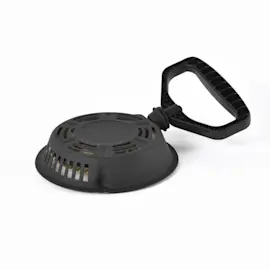
- Near the engine, often close to the fuel tank or recoil starter housing
- On the front of the tiller frame on some larger rear-tine designs
- On a vertical frame rail near the wheels or depth stake
The label usually includes a few different identifiers. For ordering parts, we recommend recording all of these if they’re present:
| Label item | What it’s used for | Example format |
|---|---|---|
| Model number | Matches the correct parts diagrams | 917299550 |
| Product number | Helps narrow down exact build | 9-digit or 11-digit code |
| Serial number | Identifies your specific unit | Letters and numbers |
- Wipe the area with a damp rag first; dried mud can hide the tag
- Use a flashlight and look from different angles; stamped tags can be hard to read
- Take a close-up photo and zoom in to read worn printing
- If the tag is missing, use the engine model/type/code (on the engine shroud) to help identify compatible maintenance parts
Rear-tine tillers can use different belts, tines, bearings, and hardware depending on the exact model. Using the correct model number helps ensure parts like the v-belt 532138399 or tine, left 532101193 match your Craftsman 917299550 tiller.
Last updated: January 2026
How to make a tiller dig deeper?
To make your Craftsman rear-tine tiller model 917299550 dig deeper, adjust the depth stake (drag bar) so the tiller rides slightly tilted back and the tines can bite. Start shallow, then raise the depth stake in small steps to increase digging depth.
- Move the depth stake to a deeper-tilling position (more resistance behind the tines).
- Make a first pass shallow, especially in hard or compacted soil.
- Make a second pass deeper after the soil is broken up.
- Reduce forward speed; let the tines do the work.
- If the tiller hops or skates, back off depth and take another pass.
If the depth stake is set correctly and the tiller still will not dig, we focus on traction, tine condition, and drive components.
- Worn or incorrect tines: rounded edges reduce bite. Replace as needed using tine, left 532101193 and tine, right 532101194.
- Loose or slipping drive belt: a worn belt can reduce tine speed and digging power. Inspect and replace if glazed or cracked.
- Soil conditions: very dry clay or packed ground often needs multiple shallow passes.
- Depth stake hardware: missing pins or retainers can let the stake shift under load.
| What you see | Most likely cause | What to do |
|---|---|---|
| Tiller bounces and will not stay down | Too deep too fast, hard soil | Start shallow; deepen gradually |
| Tines spin but machine creeps forward | Depth stake too high (too little drag) | Set stake for more drag |
| Tines barely turn under load | Belt slipping or drive issue | Inspect belt and pulleys |
| Tiller pulls to one side | Uneven tine wear or missing tine | Replace tines as a set |
Proper depth control protects the gear case, belt, and tine shaft while giving you better soil breakup. A few progressive passes usually tills deeper faster than forcing maximum depth in one pass.
Last updated: January 2026
What are the common problems with lawn tillers?
Common problems on the Craftsman 917299550 rear-tine tiller are fuel-related no-starts, ignition issues, and drive or tine problems such as a slipping belt or worn tines. Most fixes start with fresh fuel, a clean spark plug, and a quick inspection of the belt, pins, and tine hardware.
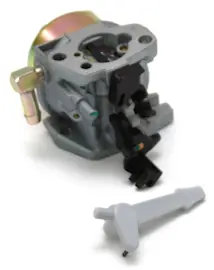
- Engine will not start or starts then dies: stale fuel, clogged fuel cap vent, dirty carburetor, or fouled spark plug
- Runs rough or surges: partially clogged carburetor jet, water in fuel, restricted fuel flow
- Tines do not turn: loose or broken linkage, missing pin, or a worn/slipping drive belt
- Poor tilling performance: worn or bent tines, incorrect depth setting, soil too wet or packed
- Oil leak near tine/gear area: worn seal at the gear case
- Drain old gas and refill with fresh fuel; open the fuel valve (if equipped)
- Remove and inspect the spark plug; clean or replace if fouled
- Check for obvious belt damage and correct tension; inspect the v-belt 532138399
- Verify all tine and depth-stake pins are installed and secured; inspect the pin 596029501
- Look for oil residue around the transmission/gear case area; inspect the oil seal 532155236
| Symptom | Most likely cause | First action |
|---|---|---|
| No start | bad fuel, spark plug issue | replace fuel, service plug |
| Starts then stalls | restricted fuel flow | check cap vent, filter, carb |
| Tines stop under load | belt slipping | inspect/replace belt |
| Shallow, uneven tilling | worn tines or setup | adjust depth, replace tines |
A tiller that is starved for fuel or slipping a belt can feel like a major engine problem, but these are usually fast, low-cost fixes. Catching worn wear-items early also helps protect the gear case and tine drive components.
Last updated: January 2026