 Installation guide
 Owner’s manual
 Error Codes
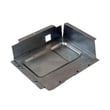
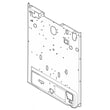
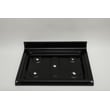

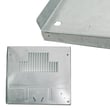

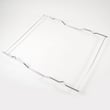

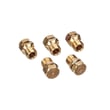
How to remove the top of a Kenmore gas range?
On Kenmore gas range model 79070613210, the cooktop is not removable, so we do not remove the “top” as a service step. For cleaning and most repairs, we access components by removing grates, burner parts, or panels as outlined in the 79070613210 installation guide.
What you can remove safely (typical cooktop access)
- Remove the cooking grates.
- Lift off burner caps.
- Lift off burner heads/bases (if your version uses lift-off heads).
- Remove any visible mounting screws that secure burner bases or brackets (only if present).
- For deeper service access, remove the rear panel or other service panels instead of the cooktop.
Recommended access points for common repairs
If you are trying to reach a specific part, these access points are usually the right approach:
| What you’re servicing | Usual access method | Example part you might replace |
|---|---|---|
| Surface burner won’t spark | Lift grates/caps; inspect igniter and wiring | Range spark module 5304508269 |
| Oven won’t ignite or heats slowly | Access oven burner area; inspect igniter | Range oven burner igniter 5304509706 |
| Oven temperature is inaccurate | Access sensor from oven cavity or rear (varies) | Range oven temperature sensor 316233903 |
Safety steps before you start
- Turn all burner knobs to OFF.
- Shut off the gas supply valve to the range.
- Unplug the power cord (spark ignition uses electricity).
- Let the range cool completely.
- Pull the range forward only as far as needed; avoid stressing the gas line.
Why it matters
Trying to force a non-removable cooktop can bend the frame, crack enamel, or damage gas tubing and igniter wiring. Using the correct access panels protects the manifold, regulator, and burner components while keeping the range safe to operate.
Last updated: February 2026
What does F31 mean on a Kenmore gas stove?
On the Kenmore 79070613210 gas range, the F31 error code points to an oven temperature sensing problem (most commonly the oven temperature sensor circuit). The range may stop heating or heat erratically until the sensor and its wiring are checked and corrected.
What to check first
- Turn the range off at the breaker for 1 minute, then restore power and see if F31 returns.
- Inspect the sensor harness connection at the back of the oven cavity (loose plug, corrosion, pin damage).
- Look for damaged wiring (melted insulation, pinched wires, rubbed-through spots) between the sensor and control.
- If the code appears during preheat, note whether the oven ignites normally or struggles to light.
- If you recently moved the range, confirm it is installed and grounded correctly per the 79070613210 installation guide.
Likely fix and the part involved
In most cases, replacing the oven temperature sensor resolves F31 when wiring and connectors are in good shape. For this model, the sensor is the range oven temperature sensor 316233903.
| Symptom with F31 | Most common cause | What we recommend |
|---|---|---|
| Oven won’t heat and code appears quickly | Open sensor circuit or unplugged connector | Reseat connector; inspect harness; replace sensor if needed |
| Oven heats but temperature swings | Sensor out of range | Replace oven temperature sensor |
| Code appears after cleaning or moving | Pinched/loose wiring | Inspect routing and connectors; correct wire damage |
Why it matters
The control board uses the temperature sensor signal to regulate gas ignition and oven temperature. When that signal is missing or out of range, the range posts F31 to prevent unsafe or uncontrolled heating.
Safety notes for gas ranges
- Shut off power before removing panels or testing wiring.
- If you smell gas, do not operate the range; shut off the gas supply valve and have the issue corrected.
- Do not attempt to operate the electric ignition oven during a power failure; reset controls to OFF.
Last updated: February 2026
What if I can't find my part on Sears PartsDirect?
If you can’t find a part for your Kenmore gas range model 79070613210, the fastest path is to confirm the exact model and serial information from the range’s identification plate, then use that information to match the correct part listing in our diagrams and parts categories. See the 79070613210 installation guide for where to locate the ID plate.
Step 1: Confirm the model and serial number on the range
The installation instructions explain that the identification plate is on the right-hand surface of the oven front frame; you access it by opening the storage, warmer, or broiler drawer (depending on your configuration).
- Open the lower drawer and look along the oven front frame (right side)
- Write down the model number, serial number, and any lot number/letter
- Match every character exactly (numbers and letters)
- Use that exact model number when searching parts
- Keep the information handy when ordering or calling for help
Step 2: Use the most common “hard-to-find” part categories
If a search term is too generic (for example, “igniter” or “burner”), it helps to narrow by the part type used on this model.
| What you need | What it’s often listed under | Example from this model’s parts |
|---|---|---|
| Oven won’t heat | Oven burner ignition parts | Range oven burner igniter 5304509706 |
| No spark at surface burners | Ignition switches or spark system | Range spark module 5304508269 |
| Oven temperature issues | Sensor or control components | Range oven temperature sensor |
Step 3: When to stop DIY searching and get direct help
If you still can’t locate the exact part, we recommend contacting Sears PartsDirect support with your model and serial details so we can cross-check diagrams, substitutions, and manufacturer revisions.
- You see multiple similar parts with different part numbers
- Your range has been converted to LP gas or had prior repairs
- The part is cosmetic (panels, overlays, handles) and color matters
- You’re unsure whether you need an assembly vs. an individual component
Why it matters
Kenmore model numbers can look similar across different gas ranges, but small differences change the correct igniter, burner, regulator, or control parts. Using the identification plate details prevents ordering a part that does not fit.
Last updated: February 2026




