Installation guide
 Owner’s manual
 Error Codes


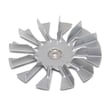
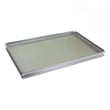


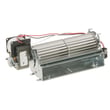
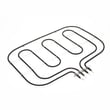
How to order GE appliance parts?
For your GE ZET2SM1SS wall oven, we recommend ordering replacement parts by matching your model number to the parts list for this appliance, then selecting the exact part you need. Use the diagrams and part descriptions to ensure the correct fit before checkout.
- Confirm the full model number on the oven’s rating label matches ZET2SM1SS.
- Identify the part you need using the exploded-view diagrams and descriptions.
- Match by part name and part number (not just how it looks).
- If you are unsure between similar items (glass, trim, boards), compare where it installs.
- Review installation notes and safety steps in the owner's manual.
These are frequently replaced items for heating, temperature accuracy, and door sealing:
| Symptom or need | Part to check | Example part on this model |
|---|---|---|
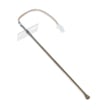
| Oven temperature seems off | Temperature sensor | Wall oven temperature sensor WB23T10015 |
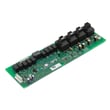
| Oven not heating consistently | Relay/control issue | Wall oven relay control board WB27T10821 |
| Heat leaking, long preheat, poor baking | Door seal | Range oven door gasket WB04T10050 |
- Use the model-specific part listing for ZET2SM1SS; GE wall ovens often have similar-looking parts that are not interchangeable.
- For electrical parts (control board, sensor, limit switch), match the exact part number.
- For door glass and panels, verify which layer you need (inner vs middle) before ordering.
Ordering by the exact model number and part number prevents fit issues, repeat repairs, and return delays, especially with electrical components and oven door glass.
Last updated: February 2026
How to replace the control panel on a GE oven?
On a GE ZET2SM1SS wall oven, replacing the control panel typically means shutting off power, removing the oven door for safer access, then removing the panel mounting screws and transferring the wiring to the new panel one connector at a time. Use the installation guide for safe handling steps.
- Turn off the circuit breaker to the wall oven; confirm the display is dark.
- Let the oven cool completely.
- Protect the cabinet and floor with a blanket or cardboard.
- Plan for the oven and door weight; the door is very heavy.
- Do not lift the oven door by the handle.
- Disconnect power at the breaker.
- Remove the oven door to reduce weight and improve access.
- Remove any trim pieces that block access to fasteners (some trims must be removed first to prevent damage during service).
- Remove the screws securing the control panel.
- Carefully pull the panel forward.
- Transfer wiring one connector at a time from the old panel to the new panel (take a photo first).
- Reinstall the panel, trim, and door; restore power and test bake, broil, and keypad functions.
The installation instructions for this oven emphasize safe door handling:
- Close the door to the removal position (most of the way closed).
- Lift the door up and out until the hinge arms clear the slots.
- When reinstalling, fully seat the hinge notches in the hinge slots, then lock the hinge locks.
| Task | What to watch for | Why it matters |
|---|---|---|
| Power off | Breaker off, display dark | Prevents shock and board damage |
| Door handling | Lift by the sides, not the handle | Avoids injury and cosmetic damage |
| Wiring transfer | Move connectors one at a time | Prevents miswiring and error codes |
| Final test | Bake, broil, controls respond | Confirms a successful repair |
A control panel swap is straightforward mechanically, but wiring mistakes and unsafe door handling are the two most common causes of repeat problems. Following the documented door and trim steps keeps the oven, cabinet, and trim from getting damaged.
Last updated: February 2026
How do I reset the error code on my GE oven?
On your GE ZET2SM1SS wall oven, you can clear many function error codes by turning the Oven Mode and Temperature knobs to OFF, letting the oven cool, then doing a power reset at the breaker for about 30 seconds and restoring power. If the code returns, troubleshooting the related circuit or part is the next step.
- Turn Oven Mode knob to OFF.
- Turn Temperature knob to OFF.
- If the oven is hot or the door is locked, wait for it to cool.
- Turn the oven circuit breaker OFF for 30 seconds.
- Turn the breaker ON, then set the clock if the display flashes.
A repeating code usually points to a condition the control still detects (overheat, sensor issue, door lock issue, or a control problem). Check these basics first:
- Confirm the oven is not in a clean cycle and the door is fully closed.
- If the display shows F9 while you want to cook, leave both knobs OFF and let the oven cool below the locking temperature.
- If baking temperatures seem consistently off, use the thermostat adjustment steps in the owner's manual.
- If you suspect a temperature sensing problem, the wall oven temperature sensor WB23T10015 is a common part involved.
| Action | What it fixes | What it does not fix |
|---|---|---|
| Cancel/Clear (if your control has it) | Simple setting mistakes | Hardware faults |
| Knobs to OFF + cool down | Lockout/overheat related conditions | Failed sensor, board, latch |
| Breaker reset (30 seconds) | Clears control glitches and some fault states | Persistent electrical or component failures |
Resetting the code is useful because it separates a one-time control glitch from a repeatable failure. If the code returns after a proper cool-down and breaker reset, you can focus on the most likely causes (sensor, door lock, wiring, or control board) instead of guessing.
Last updated: February 2026
What are the parts of an electric oven?
An electric oven like the GE ZET2SM1SS is built around heating elements (bake and broil), temperature sensing and controls, airflow and cooling parts, and the door and sealing system. For your exact component layout and names, use the owner's manual.
- Bake element: provides most of the heat for baking (often under the oven floor)
- Broil element: provides high, top-down heat for broiling
- Oven temperature sensor: tells the control how hot the oven is
- Control system: control panel, display, and control/relay boards that switch power to heaters
- Convection system (if equipped): convection fan and convection element for even baking
- Door system: door glass, hinges, handle, and door gasket to seal heat in
These are some model-matched parts that represent the major systems above:
| System | What it does | Example part for ZET2SM1SS |
|---|---|---|
| Temperature sensing | Regulates heat accurately | Wall oven temperature sensor WB23T10015 |
| Heating (bake) | Primary baking heat | Range bake element WB44T10056 |
| Heating (broil) | Top heat for broiling | Wall oven broil element WB44T10057 |
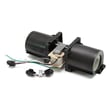
| Airflow/cooling | Moves air to manage heat | Oven blower assembly WB26T10049 |
| Door sealing | Helps hold heat in the cavity | Range oven door gasket WB04T10050 |
When you set a temperature, the control system energizes the bake and/or broil element and uses feedback from the temperature sensor to cycle heat on and off. If the door gasket leaks, the sensor is out of range, or a relay/control board fails, you can see symptoms like uneven baking, long preheat times, or error codes.
- Oven won’t heat: failed bake element, open limit switch, control/relay issue
- Temperature is off: sensor drifting, calibration setting, door gasket leak
- Fan runs during/after cooking: normal cooling operation on many wall ovens
- Door heat loss or smoke/odor: worn gasket or door not closing squarely
Last updated: February 2026