 Installation guide
 Owner’s manual






How to hard reset a Kenmore dishwasher?
For the Kenmore Elite dishwasher model 66512772K311, the most reliable “hard reset” is a control reset: press and hold CANCEL/DRAIN twice to reset the control, then reselect your cycle and press START/RESUME. Confirm the exact button sequence in the 66512772K311 owner's manual.
- Open the door slightly to pause the cycle; wait for spraying to stop.
- Press and hold CANCEL/DRAIN until the Cancel/Drain light turns on.
- Press and hold CANCEL/DRAIN a second time (the manual describes this as resetting the control).
- Close the door; let the dishwasher drain if water is in the bottom.
- Select your new cycle and options, then press START/RESUME and close the door.
These checks solve most “looks dead” or “won’t run” complaints after a reset:
- Make sure the door is fully closed and latched (loading can interfere with latching).
- If the START/RESUME light is blinking, press START/RESUME and close the door within 3 seconds.
- Turn off Control Lock if it is enabled (Locked light on). On many versions of this control, you press and hold TOP RACK ONLY for 3 seconds.
- Verify the dishwasher has power (breaker or fuse).
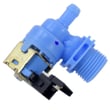
- If the unit will not fill, inspect the home water supply and consider a failed inlet valve such as the dishwasher water inlet valve W11175771.
On 66512772K311, a “hard reset” usually refers to clearing the control and canceling the current cycle, not a separate hidden reset button.
| Reset type | What it does | When to use it |
|---|---|---|
| Cancel/Drain reset | Clears the cycle and resets the control | Stuck cycle, wrong selection, odd behavior |
| Control Lock toggle | Disables or enables the keypad | Buttons do not respond |
| Power cycle (breaker off/on) | Reboots the control board | After a surge or repeated glitches |
Resetting the control the right way prevents partial cycles, standing water, and false “won’t start” symptoms caused by a blinking Start/Resume light or Control Lock.
Last updated: January 2026
What are the common problems with Kenmore dishwashers?
Common problems on Kenmore dishwashers like model 66512772K311 are not draining, not starting, poor cleaning, leaks, and not drying. Most of these trace back to loading or latch issues, clogged filters or hoses, hard water buildup, or a failed component such as a drain pump or heater; our 66512772K311 owner's manual walks through the built-in troubleshooting checks.
- Dishwasher does not run or start: door not fully closed and latched, Start/Resume not completed, power issue (breaker or fuse), or a door latch problem
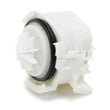
- Water remains in tub or will not drain: kinked drain hose, disposer knockout plug not removed, food obstruction in drain path, or a weak drain pump
- Poor cleaning: spray arm blockage, overloading, old detergent, hard water deposits, or filters needing cleaning
- Not drying: rinse aid not used, cycle selection, or a heating issue (heater circuit)
- Hard water residue or cloudy glassware: mineral deposits, not enough rinse aid, detergent amount not matched to water hardness
- Confirm the door closes fully and latches; large dishes can interfere with closing.
- If the Start/Resume light is blinking, press Start/Resume and close the door within 3 seconds.
- Verify power at the dishwasher (check the house breaker or fuse).
- For draining complaints, inspect the drain hose for kinks and clear the disposer inlet (including the knockout plug if newly installed).
- Address hard water: use rinse aid, use fresh detergent, and clean filters monthly.
| Symptom | Common part involved | What it does |
|---|---|---|
| Won’t drain | Dishwasher drain pump WPW10531320 | Pumps water out through the drain hose |
| Won’t fill | Dishwasher water inlet valve W11175771 | Opens to let water into the tub |
| Not drying | Heater W10703867 | Heats water and supports drying performance |
| Door won’t start cycle | Dishwasher door latch WPW10653840 | Confirms door is closed so the unit can run |
These symptoms often overlap. For example, a door that is not fully latched can look like a “dead” dishwasher, and a kinked drain hose can look like a pump failure. Doing the quick checks first prevents unnecessary part replacement.
Last updated: January 2026
Why is the start button not working on my Kenmore Ultra Wash quiet guard?
On the Kenmore Elite dishwasher model 66512772K311, a Start button that won’t respond is usually caused by the controls being locked, the door not fully latching, or the Start/Resume sequence being interrupted. We recommend checking Control Lock first, then confirming the door latch is engaging.
- Control Lock is on: When Locked is lit, all buttons are disabled and the dishwasher cannot start.
- Door not latched: The unit will not run unless the door is closed and latched.
- Start/Resume needs to be pressed again: If the door is opened for more than about 5 seconds, you must press Start/Resume again.
- Start/Resume light is blinking: Press Start/Resume and close the door within about 3 seconds.
- Power issue: A tripped breaker or blown fuse can leave the dishwasher unresponsive.
Use the steps in the 66512772K311 owner’s manual. In many cases, you press and hold TOP RACK ONLY for 3 seconds to toggle Control Lock.
If the controls seem “asleep,” the manual notes you may need to wake the panel first by pressing START/RESUME or CANCEL/DRAIN, or by opening and closing the door, then turn Control Lock off.
A weak or broken latch can make it feel like the Start button is bad, when the dishwasher is actually preventing a start for safety.
- Look for a loose strike area or a door that pops back open
- Remove any rack or dish interference that prevents full closure
- If the latch feels sloppy or won’t hold, replace the latch
Helpful part for this model: dishwasher door latch WPW10653840
| Symptom | Most likely cause | What to do |
|---|---|---|
| Locked light on, buttons don’t respond | Control Lock enabled | Disable Control Lock in the manual |
| Start/Resume blinking | Start sequence interrupted | Press Start/Resume, close door within 3 seconds |
| Lights work but no wash action | Door not fully latched | Re-seat door, inspect latch |
| Totally dead panel | Power supply issue | Check breaker, outlet, wiring |
The dishwasher uses the door latch and Control Lock as safety interlocks. If either one is active (locked controls) or not satisfied (door not latched), the control will ignore Start to prevent leaks and unsafe operation.
Last updated: January 2026









