 Installation guide
 Owner’s manual
 Error Codes









How do I know if my Kenmore dryer thermal fuse is blown?
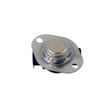
A blown thermal fuse on your Kenmore electric dryer model 11068002011 usually shows up as a dryer that will not start or runs but won’t heat. The sure way to confirm is a continuity test with a multimeter after unplugging the dryer; an open (no continuity) fuse is blown.
- Dryer won’t start even though the door is closed and controls are set
- Motor hums but drum does not tumble (varies by failure and model design)
- Dryer tumbles but there’s no heat
- Cycle ends with clothes still damp and cool
- Problem started after restricted airflow (lint buildup, crushed vent)
- Unplug the dryer (or switch off the breaker).
- Access the thermal fuse area using the disassembly steps in the 11068002011 installation guide.
- Remove at least one wire from the fuse terminal.
- Meter test across the fuse terminals.
| Meter result | What it means | What to do next |
|---|---|---|
| Continuity (beep or near 0 ohms) | Fuse is good | Keep troubleshooting heat or start circuit |
| No continuity (open) | Fuse is blown | Replace the fuse and correct the airflow problem |
The installation checklist for this dryer calls out basics that also help diagnose “no start” and “no heat” issues. Use these checks first:
- Dryer door fully closed (door switch must engage)
- Start button pushed firmly; controls set to an “On” cycle
- Power supply is on; both household fuses/breakers are OK (many electric dryers use two)
- Vent is not crushed or kinked; airflow is strong at the outside hood
- Lint screen is clean and seated correctly
The thermal fuse is a safety device; when it opens, it is usually reacting to overheating from poor airflow. Replacing the fuse without fixing the venting often leads to a repeat failure.
Last updated: February 2026
How do I tell what model my Kenmore dryer is?
Your Kenmore dryer’s model number is printed on the appliance ID label; on most Kenmore dryers it’s easiest to spot when you open the door and look around the door opening. Once you have the full model number (for example, 11068002011), we can match the correct parts, diagrams, and instructions.
Check these common locations on Kenmore electric dryers:
- Inside the dryer door opening on the front frame (most common)
- On the back panel of the dryer cabinet
- Around the lint screen housing area (near the top opening on some designs)
- On the inside of the door itself (less common)
If you see multiple numbers, use the one labeled Model (not the serial number).
Kenmore model numbers are typically a long string of digits. For this page, the model is 11068002011.
- Write the model number exactly as shown (all digits, no spaces)
- Also record the serial number (helpful for production date and revisions)
- Use the model number when ordering parts like a heating element or door switch
| Label item | What it’s used for | Example |
|---|---|---|
| Model number | Correct parts and diagrams | 11068002011 |
| Serial number | Production run details | Varies |
- Wipe dust off the label with a damp cloth and mild soap; dry it fully
- Use your phone camera and zoom in to read faded print
- Look for a metal plate if a paper sticker is damaged
Kenmore dryers can look similar across series, but parts like the heating element, thermistor, and door switch can vary by model. Using the exact model number prevents ordering the wrong replacement.
For label location diagrams and model-specific details, use the 11068002011 installation guide and the 11068002011 manual.
Last updated: February 2026
How much does it cost to replace a heating element in a Kenmore dryer?
For Kenmore electric dryer model 11068002011, replacing the heating element typically costs $70 to $120 for the part plus $0 to $250 for labor, so most total repairs land around $100 to $350 depending on who does the work and whether wiring or safety parts also need replacement.
- DIY (parts only): usually $70 to $120
- Professional repair (parts + labor): usually $150 to $350
- Extra parts sometimes needed: heater wiring, thermal cut-off kit, or venting parts if overheating occurred
| Scenario | What you pay for | Typical total |
|---|---|---|
| DIY replacement | Heating element (and any small add-ons) | $70 to $150 |
| Service call repair | Trip/diagnostic + labor + parts | $150 to $350 |
| Overheat-related repair | Element + thermal safety parts + labor | $200 to $450 |
On this model, the most common heating-related parts we see replaced together are:
- Dryer heating element WP3387747
- Dryer heating element wire kit 279457 (if terminals are heat-damaged)
- Dryer thermal cut-off fuse kit 279973 (if the dryer overheated and opened the safety circuit)
A failed heating element is only one reason an electric dryer will not heat. The installation checks for “no heat” also point to power supply issues (many dryers use two fuses or two breakers), so confirming proper 240V power and safe airflow can prevent repeat failures. Use the 11068002011 installation guide for the model-specific electrical and venting requirements and the built-in heat check steps.
- Verify both dryer breakers/fuses are on and not tripped before buying parts.
- Clean the lint screen and confirm strong airflow at the vent hood.
- If you see melted wires at the heater terminals, replace the wire kit at the same time.
- If the dryer overheated, replace the thermal cut-off kit along with the heater.
Last updated: February 2026
How to remove the front panel on a Kenmore dryer?
On the Kenmore 11068002011 electric dryer, removing the front panel usually means lifting the top, removing the front-panel mounting screws (often inside the door opening and along the top edge), then lifting the panel up and off while supporting any connected wiring.
- Unplug the dryer (or switch off the breaker).
- If the dryer is hard-wired, shut off power at the breaker and confirm power is off.
- Pull the dryer forward enough to work comfortably; avoid crushing the vent.
- Have a container ready for screws.
- Use gloves; cabinet edges can be sharp.
For model-specific cabinet fastener locations and any wiring connectors you may need to unplug, follow the 11068002011 installation guide.
- Remove the lint screen (if it’s in the top panel) and take out any screws under the lint screen housing.
- Release the top panel:
- Insert a putty knife a few inches in from each front corner to release spring clips, then lift the top.
- Remove front panel screws:
- Open the door and remove screws around the door opening that secure the front panel.
- Remove any screws along the top edge of the front panel (under the lifted top).
- Disconnect wiring (if present):
- If the door switch harness is attached to the front panel, unplug it.
- Lift the front panel off:
- Tilt the panel slightly forward, then lift up to unhook it from the lower retaining tabs.
| Symptom | Common area to inspect | Example part for this model |
|---|---|---|
| Squealing or thumping | Drum support and idler | Dryer drum support roller WPW10314173 |
| Drum not turning | Belt path and idler pulley | Dryer idler pulley W10837240 |
| Dryer will not start when door closes | Door switch | Dryer door switch WP3406107 |
Removing the front panel correctly prevents bent cabinet tabs, stripped screw holes, and damaged wiring. It also gives you safe access to the drum, belt path, and front bulkhead area where many common dryer noises and no-start issues originate.
Last updated: February 2026










