Installation guide
 Owner’s manual


Does my Maytag dishwasher have a filter that needs to be cleaned?
Yes. Your Maytag MDB5969SDE0 dishwasher uses a filtration system in the bottom of the tub, and keeping that filter area clean helps prevent poor cleaning, odors, and drain problems. We recommend checking it regularly and cleaning it whenever you see debris buildup.
Where the filter is and what it does
On most Maytag dishwashers like model MDB5969SDE0, the filter assembly sits below the lower rack near the sump area. Its job is to catch food soil so it does not get recirculated onto dishes or sent into the drain system.
To confirm the exact filter style and removal steps for your unit, follow the filter cleaning instructions in the MDB5969SDE0 owner’s manual.
How often to clean the filter
Cleaning frequency depends on how you use the dishwasher and how well dishes are scraped before loading.
- Check the filter about once a month for typical use
- Check every 1 to 2 weeks if you run daily loads or wash heavy soil
- Clean sooner if you notice grit on dishes, odor, or standing water
- After washing labels, seeds, rice, or pasta, inspect the filter area
Basic cleaning steps (typical process)
These steps match how most Maytag filter systems work; use your manual for the exact twist-lock direction and parts layout.
- Remove the lower rack.
- Twist and lift out the filter (or filter screen assembly).
- Rinse under warm water; use a soft brush for stuck-on debris.
- Reinstall the filter fully seated and locked.
| What you notice | What it usually points to | What to do next |
|---|---|---|
| Cloudy dishes or grit | Filter clogged or not seated | Clean and reinstall filter correctly |
| Odor in tub | Food debris trapped in filter/sump | Clean filter and run a cleaning cycle |
| Standing water | Drain restriction or drain pump issue | Check filter first, then drain path |
Why it matters
A clean filter helps your wash arms spray freely, improves cleaning performance, and reduces the chance of a “not draining” complaint that can be caused by debris restricting water flow through the sump and drain system.
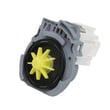
If you are also seeing slow or no draining after cleaning the filter, the dishwasher drain pump WPW10348269 is one of the common parts involved in moving water out of the tub.
Last updated: January 2026
How to run a cleaning cycle on a Maytag dishwasher?
To run a cleaning cycle on your Maytag MDB5969SDE0 dishwasher, empty the dishwasher, add a dishwasher cleaner (or run a hot Normal cycle with detergent), and start the cycle with hot water supplied to the unit. This flushes mineral buildup and helps reduce odors.
Steps to run a cleaning cycle (MDB5969SDE0)
- Remove dishes and check the bottom of the tub for debris.
- Spin the spray arms by hand to confirm they move freely and are not blocked.
- Run hot water at the sink nearest the dishwasher until it is hot, then turn it off.
- Add automatic dishwasher detergent (or a dishwasher cleaning tablet) right before starting.
- Select a Normal wash cycle; add Heated Dry if you want a full wash-and-dry cleaning run.
- Press START/RESUME and close the door firmly (top-control models must be closed within about 4 seconds after pressing START/RESUME).
For cycle and option names specific to this model, follow the cycle selection and care guidance in the MDB5969SDE0 owner's manual.
Cleaner placement: quick guide
Use the cleaner’s label directions first. If you are using detergent instead of a cleaner tablet, use the main detergent compartment.
| What you are using | Where to put it | When to run it |
|---|---|---|
| Dishwasher cleaning tablet | In the dispenser or on the tub bottom (per product directions) | Empty dishwasher (best) |
| Automatic dishwasher detergent (powder, gel, pack) | Main detergent compartment | Empty dishwasher (best) |
| Rinse cycle (no cleaning) | No detergent | When you are not ready to wash dishes soon |
If you are cleaning because of a symptom
These quick checks often solve the underlying issue:
- White film or spots: Use a rinse aid and keep using detergent packs or tablets consistently.
- Odor: Clean out food debris in the tub and run a hot Normal cycle.
- Not draining well: Check for kinks or clogs in the drain hose and confirm the cycle fully completed.
If the dishwasher is not draining after cleaning, a failed drain pump is a common cause; the dishwasher drain pump WPW10348269 is a model-matched replacement part for MDB5969SDE0.
Why it matters
A monthly cleaning cycle helps prevent limescale and detergent residue from restricting water flow through the spray system, which improves cleaning performance and reduces repeat buildup on dishes.
Last updated: January 2026
What does f6 E1 mean on a Maytag dishwasher?
On a Maytag MDB5969SDE0 dishwasher, the F6 E1 error points to a water level or water sensing problem. In most cases, the dishwasher is not detecting the expected fill level, or it is seeing an abnormal water condition caused by filling or draining issues.
What to check first (fast, no-parts steps)
- Reset power: turn the breaker off for 1 minute, then back on.
- Confirm the door is fully closed and latched; a poor latch can interrupt filling and confuse sensing.
- Verify the water supply valve under the sink is fully open.
- Check for a kinked or crushed drain hose under the sink or behind the unit.
- Make sure nothing is blocking the detergent dispenser and that spray arms spin freely (loading issues can contribute to poor wash performance and odd behavior).
For model-specific guidance on cycle behavior and basic checks, use the MDB5969SDE0 owner’s manual.
Common causes and the most likely fixes
F6 E1 is usually tied to one of these conditions:
- Not filling correctly: restricted water supply, clogged inlet screen, or a failing inlet valve.
- Draining incorrectly: partial clogs, check valve issues, or a weak drain pump.
- Sensing issue: the dishwasher’s soil or water sensing system can misread conditions if water flow is abnormal.
Parts that often solve fill or drain related F6 E1 problems
| Symptom you notice | What to inspect | Part that commonly applies (if failed) |
|---|---|---|
| Little or no water entering | Supply, inlet screen, valve | Dishwasher water inlet valve WPW10327249 |
| Water left in tub after cycle | Hose routing, clogs, pump | Dishwasher drain pump WPW10348269 |
| Slow drain or backflow | Drain hose, check valve | Dishwasher drain hose and check valve WPW10545278 |
Why it matters
When the dishwasher cannot confirm the correct water level, it can stop mid-cycle, wash poorly, or leave standing water. Fixing the underlying fill or drain problem protects the pump system and helps restore normal cycle operation.
Helpful reference
If you are also seeing other codes or want code definitions by platform, use Maytag microclean he dishwasher error codes.
Last updated: January 2026
How do I reset my Maytag dishwasher F9 E1?
For Maytag dishwasher model MDB5969SDE0, the F9 E1 code points to a drain problem. We reset it by canceling the cycle and then fixing the cause: a kinked drain hose, a blocked connection at the disposal or sink drain, or a failing drain pump.
Quick reset steps (clears the cycle)
- Press Cancel/Drain to stop the cycle and force a drain.
- Wait about 1 minute.
- If the code returns, continue with the drain checks below (a reset alone will not keep F9 E1 from coming back).
For control-specific button sequences and indicator behavior, follow the steps in the MDB5969SDE0 user manual.
Drain system checks that usually fix F9 E1
- Check the drain hose routing: look for kinks, crushing behind the unit, or a hose that sags and traps water.
- Verify the disposal or sink connection is open: if connected to a garbage disposal, confirm the inlet knockout plug was removed.
- Confirm the hose is clamped correctly at the rubber connector and seated fully to the hose stop.
- Look for a clog in the drain hose or at the sink tailpiece.
- Listen for the drain pump during Cancel/Drain; a loud hum with no draining often points to a jam or failed pump.
If you need the correct hose connection and clamp placement details, use the MDB5969SDE0 installation guide.
Parts that commonly solve F9 E1 on MDB5969SDE0
| Symptom | Most likely cause | Part to consider |
|---|---|---|
| Water stays in tub, pump runs but no drain | Blocked or kinked hose, check valve issue | Drain hose or hose and check valve |
| Pump is silent during drain | Failed drain pump or wiring issue | Drain pump |
| Slow drain, intermittent code | Partial restriction or weak pump | Drain hose, drain pump |
Model-matched parts from this page that often apply:
- Dishwasher drain pump WPW10348269
- Dishwasher drain hose 8269144A
- Dishwasher drain hose and check valve WPW10545278
Why it matters
F9 E1 is the dishwasher protecting itself from standing water. Clearing the restriction (or replacing a weak drain pump) prevents repeat shutdowns, odors, and poor wash results.
Last updated: January 2026