 Owner’s manual
 Error Codes









What is the lifespan of an LG dryer?
Most LG dryers, including the LG DLG2525S, typically last 10 to 15 years with normal household use. Regular airflow maintenance (lint screen and venting), avoiding overloads, and fixing wear items early (belt, rollers, idler) are the biggest factors in reaching the high end of that range.
- Airflow and heat management: clogged lint screen or restricted venting makes the dryer run hotter and longer.
- Load size and balance: chronic overloading strains the drum, belt, and motor.
- Wear parts condition: rollers, idler pulley, and belt wear gradually and can start squealing or thumping.
- Moisture sensing accuracy: dirty sensor bars can cause longer cycles and extra run time.
- Routine cleaning: lint buildup inside the cabinet increases heat stress and reduces efficiency.
| Part | What you’ll notice when it’s wearing out | Why it matters |
|---|---|---|
| Dryer drum belt 4400EL2001F | Drum won’t turn, burning rubber smell, slipping | Prevents no-tumble failures and motor strain |
| Dryer drum support roller 4581EL2002L | Thumping, rumbling, uneven drum movement | Reduces noise and protects the drum support system |
| Dryer idler pulley 4560EL3001A | Squealing, chirping, belt wear | Keeps correct belt tension and smooth rotation |
- Clean the lint screen every load; replace a damaged screen such as LG dryer lint screen 5231EL1003B.
- Check and clean the vent duct periodically; keep the run short and free of kinks.
- Wipe the moisture sensor bars if cycles end too soon or run too long; replace the sensor if needed (example: dryer moisture sensor 6500EL3001A).
- Listen for new noises (squeal, thump, rumble) and address them early.
- Follow the care, loading, and safety guidance in the DLG2525S owner's manual.
A dryer that dries efficiently runs fewer minutes per load; that reduces heat stress on thermostats, the motor, and the drum support system, which is the simplest way to extend the service life of an LG gas dryer.
Last updated: February 2026
Why does an LG sensor dry dryer take so long to dry?
On the LG DLG2525S, Sensor Dry can run long when airflow is restricted, the load is too large or heavy, or the moisture-sensing system is getting inaccurate readings. The dryer automatically adjusts cycle time based on detected moisture and your selected Dry Level. See the DLG2525S owner's manual for Sensor Dry cycle and Dry Level details.
- Lint filter not cleaned before the load: clean it every cycle.
- Restricted venting: crushed flex duct, lint buildup, long run, or stuck exterior damper.
- Load issues: heavy fabrics (towels, denim) and oversized loads hold more moisture.
- Dry Level selection: choosing MORE increases the sensed time; LESS shortens it.
- Moisture sensor bars dirty: residue from dryer sheets can make the sensor “think” clothes are still damp.
- Clean the lint screen and confirm strong airflow at the outside vent.
- Split heavy loads into smaller, consistent-size loads (especially towels and denim).
- Wipe the moisture sensor bars inside the drum with rubbing alcohol; let dry.
- If items are still damp at the end, use Time Dry to finish that load (a normal option for bulky items).
If airflow is good and loads are sized correctly but drying is still slow, heat or airflow components can be the cause.
| Symptom | What it often indicates | Example part for DLG2525S |
|---|---|---|
| Runs a long time, clothes warm but never quite dry | Cycling/limit control issues or vent restriction | Dryer high-limit thermostat AGM30045804 |
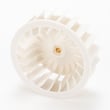
| Long dry times plus weak airflow/noisy blower area | Blower wheel issue or blockage | Dryer blower wheel 5835EL1002A |
| Sensor cycles seem “confused” (time jumps, inconsistent results) | Sensor bars dirty or sensor circuit issue | Dryer moisture sensor 6500EL3001A |
Long Sensor Dry cycles usually mean the dryer is working harder than it should. Fixing airflow and sensor accuracy helps the DLG2525S dry faster, protects fabrics from overdrying, and reduces overheating stress on thermostats and other components.
Last updated: February 2026
What is the most common problem with LG dryers?
For LG dryers like model DLG2525S, the most common problems are poor drying or no heat (often tied to restricted airflow from lint buildup or venting issues) and tumbling noise or no tumble (commonly caused by wear in the belt and drum support system). See the DLG2525S owner's manual for model-specific troubleshooting checks.
- Dryer runs but clothes stay damp: clogged lint screen, blocked vent, or a heat-related control/thermostat issue
- Dryer tumbles but does not heat: gas supply shutoff closed, airflow restriction, or a failed heat safety device
- Squealing, thumping, or rumbling: worn drum rollers or an idler pulley issue
- Drum will not turn: broken belt or seized support roller
- Stops early or dries inconsistently: dirty moisture sensor bars or sensor wiring concerns
The manual’s troubleshooting section focuses on basics that solve many calls:
- Confirm the dryer is plugged in and the breaker is not tripped (electric dryers often use two breakers)
- For gas models, confirm both gas shutoff valves are fully open
- Clean the lint filter; wash with warm soapy water, dry fully, and reinstall
- Check the vent path for crushing, kinks, or heavy lint buildup
- Avoid overloading; heavy loads restrict airflow and extend dry time
| Symptom | Most likely area | Example part for this model |
|---|---|---|
| No tumble / weak tumble | Drive system | Dryer drum belt 4400EL2001F |
| Squeal or thump | Drum support / tension | Dryer drum support roller 4581EL2002L or dryer idler pulley 4560EL3001A |
| Long dry times | Airflow / lint handling | LG dryer lint screen 5231EL1003B |
| Auto-dry inconsistent | Sensor system | Dryer moisture sensor 6500EL3001A |
If your LG dryer shows an error code, use our LG dryer error codes guide to match the code to likely causes and next steps.
Most “LG dryer problems” trace back to airflow and heat safety. Keeping the lint screen and venting clean helps the dryer heat correctly, dry faster, and reduces repeat failures of thermostats and other heat-protection components.
Last updated: February 2026
Can I fix a D90 error myself?
Yes. On the LG DLG2525S dryer, a D90 error usually means restricted exhaust airflow, so you can often fix it yourself by cleaning the lint filter, checking the vent hose for kinks or crushing, and clearing the outside vent hood. Use the DLG2525S owner's manual for the exact cleaning and maintenance steps.
- Clean the lint screen completely; wash it in warm, soapy water if it has residue, then dry it and reinstall it.
- Run a timed dry cycle and confirm strong airflow at the outside vent.
- Inspect the flexible vent hose behind the dryer; straighten it and remove any crushed sections.
- Check the outside vent hood flap; remove lint buildup and confirm it opens freely.
- If drying times are long, reduce load size and avoid overpacking the drum.
- Unplug the dryer.
- Remove and clean the lint screen and lint screen housing opening.
- Pull the dryer forward and disconnect the vent hose.
- Vacuum lint from the hose and the dryer exhaust outlet.
- Clear the wall duct to the outside (a vent brush kit works well).
- Reconnect the vent with the shortest, straightest run possible.
A D90 is most often venting, but if airflow is good and the code returns, check for lint buildup inside the cabinet and confirm the blower is moving air.
| Symptom | Most likely cause | What we recommend |
|---|---|---|
| D90 plus weak airflow outside | Blocked or crushed venting | Clean/shorten vent run, clear outside hood |
| D90 plus loud rumble or scraping | Drum support issue creating drag and poor airflow | Inspect drum support system |
| D90 plus poor airflow and unusual noise | Blower wheel issue or lint obstruction | Inspect blower housing and wheel |
If you find the drum is hard to turn by hand or you hear squealing, inspect the belt and idler system; the dryer drum belt 4400EL2001F is the correct belt listing for this model.
Restricted venting makes the dryer run hotter and longer, increases energy use, and can shorten dryer life. Keeping the lint filter clean after every load is one of the most effective ways to prevent airflow-related errors.
For code-specific guidance, use our LG dryer error codes reference alongside your manual.
Last updated: February 2026









