 Installation guide
 Owner’s manual
 Error Codes




What are the electrical requirements for a single wall oven?
For the Bosch HBL8752UCC wall oven (as part of the HBL8752UC combination-oven family), plan on a dedicated 208/240V, 60 Hz single-phase circuit using a 4-wire connection, typically protected by a 40-amp breaker, with the oven hardwired to a junction box per the HBL8752UCC installation guide.
Electrical requirements to plan for
- Voltage/frequency: 208V or 240V AC, 60 Hz
- Supply type: Single-phase
- Wiring: 4-wire supply (hot-hot-neutral-ground) is the standard setup
- Circuit size: 40 amp circuit is specified for the HBL8752UC models listed in the installation instructions
- Connection method: Hardwired to a cabinet junction box using an appropriately sized, UL-listed conduit connector
What “4-wire” means (typical color mapping)
| Conductor | Typical wire color | Purpose |
|---|---|---|
| Hot L1 | Black | Supplies 120V to neutral; 240V across L1-L2 |
| Hot L2 | Red | Supplies 120V to neutral; 240V across L1-L2 |
| Neutral | White | Return path for 120V loads (controls, lights) |
| Ground | Green or bare | Safety ground |
Installation notes that affect electrical planning
- Place the junction box anywhere within reach of the oven power cable.
- Use a separate, dedicated circuit sized to the oven’s rating.
- Follow local electrical codes for grounding; the installation instructions include both four-wire and three-wire connection methods depending on what local code allows.
Why it matters
Correct voltage, breaker size, and grounding help the control board, convection system, and safety devices operate reliably and reduce nuisance shutdowns during preheat or self-clean.
Last updated: January 2026
What are common Bosch oven problems?
On the Bosch HBL8752UCC electric wall oven, the most common problems we see are no heat, uneven baking, and a door that stays locked after a self-clean cycle. Many issues trace back to power supply, airflow/cooling, or a safety reset described in the HBL8752UCC user manual.
Most common symptoms and what they usually mean
- Oven not heating: often a tripped breaker, blown fuse, or a control issue.
- Uneven cooking: rack position, airflow, or convection circulation problems.
- Door locked and will not open after cooling: the oven may need a power reset.
- Display or touch controls acting up: can point to a control board or touch panel problem.
- Overheating or shutting down: can involve cooling airflow or a safety device.
Quick checks we recommend first (safe, no tools)
- Confirm the oven is getting power at the home breaker panel (wall ovens commonly use a 240V circuit).
- Verify you selected a cooking mode and temperature (Bake, Convection, etc.).
- If the door is locked and will not open even after cooling, turn the oven off at the breaker for 5 minutes, then restore power to reset.
- For uneven results, try the rack positions recommended in the manual and avoid blocking convection vents with foil or oversized pans.
Parts that commonly relate to these problems
If basic checks do not help, these model-related parts are common suspects:
| Symptom | Common part area | Example part for this model |
|---|---|---|
| No heat, erratic temps | Safety cutout | Wall oven thermal fuse 00631343 |
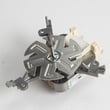
| Uneven convection baking | Convection air movement | Thermador wall oven convection fan motor 00642845 |
| Overheating, cabinet gets too hot | Cooling airflow | Wall oven cooling fan assembly 00759374 |
| Controls not responding | User interface | Wall oven touch control panel 11005325 |
Why it matters
Heating and door-lock symptoms can be safety-related on an electric wall oven. Starting with the manual reset and power checks helps prevent unnecessary parts replacement and gets you back to reliable baking faster.
Last updated: January 2026
Why won't my Bosch wall oven turn on?
If your Bosch HBL8752UCC wall oven will not turn on, the most common causes are a tripped breaker or lost power supply, a control that needs a reset, or an overheat safety device opening the circuit. Start by confirming power at the breaker, then perform a 5-minute reset.
Quick checks we recommend first
- Verify the oven has power: check the home circuit breaker or fuse box for the oven circuit.
- Reset the oven: turn the oven off at the circuit breaker for 5 minutes, then turn it back on.
- If the display is on but buttons do not respond, clean and dry the control surface and press the center of the key with the flat part of your finger.
- If the display shows an “E” with a number and beeps, silence it by pressing any key, then reset at the breaker.
- If the cooling fan is running while the oven is off, that is normal; it can run until the oven cools.
What to check next (power, safety, and controls)
If the breaker reset does not restore operation, focus on these likely areas:
- House power and wiring: a loose connection at the junction box or supply wiring can prevent the oven from powering up.
- Overheat protection: an open thermal fuse can cut power after overheating; inspect and test the wall oven thermal fuse 00631343.
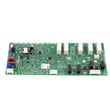
- User interface and electronics: if the display is dead or erratic, the control system may be at fault (for example, the range oven control board 11020741 or the wall oven display control board 12029207, depending on the symptom).
Symptom guide
| What you see | What it usually points to | What we do first |
|---|---|---|
| No display, no lights | Power supply issue or open safety device | Check breaker, then test thermal fuse |
| Display on, buttons do nothing | Touch panel input issue or moisture/soil | Clean/dry panel, press keys correctly, reset |
| Beeping with “E” code | Fault detected by control | Stop beeping, reset at breaker |
Why it matters
A wall oven that will not turn on is often a simple power interruption, but it can also be a safety shutdown (thermal fuse) or a control failure. Starting with the breaker reset prevents unnecessary parts replacement and helps protect the electronic controls.
For model-specific reset steps, error-code behavior, and electrical connection details, use the HBL8752UCC owner's manual and the HBL8752UCC installation guide.
Last updated: January 2026





