








How long does a Hotpoint dryer last?
A Hotpoint electric dryer like model NJSR453EW2WW typically lasts 10 to 15 years with normal household use. Regular airflow maintenance (lint screen and venting) and timely replacement of wear items usually pushes lifespan toward the high end.
Typical lifespan for this type of dryer
Most standard-vented electric dryers fall into a predictable range when they are not overloaded and the vent stays clear.
| Usage pattern | Typical lifespan | What usually ends it first |
|---|---|---|
| Light (1 to 3 loads/week) | 12 to 18 years | Belt, drum support, door switch |
| Average (4 to 7 loads/week) | 10 to 15 years | Heating circuit, motor, airflow restrictions |
| Heavy (multiple loads/day) | 7 to 12 years | Motor, drum wear, repeated overheating |
What shortens dryer life fastest
We see these issues reduce dryer life more than “age” does:
- Restricted venting that causes overheating and long dry times
- Running with a clogged lint screen or lint buildup inside the cabinet
- Overloading the drum (extra strain on the belt, idler, and motor)
- Ignoring squealing, thumping, or burning smells
- Skipping basic cleaning and inspection
Parts that commonly determine whether you repair or replace
If your NJSR453EW2WW is otherwise in good shape, these common wear parts often restore performance:
- Drive belt WE03X29897 (drum will not tumble, or belt is broken)
- Idler pulley WE03X31620 (squealing, belt slipping, poor tumbling)
- G.e. dryer heating element assembly WE11M23 (runs but does not heat)
- Door switch WE4M415 (won’t start when the door is closed)
Why it matters
A dryer that is drying slowly or running hot is usually working harder than it should. Fixing airflow problems and replacing worn drum-drive parts reduces heat stress on the motor and heating system, which is the biggest factor in reaching the full 10 to 15 year lifespan.
Related help: how to clean and maintain your clothes dryer
Last updated: February 2026
How to remove top of hotpoint tumble dryer?
To remove the top on your Hotpoint NJSR453EW2WW electric dryer, we typically remove the screws along the back edge of the top panel, then slide the top back slightly and lift it off. This gives access to internal components like the belt, idler pulley, and drum supports.
Before you start (safety and setup)
- Unplug the dryer from the wall outlet.
- If it is hardwired, turn off the breaker and confirm power is off.
- Pull the dryer forward so you can reach the rear panel screws.
- Wear work gloves; sheet metal edges can be sharp.
- Keep a small cup for screws so none get lost.
Steps to remove the top panel
- From the back of the dryer, locate the screws securing the top panel to the rear panel (commonly 3 to 5 screws across the back edge).
- Remove those screws.
- Stand at the front, place both hands near the front corners of the top.
- Slide the top panel back about 1 inch (it usually disengages from front retaining tabs).
- Lift the rear of the top up, then lift the panel off.
If the top will not slide or lift
- Check for hidden screws at the back corners.
- Look for lint buildup binding the panel; vacuum around seams.
- If the drum is jammed and you are opening the cabinet to inspect the drive system, plan to check the drive belt WE03X29897 and idler pulley WE03X31620 once the top is off.
What you can access after the top is off
| Area you can inspect | Common symptom | Related part example |
|---|---|---|
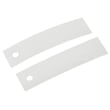
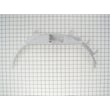
| Drum support surfaces | Squealing, scraping | Slide drum (wear pads) |
| Belt and tensioner | Drum not turning | Belt, idler pulley |
| Blower housing area | Poor airflow, noise | Blower wheel |
Why it matters
Removing the top correctly prevents bending the panel and helps you safely reach common wear items (belt, drum slides, felt seal) that cause noise, poor tumbling, or a drum that will not turn.
Last updated: February 2026
Is a Hotpoint dryer a GE?
Yes. Hotpoint is a brand that has long been associated with GE appliances, and many Hotpoint dryers (including model NJSR453EW2WW) share GE-designed parts and service architecture. That is why you will often see GE-style part IDs and components used on Hotpoint dryers.
What this means for parts and repairs
When you’re repairing a Hotpoint electric dryer like NJSR453EW2WW, it’s normal for replacement parts to be listed under GE-style identifiers and to match common GE dryer designs.
- Use the full model number NJSR453EW2WW when confirming fit.
- Expect many parts to cross-reference to GE manufacturing part systems.
- Common wear items (belt, idler, drum slides, felt seals) are typically shared across similar platforms.
- Electrical components (heating element, thermostats, door switch) often follow GE-style layouts.
Common GE-style parts you may see on this Hotpoint model
If you’re troubleshooting noise, no heat, or no start, these model-matched parts are typical examples:
| Symptom | Likely area | Example model-matched part |
|---|---|---|
| Drum not turning | Drive system | Drive belt WE03X29897 |
| Squealing or thumping | Drum support / friction points | Slide drum WE03X37317 |
| No heat or weak heat | Heating circuit | G.e. dryer heating element assembly WE11M23 |
| Won’t start when door closes | Door safety circuit | Door switch WE4M415 |
Why it matters
Knowing Hotpoint is closely tied to GE helps you shop and troubleshoot more accurately: you’ll see GE-style part IDs, and many repair steps and failure patterns match common GE electric dryer designs.
For maintenance and efficiency tips that apply to this dryer design, use how to keep a dryer clean and economical.
Last updated: February 2026
What are the common problems with Hotpoint dryers?
Common Hotpoint dryer problems on model NJSR453EW2WW usually fall into a few buckets: it runs but does not heat, it takes too long to dry, it makes squealing or thumping noises, the timer or dial does not advance, or it will not start. Most issues trace back to airflow, heat circuit parts, or drum support and drive components.
Most common symptoms and what they usually mean
- Dryer turns but does not heat: heating circuit issue (heater, thermostat, wiring) or power supply problem (one leg of 240V missing).
- Long dry times: restricted venting, lint buildup, or weak airflow.
- Unusual noises (squeal, scrape, thump): worn belt, idler pulley, drum slides, or felt seal.
- Dial will not turn or timer will not advance: timer or control issue.
- Will not start: door switch, start circuit, or motor problem.
Quick checks we recommend first (fast, no parts)
- Clean the lint screen and check the exhaust hood flap outside.
- Confirm strong airflow at the outside vent while the dryer runs.
- For electric heat complaints, verify the outlet is supplying full 240V (a dryer can run on 120V but not heat).
- Listen for where the noise comes from (front glide area vs. under drum near the motor).
- Stop using the dryer if you smell burning or see scorching; correct airflow and heat issues first.
Parts that commonly fix these problems on NJSR453EW2WW
| Symptom | Common wear item | Example part for this model |
|---|---|---|
| Squealing or drum not turning | Belt or idler pulley | Drive belt WE03X29897, idler pulley WE03X31620 |
| Scraping or rumbling | Drum slides or felt seal | Slide Drum WE03X37317, Felt WE09X27634 |
| No heat | Heating element assembly | G.e. dryer heating element assembly WE11M23 |
| Will not start when door closes | Door switch | Door switch WE4M415 |
Why it matters
Airflow and heat problems can overheat components and shorten the life of the heating element, thermostats, and motor. Catching a worn belt, idler pulley, or restricted vent early also helps prevent bigger repairs and reduces dry time.
Helpful DIY guidance
For step-by-step troubleshooting and maintenance tips, use our guides: electric dryer wont heat troubleshooting video and dryer takes a long time to dry.
Last updated: February 2026





