Owner’s manual
 Error Codes




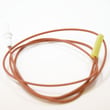
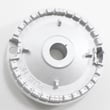
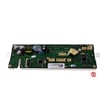
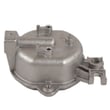

What are common Samsung oven problems?
Common problems we see on the Samsung NX58H9950WS gas slide-in range include the oven not heating evenly or to the set temperature, the convection fan not running, the door not sealing, control panel issues, and self-clean problems. Use the NX58H9950WS user manual to match symptoms to the correct checks.
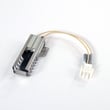
- Oven not heating or slow preheat: gas supply issue, igniter/valve problem, or temperature sensor/control issue
- Uneven baking or hot spots: rack position, blocked venting, convection fan issue, or calibration needed
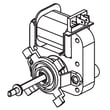
- Convection fan not running: fan motor issue, door switch/logic behavior, or a mode setting problem
- Door not sealing or heat escaping: worn/loose door gasket, hinge alignment, or debris on the sealing surface
- Touch display or control panel acting up: locked controls, power interruption, or wiring/board issue
- Self-clean not working: door lock/lock switch issue, overheating protection, or control problem
- Confirm the oven door is fully closed; some modes shut the burner off if the door is left open.
- Verify the correct cooking mode (Bake vs Convection Bake vs Broil) and temperature are selected.
- Check that the oven vent and cooling vent area is not blocked.
- Try a power reset (turn power off at the breaker for 1 minute, then restore).
- For baking performance, use the recommended rack positions and avoid foil that blocks airflow.
- If you smell gas, shut off the gas supply and do not operate the range.
| Symptom | Best next step | What to avoid |
|---|---|---|
| Not reaching temperature | Allow full preheat, then verify with an oven thermometer | Adjusting gas components without training |
| Uneven baking | Use correct rack positions; try Convection Bake | Blocking vents or lining the oven bottom with foil |
| Fan noise or no fan | Confirm you are in a convection mode | Running with the door open in convection modes |
| Self-clean won’t start | Remove racks, close door fully, retry | Forcing the door lock |
On the NX58H9950WS, many “oven problems” come down to airflow, correct mode selection, and door sealing. Getting those basics right helps protect the control system, improves baking results, and prevents repeat shutdowns.
Last updated: January 2026
Why is my gas stove not getting up to temperature?
If your Samsung NX58H9950WS gas range is not reaching the set oven temperature, the most common causes are restricted airflow (blocked oven vent), an oven door not fully closed, or a weak bake ignition system that cannot keep the burner lit long enough to heat properly.
- Confirm you are using Bake (not Keep Warm); Keep Warm runs at lower heat.
- Make sure the oven door is fully closed; this model can shut the burner off if the door is left open during cooking.
- Check that the oven vent and cooling vent are not blocked by foil, pans, or items stored behind the range.
- Avoid lining the oven bottom or racks with aluminum foil; it disrupts heat circulation.
- Verify the correct rack position and allow full preheat time before loading food.
When you start Bake, the oven should preheat steadily to your set temperature.
| What you notice | Likely cause | What to do next |
|---|---|---|
| Burner lights, then goes out repeatedly | Weak igniter or gas supply issue | Have the ignition system and gas pressure checked |
| Preheat is very slow, food browns unevenly | Airflow restriction or door not sealing | Clear vents, check door closure and gasket condition |
| Temperature swings widely | Sensor or control issue | Test the oven temperature sensor and wiring |
- Power reset: Turn the range off, then cycle the breaker for 1 minute and retry Bake.
- Vent clearance: Ensure open space at the back of the range so hot exhaust can escape.
- Temperature verification: Use an oven thermometer; compare after 20 to 30 minutes at 350°F.
- Inspect burner area (visual only): If you smell gas or see abnormal flames, stop and have service performed.
For operating limits, cooking modes, and vent location details, use the NX58H9950WS user manual.
When the oven cannot maintain temperature, cooking times become unreliable and the burner may cycle abnormally, which can also point to an ignition or airflow problem that should be corrected before it worsens.
Last updated: January 2026
How do I find the model number on my NX58H9950WS?
For your Samsung NX58H9950WS gas slide-in range, the model number is printed on the appliance’s rating label. We use that exact model number to match the correct diagrams and replacement parts, so it is worth confirming before ordering.
Check these common rating-label locations for slide-in gas ranges:
- Open the oven door and look along the oven frame (front edge) near the door opening
- Check the lower drawer area; pull the storage drawer out and look on the frame behind it
- Look on the side trim or frame just inside the drawer opening
- If your range has a warming drawer, check the frame behind that drawer
The rating label typically includes several identifiers. Use the model number for parts lookup.
| Label item | What it is used for | Example you may see |
|---|---|---|
| Model number | Primary identifier for parts diagrams and manuals | NX58H9950WS |
| Serial number | Production tracking; not used to select most parts | A long mix of letters and numbers |
| Gas type and ratings | Confirms fuel type and input ratings | Natural gas or LP, BTU info |
Once you find the label, match the model number exactly (letters, numbers, and any suffixes).
- Write it down exactly as printed
- Take a clear photo for reference
- Use the model number to select parts like an igniter, sensor, or control board
- If the label is worn, check multiple locations listed above
Samsung ranges often have similar-looking versions with different burner, ignition, or control components. Confirming the model number ensures the parts list and diagrams match your exact NX58H9950WS configuration.
For additional label-location details and model identification help, use the NX58H9950WS owner's manual.
Last updated: March 2026