Installation guide
 Owner’s manual



Where to find part number on GE dryer?
On your GE dryer model GFDR270EH0WW, the model and serial tag is typically located around the door opening, most often on the inside of the door or on the door frame. Once you find that tag, you can match the correct replacement part to your exact model.
Where to look on GFDR270EH0WW
Check these common label locations first:
- Inside the dryer door on the cabinet front
- On the door frame (front panel opening)
- On the back of the dryer cabinet (less common)
- On the inside of the front panel area near the opening
What you will see on the tag (and what it means)
The tag usually includes several identifiers. Here is how to use them when ordering parts.
| Item on tag | What it’s used for | Example format |
|---|---|---|
| Model number | Ensures parts fit your exact dryer design | GFDR270EH0WW |
| Serial number | Helps date the unit and confirm production run | Letters and numbers |
| Electrical rating | Confirms power requirements | Volts/amps |
Tips for ordering the right part
When you’re ready to choose a replacement part (like a belt, thermostat, or heating element), use these steps:
- Write down the full model number exactly as shown (including all letters and digits)
- Take a clear photo of the tag for reference
- Use the model number first, then confirm the part name and part ID
- If you are troubleshooting heat or drying issues, confirm airflow and lint buildup before replacing parts
Why it matters
GE often makes small design changes within a product line. Using the exact model number (GFDR270EH0WW) prevents ordering a similar-looking part that mounts differently, has different wiring, or uses a different temperature rating.
For more model-specific identification and service info, use the GFDR270EH0WW owner’s manual.
Last updated: February 2026
How to remove front panel of GE front load dryer?
To remove the front panel on a GE GFDR270EH0WW front-load dryer, we unplug power first, then remove the top panel to access the screws and wiring that secure the front panel. Support the panel as you disconnect any wire harnesses.
Safety first
- Unplug the dryer (or switch off the breaker) before starting.
- Wear cut-resistant gloves; sheet metal edges are sharp.
- Take a quick photo of wire connections before unplugging them.
- Keep screws sorted by location so reassembly is easy.
Steps to remove the front panel (typical for this GE design)
- Disconnect power at the outlet or breaker.
- Remove the top panel: take out the rear screws, then slide the top back and lift it off.
- Locate and remove the front panel mounting screws near the top inside edges (accessible with the top off).
- Tilt the front panel forward slightly while supporting its weight.
- Unplug the front panel wiring (door switch and any harness connectors) and set the panel aside.
What you may need to remove next (depends on the repair)
| Repair goal | Parts you may access after front panel removal | Common symptoms |
|---|---|---|
| Belt or drum won’t turn | Belt and idler area | Squealing, thumping, drum not spinning |
| Poor drying or airflow issues | Lint duct and trap area | Long dry times, overheating smell |
| Door won’t latch/close right | Door strike area | Door pops open, won’t start |
Why it matters
Removing the front panel correctly prevents broken harness connectors and misaligned door switches, which can cause a no-start condition even after the original repair is finished.
For model-specific panel fastener locations and any harness routing clips, follow the GFDR270EH0WW installation guide and the GFDR270EH0WW owner’s manual.
Last updated: February 2026
Does GE dryer have a thermal fuse?
Yes. GE dryers such as model GFDR270EH0WW use an overheat safety device (often called a thermal fuse or thermal cut-off) to shut the dryer down if temperatures get unsafe. If it trips, the dryer typically will not start again until the failed safety part is replaced.
What you’ll notice when it opens
A blown thermal fuse or open safety thermostat usually shows up as one of these symptoms:
- Dryer will not start (no motor run)
- Dryer starts but stops quickly
- Dryer runs but has airflow or heat problems that led to overheating
- Repeated “no heat” complaints tied to a restricted vent
- Lint buildup around the lint screen area or exhaust ducting
What to check first (before replacing parts)
Overheating is usually caused by restricted airflow. We recommend these checks before installing any new parts:
- Clean the lint filter before every load
- Inspect and clean the exhaust duct and outside hood for lint or nesting debris
- Confirm the dryer is not pushed tight against the wall and crushing the vent
- Verify the home’s breakers are fully on (many dryers use two breakers)
- Review the safety and electrical connection guidance in the GFDR270EH0WW installation guide
Parts commonly involved in overheat shutdowns on this model
On GFDR270EH0WW, these parts are commonly related to overheating protection and temperature sensing:
| Part | What it does | When it’s suspect |
|---|---|---|
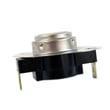
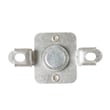
| Dryer high-limit thermostat WE04X10187 | Limits heater temperature | Dryer overheats or cycles heat erratically |
| Dryer outlet backup thermostat WE04X10190 | Backup overheat protection at exhaust | Dryer shuts down from high exhaust temps |
| Dryer heating element assembly WE11X10025 | Produces heat (electric models) | No heat, or heat issues that contribute to long dry times |
Why it matters
If the dryer overheats enough to open a thermal fuse or safety thermostat, replacing the part without fixing the airflow problem can lead to another shutdown and longer dry times. Keeping the venting clear protects the heater, motor, and controls.
Last updated: February 2026
How to replace GE dryer sensor?
On the GE GFDR270EH0WW dryer, “sensor” usually refers to the moisture-sensing circuit (sensor bars) or a temperature sensor (thermistor). We replace it by unplugging the dryer, accessing the sensor location, swapping the part, and then running a timed cycle to confirm normal heat and drum operation; see the GFDR270EH0WW owner’s manual for control and cycle behavior.
Before you start (safety and access)
- Unplug the dryer (or switch off the breaker); the Power button does not disconnect power.
- Let the dryer cool completely if it was running.
- Pull the dryer out enough to work safely and avoid crushing the vent.
- Take photos of wire routing and connector positions before disconnecting anything.
- Use a nut driver and needle-nose pliers; avoid pulling on wires (pull on terminals).
Which “sensor” are you replacing?
Use this quick guide to match the symptom to the likely part.
| Symptom | Most likely “sensor” | What it affects |
|---|---|---|
| Auto cycles end too soon or clothes stay damp | Moisture sensor bars (inside drum area) | Dryness detection |
| Dryer runs but heat is erratic, overheats, or shuts down | Thermistor or safety thermostat | Temperature control and safety |
| Dryer won’t heat and trips on high temp | High-limit thermostat | Overheat protection |
Common replacement steps (moisture sensor or thermistor)
- Disconnect power.
- Remove the top or front panel (model designs vary); follow the GFDR270EH0WW installation guide for safe handling and clearances.
- Locate the sensor:
- Moisture sensor bars are typically mounted inside the drum near the lint filter housing.
- A thermistor is typically mounted on or near the blower housing or exhaust duct.
- Label and disconnect the wire connector(s).
- Remove mounting screws, swap the sensor, and reinstall screws snugly.
- Reassemble panels, restore power, and test:
- Run a Timed Dry cycle first to verify steady heat.
- Then try an Auto/Sensor cycle to confirm normal shutoff behavior.
Parts that are often involved on this model
If your “sensor” is temperature-related, these model-matched parts are commonly checked or replaced:
Why it matters
A failing moisture sensor can cause under-drying and long cycles, while a bad thermistor or thermostat can cause overheating, shutdowns, or no-heat conditions. Correct diagnosis prevents repeat failures and protects the heating system.
Last updated: February 2026