 Installation guide
 Owner’s manual
 Error Codes





How do I reset my Frigidaire electric range?
To reset your Frigidaire LFES3025PFG electric range, turn the range off and disconnect power for about 30 seconds, then restore power. This clears many control glitches; if the cooktop and oven still do not heat after a recent install, focus on power supply and wiring.
Safe reset steps (recommended)
- Turn all surface elements and the oven off.
- Unplug the range, or switch the range breaker off at the electrical panel.
- Wait 30 seconds.
- Restore power.
- Set the clock, then test one surface element and Bake.
If nothing heats after the reset
A “dead heat” symptom (no burners and no oven heat) usually points to an electrical supply problem, especially right after installation.
- Confirm the range is properly installed and grounded.
- Check that the correct breaker size is on and not tripped.
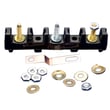
- If your home uses a cord and receptacle, inspect for a loose connection at the terminal block area.
- If the range was stored or delivered in cold conditions, allow it to sit above 32°F for at least 3 hours before powering it on.
Quick checks: what you should see
| What you test | What should happen | If it does not |
|---|---|---|
| One surface element on High | Element begins heating within a minute | Suspect supply voltage or a failed element/switch |
| Bake at 350°F | Preheat starts and heat builds | Suspect supply voltage, control issue, or a heating circuit problem |
| Display and keys | Respond normally | Suspect power supply or control problem |
Why it matters
A reset can clear a temporary electronic oven control fault, but it will not fix missing or incorrect voltage. Verifying correct installation and power prevents repeated no-heat problems and protects the control from damage.
For model-specific operating and troubleshooting steps, use the LFES3025PFG owner’s manual.
Last updated: January 2026
How long do Frigidaire gas ranges last?
Most Frigidaire gas ranges last 15 years. For your Frigidaire LFES3025PFG (an electric range), the typical life expectancy is also 15 years with normal home use, regular cleaning, and prompt repair of wear items.
What affects range lifespan the most
- Heat stress on electronics: repeated high-heat baking, broiling, and self-clean cycles can shorten control life.
- Cleaning habits: keeping spills off the cooktop and out of the oven reduces corrosion and overheating.
- Power quality: loose connections or overheating at the terminal block can damage wiring.
- Door seal and hinges: a door that does not close tightly makes the oven work harder.
- Timely part replacement: replacing a failing sensor or element early prevents secondary damage.
Typical lifespan ranges (what to expect)
| Range type | Typical lifespan | Common wear items |
|---|---|---|
| Gas range | 15 years | Igniter, burner parts, oven sensor |
| Electric range (like LFES3025PFG) | 15 years | Bake element, broil element, oven sensor |
Maintenance steps that help your LFES3025PFG reach full life
- Follow the cleaning and care steps in the LFES3025PFG owner’s manual.
- Avoid running self-clean back-to-back; allow full cool-down time before restarting a cycle.
- Keep the oven door closing squarely; address looseness before it damages hinges or the door seal.
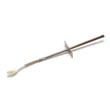
- If baking temperatures drift or preheat times get long, test and replace the oven temperature sensor early (a common fix is the cooking appliance oven temperature sensor 5304504897).
Why it matters
A range that is kept clean and heating accurately runs fewer extra minutes per meal. That reduces stress on the bake system, wiring, and control components, which is the biggest factor in getting a full 15-year service life.
Last updated: January 2026
What does F3 mean on an electric stove?
On a Frigidaire LFES3025PFG electric range, an F3 code points to an oven temperature sensing problem (the control is reading an out-of-range temperature signal). Start by clearing the code and power-cycling the range; if it returns, the temperature sensor circuit is the first place to check.
What to do first (safe reset steps)
- Press OFF/CANCEL to clear the code.
- Try Bake or Broil again.
- If the code repeats, turn power off at the breaker for 5 minutes, then restore power.
- Reset the clock, then test Bake or Broil again.
- If the fault returns after the reset, move to sensor checks.
These steps match the fault-code guidance in the LFES3025PFG owner’s manual.
Most common cause: oven temperature sensor or wiring
The oven temperature sensor (sometimes called an RTD sensor) tells the control board the oven temperature. If the sensor is open, shorted, or the wiring connection is loose or damaged, the control can trigger F3.
- Inspect the sensor connector for corrosion, looseness, or heat damage.
- Check the harness routing for pinched or burned wires.
- Replace the sensor if it tests bad or the code persists.
If you need the model-matched part, use the cooking appliance oven temperature sensor 5304504897.
Quick symptom-to-likely-cause guide
| What you notice | What it usually points to | What we recommend |
|---|---|---|
| F3 appears right when starting Bake | Sensor circuit issue | Check sensor plug and wiring, then sensor |
| Oven heats erratically before F3 | Sensor drifting out of range | Replace sensor |
| F3 returns immediately after reset | Short/open in sensor circuit | Inspect harness, then replace sensor |
Why it matters
When the control cannot trust the temperature reading, it may shut down heating for safety and to prevent overheating or poor baking results. Fixing the sensor circuit restores accurate temperature control and reliable preheat.
Last updated: January 2026




