 Owner’s manual



What does E5 mean on a dryer?
On a Bosch dryer like model WTMC3321US, an E5 display indicates the control detected a malfunction and stopped normal operation. For the exact E-code definition used on your version, use the troubleshooting section in the WTMC3321US owner's manual and match the code to the symptom you are seeing.
What to do first (safe, fast checks)
- Turn the program selector to Off.
- Unplug the dryer or switch off the circuit breaker.
- Clean the lint filter completely.
- Inspect the exhaust duct for crushing, kinks, or lint buildup.
- Restore power and try a timed cycle to see if the code returns.
What E-codes on this Bosch dryer commonly relate to
Bosch dryers use E-codes when the control is not getting the feedback it expects (airflow, temperature, moisture sensing, or a program interruption).
- Airflow restriction (lint filter or exhaust duct): can cause long dry times and fault stops.
- Moisture sensor film: can cause incorrect dryness readings and unusual cycle behavior.
- Temperature sensing issue: can stop a cycle if heating feedback is out of range.
- Program interruption: door not fully closed, power interruption, or a sequence fault.
Quick reference: symptom-to-check map
| What you notice | Most likely area to check | What to do |
|---|---|---|
| Long dry times | Airflow | Clean lint filter; clean/shorten exhaust duct run |
| Code appears mid-cycle | Interruption or overheating protection | Reset power; confirm door closes; verify venting is clear |
| Clothes stay damp or overdry | Moisture sensing | Wipe sensor bars near the lint filter with white vinegar on a cloth |
| Code returns immediately after reset | Component feedback issue | Use the manual troubleshooting table; plan a repair |
Parts that can be involved if testing points to a failure
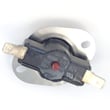
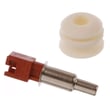
If troubleshooting indicates a temperature-sensing problem, a common related part is the ntc 10010119 (temperature sensor component used for heat feedback).
Why it matters
When the dryer cannot confirm safe airflow and correct sensor feedback, it stops to prevent poor drying performance and overheating. Keeping the lint filter, exhaust duct, and moisture sensor clean prevents repeat error conditions.
For Bosch-specific code lookups and explanations, use Bosch dryer error codes.
Last updated: February 2026
How do I find the model number on my WTMC3321US?
For your Bosch dryer, the model number is printed on the appliance’s rating label (data plate). On WTMC3321US dryers, this label is typically found around the door opening or on the door frame; match the full model and slash code to order the correct parts.
Where to look on the dryer
Check these common Bosch dryer label locations:
- Door frame (open the door and look along the opening)
- Inside the door opening near the front panel
- Behind the door on the inner edge
- Rear panel rating label (less common, but possible)
What to write down (so parts match)
Bosch model tags often include multiple identifiers. Record:
- Full model number (example: WTMC3321US)
- FD number (factory date code)
- Z-NR or E-NR (variant identifier)
- The slash version (example: /05) if shown on your label
| Label item | Why it matters |
|---|---|
| Model number | Identifies the correct parts breakdown |
| Slash code (for example, /05) | Distinguishes revisions that can use different parts |
| FD number | Helps confirm production range |
Why it matters
Bosch dryers can have multiple versions that look the same but use different components (fasteners, sensors, bearings). Using the exact model and version helps ensure the part you order fits and functions correctly.
For diagrams and model identification details, use the WTMC3321US manual.
Last updated: March 2026
What is the average lifespan of WTMC3321US?
The average lifespan of a Bosch dryer like the WTMC3321US is about 10 to 13 years with normal household use and routine maintenance (lint removal, airflow checks, and not overloading). Consistent venting and timely part replacement can help it reach the high end of that range.
What affects dryer lifespan most
These factors have the biggest impact on how long a dryer lasts:
- Airflow restriction (lint buildup in the lint screen housing or exhaust duct)
- Overloading (extra strain on drum support and bearings)
- Heat stress (long cycles from poor airflow)
- Moisture and corrosion (especially in laundry rooms with poor ventilation)
- Worn moving parts (drum support components and fasteners loosening over time)
Maintenance that adds years
Use this simple schedule:
- Every load: Clean the lint screen
- Monthly: Check the exhaust airflow at the outlet
- Every 6 to 12 months: Clean lint from the vent duct and around the dryer
- As needed: Address squealing, thumping, or scraping early to prevent secondary damage
| Symptom | Common wear area | What to do next |
|---|---|---|
| Squealing or grinding | Drum support/bearing surfaces | Inspect drum support parts and replace worn components |
| Long dry times | Airflow/venting | Clean lint path and venting, confirm strong exhaust |
| Overheating or error codes | Temperature sensing/heating control | Check airflow first, then diagnose sensors/control |
Why it matters
Most “end of life” dryer failures start as airflow or friction problems. Catching them early often prevents damage to the drum, motor, and heater system.
For model-specific care and operating guidance, follow the WTMC3321US manual. If you’re diagnosing a fault display, use Bosch dryer error codes.
Last updated: March 2026





