 Owner’s manual


What is the life expectancy of a Hoover vacuum?
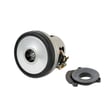
A Hoover upright vacuum like model UH72400 typically lasts about 8 years with normal household use and routine maintenance (filters kept clean, clogs cleared, and the brushroll and belt kept in good condition). Heavy use and frequent clogs shorten lifespan.
Typical life expectancy (what to expect)
Most upright vacuums in this class deliver their best performance for 7 to 10 years, with 8 years being a solid average for a Hoover household vacuum.
| Usage pattern | Typical lifespan | What usually wears first |
|---|---|---|
| Light (1 to 2 rooms, a few times/week) | 9 to 10 years | Belt, filters |
| Normal whole-home weekly use | ~8 years | Belt, brushroll, hoses |
| Heavy (daily, lots of pet hair) | 5 to 7 years | Brushroll, belt, motor protection trips |
Maintenance that extends the life of your UH72400
We recommend these habits because they prevent overheating, reduce strain on the suction motor, and keep airflow strong.
- Empty the dirt cup before it gets packed full.
- Check for clogs in the nozzle inlet, hose, and dirt cup inlet when suction drops.
- Clean hair and debris off the brushroll regularly.
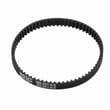
- Replace the belt when it is damaged, cut, or broken.
- If the vacuum shuts off, let it cool for 30 minutes after clearing restrictions (thermal protector behavior).
Why it matters
Most “vacuum died early” problems are really airflow or brushroll load problems. When filters and passages are restricted, the motor runs hotter and the thermal protector can trip; repeated overheating shortens motor life.
Parts and documentation
For model-specific care steps (filters, brushroll shutoff reset, belt checks, and thermal protector guidance), use the owner's manual. If you need to look up replacement items by model number, start with the parts list for UH72400, or search by model on Sears PartsDirect.
Last updated: February 2026
How much does the Hoover uh72400 weight?
The Hoover UH72400 upright vacuum typically weighs about 14 lb. For the most accurate model-specific specs (and to confirm you are matching the correct manufacturing code), we recommend checking the specifications section in the UH72400 owner's manual.
How to confirm the weight for your exact unit
We see Hoover lists the model and manufacturing code on the vacuum’s data label (usually on the bottom). Matching that information helps ensure you are looking at the right spec sheet.
- Unplug the vacuum and lay it down safely.
- Find the model label on the bottom of the vacuum.
- Confirm the model number is UH72400.
- Note the manufacturing code (it can affect minor revisions).
- Compare the specs in the UH72400 owner's manual.
Why weight matters (and what it affects)
Weight impacts everyday handling and performance, especially on stairs and when pushing on carpet.
| What you’re doing | Why weight matters | Tip |
|---|---|---|
| Carrying up stairs | Lifting strain and balance | Use the handle and keep the cord secured |
| Pushing on thick carpet | Effort and maneuverability | Keep the brushroll area clear of hair and debris |
| Storing in a closet | Shelf height and lifting | Store upright and avoid pinching the cord |
If your vacuum feels heavier than expected
A UH72400 can feel heavier when airflow is restricted or the brushroll area is jammed.
- Empty the dirt cup and reinstall it fully
- Clean the filter(s) per the maintenance steps in the manual
- Remove hair and debris from the brushroll area
- Check for clogs in the hose and air path
- If the brushroll shutoff has tripped, toggle the brushroll switch OFF, then ON after clearing obstructions
For broader troubleshooting and repair help, we also recommend our vacuum repair-guides landing page. If you need to look up parts by model number, start with the parts list for UH72400, or search by model on Sears PartsDirect.
Last updated: February 2026
What are common Hoover vacuum problems?
Common problems we see with the Hoover UH72400 upright vacuum include low suction, the brushroll not spinning (often from a jam or worn belt), dust leaking from the dirt cup area, and the vacuum shutting off from overheating (thermal protector). The troubleshooting checklist in the UH72400 owner's manual covers these symptoms and the fastest fixes.
Most common symptoms and what they usually mean
- Low suction or not picking up: dirt cup full, filters dirty, or a clog in the hose/nozzle path.
- Brushroll not turning: brushroll jam, overload shutoff triggered, or a worn/broken belt.
- Vacuum will not run: tripped breaker/fuse, or the thermal protector activated from overheating.
- Dust escaping: dirt cup not seated correctly, or filters not installed fully.
- Smoky or burning smell: belt slipping, brushroll jammed, or airflow restricted.
Quick checks we recommend first (UH72400)
- Unplug the vacuum before any cleaning or service.
- Empty the dirt cup and reinstall it firmly.
- Check for clogs at the nozzle inlet, hose connector, hose, and dirt cup inlet.
- Clean and reinstall filters (rinsable filter and HEPA media filter) so they seat completely.
- Inspect the brushroll area; remove hair and debris.
- If the brushroll shutoff tripped, toggle the brushroll switch OFF, then back ON to reset.
If it shuts off or will not start: thermal protector basics
The UH72400 has a built-in thermal protector that stops the motor if it overheats. After you clear airflow restrictions and let the vacuum cool, it resets.
| What you notice | Most likely cause | What to do |
|---|---|---|
| Stops mid-cleaning | Overheating from a clog or dirty filters | Unplug, empty cup, clear clogs, clean filters, cool 30 minutes |
| Won’t restart right away | Motor still hot | Wait the full cool-down period |
Why it matters
Low suction and brushroll jams do more than reduce cleaning performance; they restrict airflow and increase load on the belt and motor. Fixing clogs, filter issues, and brushroll obstructions early helps prevent repeat shutdowns and burning smells.
For step-by-step DIY help beyond the manual, use our vacuum symptoms landing page. For replacement parts for your Hoover UH72400, start with the model parts list, or search by model on Sears PartsDirect.
Last updated: February 2026
What is the highest rated upright vacuum cleaner?
There is no single highest rated upright vacuum for every home; ratings change based on carpet vs. hard floors, pets, filtration needs, and maintenance. For your Hoover UH72400, use the UH72400 owner's manual to understand features like brushroll behavior and hose mode, then compare uprights using the same criteria.
How we recommend choosing a top-rated upright
Compare models using consistent, real-world factors:
- Floor type performance (carpet pickup, hard-floor scatter, edge cleaning)
- Brushroll control and shutoff behavior
- Filtration and dust control (filter access, how often you empty the bin)
- Hose and tool performance for stairs and above-floor cleaning
- Ongoing upkeep (filters, belts, brush roll cleaning)
Quick comparison: what “highest rated” usually means
| Priority | What to look for | Why it matters |
|---|---|---|
| Pet hair on carpet | Strong agitation, easy brush roll cleaning | Improves pickup, reduces hair wrap |
| Hard floors | Brushroll shutoff or gentle mode | Helps prevent scatter and floor wear |
| Allergies | Better filtration, easy filter maintenance | Keeps fine dust contained |
| Stairs and tools | Longer reach, secure hose connection | Makes above-floor cleaning easier |
Getting top performance from the Hoover UH72400
These steps match common UH72400 care and use practices:
- Empty the dirt cup before it reaches the max line to maintain airflow.
- Clean filters regularly; fine dust can seal filters and reduce suction.
- Use hose mode with the vacuum upright; seat the hose connector fully until it clicks.
- If brush roll cleaning performance drops, remove hair and debris from the brush roll area.
Why it matters
“Highest rated” lists often reflect different test methods. When you match features to your floors and maintenance habits, you get the best upright vacuum performance for your home.
For replacement parts and maintenance items, search by model number on Sears PartsDirect.
Last updated: February 2026


