Installation guide
 Owner’s manual











How many cubic feet is my Maytag dryer?
Your Maytag MEDB950YW2 is a 27-inch electric dryer; dryers in this size class are typically about 7.0 to 7.4 cu. ft. capacity. For the exact capacity rating for your specific model, we recommend checking the model specifications in the MEDB950YW2 owner's manual.
How to confirm the exact capacity for MEDB950YW2
Capacity is usually listed in the model specs section (often near dimensions, electrical requirements, and cycle features). Use these quick checks:
- Look for a “Capacity” or “Drum capacity” line in the specifications
- Check the model identification section to confirm you are reading the correct variant
- Compare the dimensions section to ensure it matches your installation
- If you have a steam version, check for steam-related specs (water hookup requirements)
Why capacity and dimensions get mixed up
The installation guide focuses on fit and clearances, not cubic feet. For example, the installation information calls out space needs like rear clearance for venting and door swing, which are separate from drum volume.
Common specs you will see in the documents
| Spec type | What it tells you | Where to use it |
|---|---|---|
| Capacity (cu. ft.) | How much laundry the drum holds | Load sizing, cycle performance expectations |
| Dimensions (in.) | Physical size of the cabinet and door swing | Closet fit, alcove fit, stacking space |
| Venting limits | Max vent length based on elbows and hood type | Drying time, overheating prevention |
Why it matters
Knowing your dryer’s cubic feet helps us match your load size to the right cycle and helps you compare like-for-like when shopping for accessories or planning a laundry room update. It also prevents overloading, which can increase dry times and wear on the drum support system.
Last updated: January 2026
How to fix F2E2 Maytag dryer?
For Maytag dryer model MEDB950YW2, the F2E2 code points to a user interface or control communication problem (often a stuck key or keypad-to-control issue). Start with a power reset, then check the console for stuck buttons and wiring connections before replacing parts.
Step-by-step fix (in order)
- Hard reset: Unplug the dryer (or switch the breaker off) for 5 to 10 minutes, then restore power and try a cycle.
- Check the console keys: Press each button one at a time; a key that feels stuck, doesn’t click, or stays “active” can trigger F2E2.
- Clear a power-related message if present: If the display shows PF (power failure), press and hold START/PAUSE to restart.
- Confirm the dryer can start normally: Verify the door is closed, START is pressed firmly, and the dryer has power.
- Inspect wiring (power off): Remove power and check the console and control board harness plugs for loose connections or corrosion.
Quick checks that prevent repeat errors
A communication error can come back if the dryer is dealing with unstable power or installation issues.
- Make sure the dryer is plugged in securely and the outlet is not loose
- Check the house breaker(s) for a weak trip condition
- Confirm the dryer is level (moisture sensing works best when level)
- Avoid pinching the power cord when pushing the dryer back
- If you see airflow warnings like “Check Vent,” correct vent restrictions (overheating can contribute to control issues)
When a part replacement is likely
If the reset works only temporarily, or buttons do not respond consistently, the problem is usually in the console/user interface or the main control.
| Symptom | Most likely cause | What to do next |
|---|---|---|
| One button acts “pressed” or won’t respond | Stuck key or failing keypad | Inspect console, consider console/UI replacement |
| All buttons work but code returns randomly | Loose harness or failing control | Reseat connectors; consider control replacement |
| Dryer runs but heat issues appear (L2) | Power supply problem | Check breakers and cord installation per guide |
Why it matters
F2E2 is not just an “annoying code”; it can stop cycles, prevent selections, or cause the dryer to behave unpredictably. Fixing it early helps protect the electronic control and keeps cycles consistent.
For model-specific console access, wiring routing, and diagnostic notes, use the MEDB950YW2 installation guide.
Last updated: January 2026
How long does a Maytag Bravos dryer last?
A Maytag Bravos-style dryer like model MEDB950YW2 typically lasts 10 to 15 years with normal household use. Consistent airflow (proper vent length, clean lint path) and quick repairs to wear parts like rollers and the belt system are what most often determine whether it reaches the high end of that range.
What affects dryer lifespan the most
- Vent system design and cleanliness: long runs and too many elbows increase heat and run time.
- Lint buildup in the lint screen housing, blower area, and exhaust duct.
- Overheating events that stress safety parts (thermal fuse, high-limit thermostat).
- Wear parts: drum support rollers, idler pulley, belt, and drum glides.
- Electrical supply issues (for example, low line voltage can prevent proper heating).
Quick maintenance checklist (high impact)
- Clean the lint screen every load; wash it with mild soap and water monthly to remove residue.
- Confirm you have 4-inch (102 mm) venting and use heavy metal vent (not plastic or foil).
- Keep venting within the recommended maximum length for your hood type and number of 90° elbows.
- Check outside airflow: run the dryer 5 to 10 minutes and feel for strong air at the exterior hood.
- If drying times increase, clean the entire vent run and inspect the blower housing for lint.
Vent length guidance (from the installation guide)
The installation guide provides maximum vent lengths for rigid metal duct based on hood style and number of 90° elbows. Use this as a quick reference; for full details, see the MEDB950YW2 installation guide.
| 90° elbows | Box/louvered hood | Angled hood |
|---|---|---|
| 0 | 100 ft (30.5 m) | 94 ft (28.7 m) |
| 2 | 80 ft (24.4 m) | 74 ft (22.6 m) |
| 4 | 63 ft (19.2 m) | 57 ft (17.4 m) |
Common “wear-out” repairs that can extend life
If the dryer gets noisy (thumping, squealing) or the drum feels rough, replacing the drum support and belt-drive wear parts often restores smooth operation.
| Symptom | Most common wear part | Example part for MEDB950YW2 |
|---|---|---|
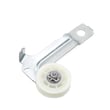
| Thumping or rumbling | Drum support roller | Dryer drum support roller WPW10314173 |
| Squealing | Idler pulley or roller | Dryer idler pulley (inspect belt path) |
| Long dry times, overheating | Vent restriction or failed safety part | Thermal fuse or high-limit thermostat |
Why it matters
A dryer that runs hotter or longer than designed wears out faster and can repeatedly trip safety devices. Keeping airflow strong and venting within spec reduces heat stress on the heating element, thermostats, and motor.
Last updated: January 2026
What is the most common problem with Maytag dryers?
The most common Maytag dryer problem we see is a no-start or no-heat condition caused by overheating from restricted airflow, which can blow a thermal fuse or thermal cut-off. On the Maytag MEDB950YW2 electric dryer, venting issues can also trigger a “Check Vent” airflow warning.
Most common symptoms and what they usually point to
- Dryer will not start: often a blown thermal fuse, door not fully closed, or power supply issue
- Drum turns but no heat: one of the two house fuses or breakers is tripped, low line voltage (L2), or a failed heating circuit component
- “Check Vent” light/message: crushed, blocked, or overly long vent run with too many elbows
- Long dry times: lint restriction in the vent system, clogged lint screen, or poor exhaust hood airflow
- Squealing or thumping noise: worn drum support rollers or idler pulley
Quick checks we recommend first (MEDB950YW2)
Before replacing parts, rule out the common airflow and power causes:
- Clean the lint screen and confirm the exhaust hood outside is clear
- Inspect the vent run for crushing, lint buildup, or excessive elbows
- Use rigid metal or flexible metal vent (avoid plastic or foil vent)
- Confirm the dryer door closes and latches securely
- Verify a 240-volt supply is present; electric dryers typically use two household fuses/breakers
Common parts involved when airflow or overheating is the root cause
If airflow is restricted, the dryer can overheat and open safety devices.
| Symptom | Commonly involved part | Example part for MEDB950YW2 |
|---|---|---|
| No start | Thermal fuse | Dryer thermal fuse WP3390719 |
| No heat or shuts off | Thermal cut-off kit | Dryer thermal cut-off fuse kit 279973 |
| No heat | Heating element | Dryer heating element WP8544771 |
Why it matters
Good airflow protects the heater circuit and safety fuses. Poor venting can cause lint and moisture to collect and can lead to repeated overheating failures, nuisance shutdowns, and longer dry times. For vent layout and elbow guidance, follow the recommendations in the MEDB950YW2 installation guide.
Last updated: January 2026