Installation guide
 Owner’s manual


What are the most common issues with 1106192310?
The most common issues we see with the Kenmore 1106192310 electric dryer are no heat or poor heating, long dry times from restricted airflow, drum not turning, and start or door-switch problems. Many of these symptoms trace to the heating circuit, drive system, or ventilation.
Common symptoms and likely causes
- No heat or weak heat: failed heating element, thermostat, or thermal cut-off
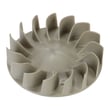
- Takes too long to dry: clogged lint path, crushed vent, blower wheel issues
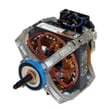
- Drum won’t turn: broken belt, worn idler pulley, seized drum rollers, motor problem
- Won’t start: door switch not closing, push-to-start switch failure, timer issue
- Overheats or shuts off: restricted airflow, high-limit thermostat or thermal cut-off opening
Parts that commonly fix these problems
If your symptoms match, these model-compatible parts are frequent solutions:
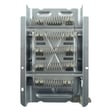
- Dryer element 279838 for no heat
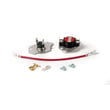
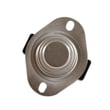
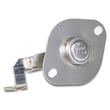
- Dryer thermal cut-off fuse kit 279816 for no heat or overheating shutdowns
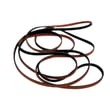
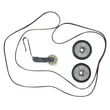
- Belt 341241 for a drum that won’t tumble
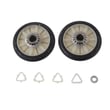
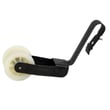
- Dryer idler pulley WP691366 for squealing and belt tension problems
- Door switch WPW10237959 for a dryer that won’t run when the door is closed
Quick checks before replacing parts
- Clean the lint screen and confirm strong airflow at the outside vent.
- Verify the dryer is getting full power (electric dryers typically need 240V to heat).
- Listen for the motor running; a running motor with no tumbling often points to the belt or idler.
- Inspect the vent path for lint buildup in the lint chute and blower housing.
Symptom-to-part guide
| Symptom | Most common area | Example part on this model |
|---|---|---|
| No heat | Heating circuit | Heating element, thermal cut-off, operating thermostat |
| Long dry times | Airflow system | Blower wheel, lint chute, venting |
| No tumble | Drive system | Belt, idler pulley, support rollers |
| Won’t start | Interlock/controls | Door switch, push-to-start switch, timer |
Why it matters
Running the dryer with poor airflow can cause overheating, repeated thermal fuse failures, and longer dry times. Fixing airflow first protects the heating element, thermostats, and motor.
For model-specific disassembly steps, wiring diagrams, and troubleshooting flow, use the owner's manual.
Last updated: March 2026
What does F2 mean on a Kenmore dryer?
On the Kenmore electric dryer model 1106192310, an F2 error typically points to a stuck key (button) or a user interface (console) communication mismatch. A power reset often clears a temporary glitch; if F2 returns, the problem is usually in the console keypad or control.
Quick reset steps (safe first try)
- Unplug the dryer, or switch the dryer breaker OFF.
- Wait 30 seconds.
- Restore power and wait another 30 seconds.
- Try a normal timed cycle and press each button once.
- If F2 reappears immediately, stop using the dryer until you inspect the controls.
What to check next
- Stuck button: Press each console button; none should feel jammed or stay depressed.
- Moisture or residue: Clean around the keypad area with a lightly damp cloth; dry fully.
- Power supply stability: A loose cord or intermittent power can cause control errors.
- Wiring connections: If you recently moved or installed the dryer, confirm the terminal block connections are tight and correct per the 1106192310 installation guide.
- Control vs. keypad: If the dryer runs but F2 keeps flashing, the user interface is the most common suspect.
Common symptoms and likely causes
| What you notice | Most likely cause | What we recommend |
|---|---|---|
| F2 appears as soon as you power on | Stuck key or failed keypad | Check for stuck buttons; consider console repair |
| F2 appears after pressing Start | Keypad signal issue | Retry after reset; inspect console |
| F2 after moving/rewiring | Power cord/terminal block connection issue | Recheck wiring steps in the install guide |
| Random F2 with other odd behavior | Control board or harness issue | Inspect harness connections; service if needed |
Why it matters
An F2 error can prevent proper cycle selection and can also mask a power or wiring issue. Clearing the error and confirming safe, correct electrical connections helps protect the control and keeps drying performance consistent.
Related help: Kenmore 110 series electronic control model dryer error codes
Last updated: January 2026
What is the capacity of the Kenmore dryer model 1106192310?
The exact drum capacity (cubic feet) for Kenmore electric dryer model 1106192310 is listed in the product specifications section of the 1106192310 owner's manual. If you do not see a cubic-feet value there, this style of 29-inch Kenmore dryer is typically in the 6.5 to 7.4 cu. ft. range.
How to find the exact capacity for model 1106192310
Check these spots first because they are the most reliable for your specific model:
- Product specifications section in the 1106192310 owner's manual
- Model and serial tag (usually on the door opening or cabinet frame)
- Any tech sheet stored inside the cabinet (often behind the control panel or lower front panel)
Typical capacity range (what to expect)
Most 29-inch, full-size Kenmore electric dryers like model 1106192310 fall into a standard full-size capacity range.
| Dryer type | Typical capacity range | Best for |
|---|---|---|
| 29-inch full-size electric dryer | 6.5 to 7.4 cu. ft. | Everyday family loads, towels, jeans |
| Compact electric dryer | 3.5 to 4.5 cu. ft. | Apartments, small loads |
Why it matters
Capacity affects how well clothes tumble and how fast they dry. Overloading a dryer can increase dry time, reduce airflow, and add wear to key moving parts like the drum belt and idler pulley.
Related maintenance tip
If drying performance seems weak (long dry times, hot cabinet, or clothes still damp), confirm venting and airflow requirements in the 1106192310 installation guide. Restricted venting is one of the most common causes of poor drying.
Last updated: January 2026