 Installation guide
 Owner’s manual
 Error Codes




What is the most common problem with a Frigidaire dishwasher?
On the Frigidaire FGID2479SF4A dishwasher, the most common service issue we see is a drain problem: water left in the tub at the end of the cycle. This often ties back to clogged filters, a restricted drain hose, or a disposer connection issue.
Quick checks that fix most “won’t drain” complaints
- Cancel the cycle and restart; many models clear a simple stall after a reset.
- Remove and clean the filters and check the sump area for debris.
- Inspect the drain hose for kinks, pinches, or a high loop that collapsed.
- If the drain line connects to a garbage disposer, confirm the disposer knockout plug was removed.
- Check for standing water caused by a blocked sink drain or air gap (if equipped).
What the dishwasher may be telling you
Your FGID2479SF4A can display drain-related error codes when it detects restricted draining.
| What you notice | Common code(s) | What it usually points to |
|---|---|---|
| Water left in bottom, cycle stops | I20, I40, IF0 | Clogged filters or restricted drain line |
| Unit won’t fill enough water | I10 | Pinched supply line or shutoff not fully open |
| Water in bottom pan | I30 | Leak or overflow condition |
For the exact code meanings and the model’s recommended steps, use the FGID2479SF4A owner's manual.
Parts that commonly relate to draining and water level issues
If cleaning and hose checks do not solve it, these model-matched parts are often involved:
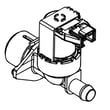
- Dishwasher water inlet valve 807445905 (helps with proper filling; low fill can affect washing and draining)
- Crosley dishwasher water-level pressure switch A00055408 (monitors water level)
- Sump assembly 5304520660 (where filters and drain path components meet)
Why it matters
A dishwasher that cannot drain properly can leave dirty water in the tub, trigger error codes, and reduce cleaning performance. Clearing restrictions early also helps protect the drain and wash motor from extra strain.
Last updated: January 2026
Is there a way to reset a Frigidaire Gallery dishwasher?
Yes. On the Frigidaire FGID2479SF4A dishwasher, the practical “reset” is to cancel the current cycle and restart. The dishwasher is designed to remember the last cycle and options, so you can typically clear the cycle and begin again using the START/CANCEL pad (or by cycling power for a few minutes if needed).
Quick reset options (most common)
- Press START/CANCEL to cancel the active cycle and let the unit drain.
- After canceling, press START/CANCEL again to start the last-used cycle (the control remembers it).
- If the control is unresponsive, turn power off at the breaker for 5 minutes, then restore power.
- If the display shows CLOSE, shut the door firmly until it latches.
- If the display shows PRESS START, press START/CANCEL to resume.
What to check if an error comes back
Some issues will reappear immediately after a reset because the dishwasher is detecting a real condition.
- i10 (low fill): Make sure the water shutoff valve is fully open and the supply line is not kinked.
- i20, i40, iF0 (drain restriction): Check for clogged filters and a restricted drain path.
- Door not latching: If the door will not latch consistently, inspect the latch and strike alignment.
| What you do | What it accomplishes | When to use it |
|---|---|---|
| Press START/CANCEL | Cancels cycle and drains | Cycle stuck, wrong cycle selected |
| Breaker off for 5 minutes | Reboots the control | Buttons not responding, error persists |
| Close and relatch door | Clears “CLOSE” message | Unit will not start due to door status |
Parts that can cause “won’t start” symptoms
If the dishwasher repeatedly will not start even after canceling and restarting, these parts are common suspects:
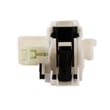
- Crosley dishwasher door latch assembly 111315040 (door must latch for the control to run)
- Dishwasher user interface A06115601 (keys not responding or erratic)
- Control asse 5304521750 (control not powering loads or not accepting inputs)
Why it matters
Resetting clears a stuck cycle and gets you back to a known starting point. If the same error code returns right away, it usually points to a fill, drain, or door-latch condition that needs correction rather than repeated resets.
For model-specific button sequences and display messages, follow the FGID2479SF4A owner's manual.
Last updated: January 2026
Why does my dishwasher keep having power failure?
Intermittent “power failure” symptoms on a Frigidaire FGID2479SF4A dishwasher usually happen when the cycle is being interrupted (most commonly by the door not staying fully latched) or when the dishwasher is losing power at the outlet or breaker. Start by confirming the door is latching firmly and the cycle is being resumed correctly.
Quick checks that fix most “power failure” complaints
- Press the door closed firmly until you feel the latch engage; avoid leaning on the door during a cycle.
- If you opened the door mid-cycle, press START/CANCEL and close the door immediately to resume (otherwise the cycle can cancel). See the FGID2479SF4A owner’s manual.
- Check the house breaker for a weak trip; reset it fully OFF then ON.
- Confirm the dishwasher plug is fully seated (if your installation uses a cord) and the outlet is not loose.
- Turn off power at the breaker before inspecting wiring or components.
When the door latch is the cause
A slightly loose latch can make the dishwasher stop as if it “lost power,” especially when vibration or steam pressure changes during the wash.
What to look for:
- Door closes but pops open slightly
- Cycle stops when you bump the door
- You see “Press Start” behavior after an interruption
If the latch is worn or not holding consistently, replacing the latch assembly is a common repair: door latch assembly 111315040.
When the control or fill system is involved
If the door is latching correctly and the breaker/outlet are solid, the issue can be inside the dishwasher, such as the electronic control or a condition that makes the dishwasher stop to protect itself.
| Symptom you notice | Most likely area to check | Example part for this model |
|---|---|---|
| Random resets, dead panel, then returns | User interface or control | Dishwasher user interface A06115601 |
| Stops early around fill/drain points | Water level sensing or inlet | Water-level pressure switch A00055408 |
Why it matters
A dishwasher that repeatedly “fails” mid-cycle can leave standing water, poor cleaning results, and can stress electrical components. Fixing a marginal door latch or power connection early prevents bigger, more expensive failures.
Last updated: January 2026
How do I fix a Frigidaire Gallery dishwasher that won't drain?
If your Frigidaire FGID2479SF4A dishwasher won’t drain, start by confirming the cycle is fully complete (not paused), then check the drain hose for kinks and make sure a connected garbage disposer is clear and its knockout plug was removed. Use the FGID2479SF4A owner’s manual troubleshooting steps to narrow it down.
Quick checks that fix most “won’t drain” problems
- Cancel the cycle and restart a drain portion (per the control instructions in the manual).
- Verify the dishwasher is not in a pause state and the cycle has ended.
- If connected to a food waste disposer: run the disposer and confirm it is empty.
- If recently installed: confirm the disposer inlet knockout plug was removed.
- Inspect the drain hose under the sink for kinks, crushing, or a high loop that collapsed.
- Check the bottom of the tub for standing water after the cycle; that points to a drain restriction.
Step-by-step: what to inspect (in order)
- Drain hose and sink connection: Disconnect at the sink/disposer inlet and flush the hose to clear grease or debris.
- Air gap (if your setup has one): Remove the cap and clear any blockage.
- Pump area for debris: With power off, look for labels, glass, or food that can jam the drain path.
- Water level and fill issues: If the unit is overfilling or acting erratically, a level-sensing problem can contribute; consider the crosley dishwasher water-level pressure switch A00055408.
Symptoms and likely causes
| What you notice | Most common cause | What to do |
|---|---|---|
| Hums but no drain | Jammed drain path/pump area | Clear debris; retry drain |
| Drains slowly | Partial hose clog or air gap clog | Flush hose; clean air gap |
| Drains into sink then backflows | Disposer inlet restriction or plumbing issue | Clear disposer inlet; check sink drain |
| Water left after cycle ends | Drain restriction or cycle not completed | Confirm cycle completion; check hose |
Why it matters
A dishwasher that can’t drain leaves dirty water in the sump, which can cause odors and poor cleaning on the next load. The manual notes that water remaining in the bottom of the tub after a completed cycle is not normal and points to a drain problem.
Last updated: January 2026





