 Owner’s manual
 Error Codes

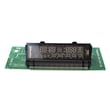
How to find LG part number?
For our LG LSE4613ST electric range, the most reliable way to find the correct LG part number is to start with the model number (LSE4613ST) and then match the part by name and location in the LSE4613ST owner's manual. For some components, the part number is also printed on a label attached to the part itself.
Fast ways to identify the right part
- Use the model number LSE4613ST when searching; it narrows results to parts that fit your exact LG electric range.
- Check the part itself for a sticker or stamped label; many controls, sensors, and motors have an ID tag.
- Match by function and location (for example: cooktop control vs. oven control).
- Compare your part’s connectors, mounting holes, and wire positions before ordering.
- If the issue is heat-related, confirm symptoms first; a failed sensor or control can mimic a heating element problem.
Common examples on this model
If you already know what system is acting up, these are examples of parts you may see referenced for LSE4613ST:
| Symptom you see | Part type to check | Example part on this model |
|---|---|---|
| Burner won’t regulate heat | Surface element control switch | LG range surface element control switch EBF62174907 |
| Oven temperature is inaccurate | Oven temperature sensor | LG range oven temperature sensor EBG61305805 |
| One radiant burner won’t heat | Radiant surface element | Range radiant surface element, 5-1/2-in MEE64286101 |
Why it matters
LG part numbers can look similar across different ranges, but fit and wiring can vary by model revision. Starting with LSE4613ST helps prevent ordering a control board, sensor, knob support, or radiant element that does not match your cooktop or oven configuration.
Helpful troubleshooting tip before you order
If you are chasing a “no heat” complaint, use a symptom-based check first so you replace the right component. Our video guide oven wont heat troubleshooting electric range problems video walks through the most common causes.
Last updated: February 2026
How to reset LG oven control board?
To reset the control board on your LG LSE4613ST electric range, we recommend doing a power reset: turn the oven mode knob to Off, shut off power at the breaker for 1 to 5 minutes, then restore power and recheck the display and keys using the steps in the LSE4613ST owner's manual.
Quick reset steps (safe, no tools)
- Turn the oven mode knob to Off.
- If the control panel is locked, press and hold Clock/Lockout for 3 seconds to unlock.
- Turn OFF the range circuit breaker (or unplug the range if accessible).
- Wait 1 to 5 minutes (this clears many temporary control glitches).
- Restore power.
- Set the clock and test Bake, Broil, and the oven light.
If the panel is still unresponsive after the reset
These checks help you narrow down whether the issue is a setting, a sensor input, or a control problem.
- Confirm Lockout is off (hold Clock/Lockout 3 seconds).
- Verify the oven mode knob is not between positions; set it firmly to Off, then select a mode again.
- If the display is on but temperatures seem wrong, check the oven temperature sensor circuit; a failed sensor can cause erratic heating or error behavior. Consider the LG range oven temperature sensor EBG61305805.
- If the oven will not start a Self Clean cycle, let the range cool and then reset the controls (Self Clean will not start if the oven is too hot or if Lockout is active).
- If the issue is limited to a surface burner (not the oven), the problem is often a surface element switch or radiant element rather than the oven control board.
What “reset” fixes (and what it does not)
| Symptom | Power reset helps? | What to check next |
|---|---|---|
| Display frozen or keys not responding | Yes | Lockout, power supply, control panel/board |
| Clock flashing after power loss | Yes | Set clock in settings |
| Oven heats but temperature is off | Sometimes | Temperature sensor, calibration settings |
| Self Clean will not start | Sometimes | Oven too hot, Lockout active |
Why it matters
A breaker reset is the fastest way to clear a temporary control fault without replacing parts. If the problem returns quickly, it usually points to an input problem (like a sensor) or a failing electronic control.
Last updated: February 2026
What are the common problems with LSE4613ST?
Common LG LSE4613ST electric range problems include the oven not heating or heating unevenly, surface elements not working, the range not powering on, and the oven door staying locked after Self Clean. Many of these issues trace to power supply, a failed sensor, a bad element, or a control problem.
Most common symptoms we see
- Oven won’t heat or takes too long to preheat (bake or convection)
- Oven temperature is inaccurate (too hot, too cool, or uneven baking)
- One or more radiant surface elements won’t heat
- Range won’t turn on (dead display or no response)
- Door won’t open after Self Clean (lock system issue)
Quick checks that solve a lot of calls
- Confirm the range is getting 240 VAC at the outlet or junction box; a tripped double breaker can leave you with lights but no heat.
- Verify the oven mode knob is set correctly and start a simple test bake; follow the operating steps in the LSE4613ST owner’s manual.
- If a surface element is out, swap pans and try a different element to rule out cookware and isolate the burner.
- If the door is locked after Self Clean, allow extra cool-down time; the lock releases only after the oven cools.
- If the clock is flashing, reset it; some timing features will not work correctly until the clock is set.
Likely parts involved (by symptom)
| Symptom | Common cause | Example part for this model |
|---|---|---|
| Oven too hot, too cool, or uneven | Temperature sensing problem | LG range oven temperature sensor EBG61305805 |
| One radiant element won’t heat | Failed radiant element | LG range dual radiant element MEE62385201 |
| Surface element won’t regulate heat | Failed infinite switch | LG range surface element control switch EBF62174907 |
| Door won’t open after Self Clean | Door lock motor issue | Range oven door lock motor EAU62862901 |
Why it matters
Heat and power problems on an electric range are often electrical or control-related; catching a weak sensor, failing radiant element, or bad switch early helps prevent repeated temperature swings, long preheat times, and nuisance shutdowns.
Last updated: February 2026
Where is the model number on an LG electric range?
On an LG electric range like model LSE4613ST, the model and serial number are typically on the rating label around the oven door opening (often along the frame behind the door). We recommend confirming the exact label location in the LSE4613ST owner's manual.
Where to look first (fastest checks)
- Open the oven door and inspect the frame around the door opening (left and right sides).
- Check the front frame near the bottom edge of the oven cavity.
- Look along the lower drawer opening frame (warming drawer or storage drawer area).
- If you have a slide-in installation, also check the back panel area if accessible.
What the label looks like
The rating label usually includes:
- Model number (example: LSE4613ST)
- Serial number
- Electrical ratings (voltage and wattage)
Why it matters
The model number ensures we match the correct LG parts and diagrams for your exact configuration (surface elements, control boards, knobs, and door glass). Even small model variations can use different parts.
Quick help: model number vs. serial number
| Item | What it tells us | When we use it |
|---|---|---|
| Model number | Exact product design and parts fit | Ordering parts, looking up diagrams |
| Serial number | Production run details | Warranty and manufacturing info |
Last updated: February 2026




