 Error Codes




How long do Kenmore electric stoves last?
Most Kenmore electric ranges and built-in electric ovens like model 2784018812 typically last 13 to 15 years with normal use and basic maintenance. Keeping the oven heating system and door seal in good shape helps you get the full expected lifespan.
A Kenmore electric stove’s service life depends most on heat exposure, cleaning habits, and how often it runs at high temperatures.
- Usage frequency: daily baking and broiling shortens life compared to occasional use
- Heat stress: frequent self-clean cycles accelerate wear on wiring and controls
- Ventilation: blocked vents can overheat internal components
- Door sealing: heat leaks make elements run longer and hotter
- Power quality: loose connections or voltage issues can damage components
Use this as a practical rule of thumb when deciding whether to invest in parts.
| If your oven is… | Usually makes sense to… | Why |
|---|---|---|
| Under ~10 years old | Repair | Parts often restore full performance |
| 10 to 15 years old | Repair if the fix is straightforward | Common wear items are still worth replacing |
| Over 15 years old | Compare costs carefully | Multiple failures become more likely |
When performance drops, these are common, high-impact fixes for an electric oven.
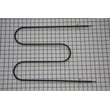
- Replace a weak or non-heating broil element with the oven broiler element WB44M5
- Replace a burned-out interior light with the lamp bulb 40A15
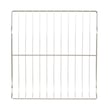
- Replace damaged racks that no longer slide smoothly with the oven rack WB48T10094
- Address heat loss or broken glass if the door is damaged (door glass issues can affect baking consistency)
A properly heating oven reaches temperature faster, cycles normally, and avoids overheating electrical components. That reduces strain on the heating elements, wiring, and controls, which is the biggest factor in reaching the typical 13 to 15-year lifespan.
Last updated: January 2026
How do I reset my Kenmore electric range?
To reset your Kenmore electric built-in oven model 2784018812, we recommend doing a hard power reset: turn the range off, cut power at the breaker for a few minutes, then restore power and re-test Bake and Broil. This clears many control glitches.
- Turn all oven controls to OFF.
- Switch the range circuit breaker OFF (or unplug if it’s accessible).
- Wait 3 to 5 minutes.
- Restore power.
- Set the clock (if needed), then test Bake and Broil.
A reset fixes software-like glitches; it will not fix a failed heating circuit. Check these common causes:
- Broil works, Bake doesn’t: the bake element or its wiring may be damaged.
- Bake works, Broil doesn’t: the broil element may be open.
- Neither heats: possible power supply issue (one leg of 240V missing), thermal cutout, wiring, or control problem.
- Display resets but buttons act odd: stuck keypad or control issue.
Helpful DIY checks:
- Inspect the element for blisters, cracks, or burn spots.
- Verify the range has proper power at the terminal block (only if you’re trained and it’s safe).
- Check for loose or overheated wire connections.
| What you observe | Most likely direction | What to do next |
|---|---|---|
| Display is blank | No power to range | Check breaker, outlet, wiring |
| Oven heats unevenly | Weak element or airflow issue | Inspect elements, rack position |
| Broil does not glow | Failed broil element | Consider replacing oven broiler element WB44M5 |
| Oven light out only | Burned-out bulb | Replace lamp bulb 40A15 |
Resetting is the fastest way to clear a control lockup after a power flicker or error condition. If heating still fails, focusing on the broil element, power supply, and wiring helps you avoid replacing the wrong part.
Last updated: January 2026
Where is the model number on my Kenmore electric stove?
On a Kenmore electric built-in oven like model 2784018812, the model number is usually on a rating label around the oven door opening (door jamb) or on the frame behind the lower storage or broiler drawer. Check a few common spots before ordering parts.
- Door jamb: Open the oven door and look along the left or right frame.
- Behind the bottom drawer: Pull the lower drawer out and look on the frame rails or side panel.
- Side trim or cabinet edge (built-in units): Look along the side frame where the oven meets the cabinet.
- Rear panel: If accessible, check the back near the vent area.
- Turn the oven light on and use a flashlight to scan the door opening frame.
- Remove the lower drawer (most lift slightly, then pull out) and inspect both sides.
- Wipe grease and dust off the label area; faded labels often become readable.
- Write down the full model number exactly as shown (letters and numbers).
| Label type | What it may say | Why it helps |
|---|---|---|
| Rating label | Model, serial, electrical rating | Ensures correct parts and wiring match |
| Tech sheet pocket (sometimes) | Wiring diagram or mini sheet | Helps with troubleshooting and testing |
We use the model number to match the correct Kenmore range parts for your exact configuration (heating elements, oven rack, door glass, and mounting hardware). Even small model differences can change the broil element style or rack dimensions.
If you are replacing a common item while you have the oven open, match the part to your symptom and model, for example an oven light issue may point to the lamp bulb 40A15.
Last updated: January 2026
How do you reset the F1 code on a Kenmore stove?
To reset an F1 error on your Kenmore range model 2784018812, we recommend doing a full power reset: turn the range power off at the breaker (or unplug it) for 3 to 5 minutes, then restore power. If F1 returns, the problem is usually in the oven control or a stuck key on the touch panel.
- Turn OFF the range circuit breaker (preferred) or unplug the range.
- Wait 3 to 5 minutes (this lets the control fully discharge).
- Restore power.
- Set the clock (if prompted) and try Bake for a few minutes.
- If the code comes back immediately, stop using the oven and move to the checks below.
F1 is commonly triggered when the control senses a problem it cannot clear, such as a keypad signal issue or an electronic oven control (EOC) fault.
- A stuck or shorted keypad (touch panel keeps “pressing” a key)
- A failing electronic oven control board
- Moisture, heat damage, or contamination behind the control panel
- Loose or damaged wiring at the control (especially after a self-clean cycle)
- Power reset (steps above).
- If the keypad is separate from the control board: with power off, reseat the keypad ribbon connector, then restore power.
- If F1 appears only when the oven heats, inspect for heat damage and consider checking wiring continuity.
For electrical checks, we use a meter and follow safe testing practices; our guide how to use a multimeter to test electrical parts video walks through the basics.
These parts are not “F1 parts,” but they are common service items when diagnosing oven performance issues:
| Symptom you notice | What it can point to | Example part on this model |
|---|---|---|
| Oven will not broil or broil is weak | Heating circuit issue | Oven broiler element WB44M5 |
| Oven light out (no error) | Burned-out bulb | Lamp bulb 40A15 |
An F1 code can leave the oven stuck in an unsafe or unreliable state (random beeping, unresponsive keys, or incorrect heating). Resetting is a good first step, but repeated F1 usually means a control or keypad problem that needs repair.
Last updated: January 2026




