Installation guide
 Owner’s manual
 Error Codes




How to read Samsung dishwasher model number?
For Samsung dishwashers like model DW80J9945US, we read the model number directly from the rating label, then match the characters to the series and feature set. The fastest way is to locate the label inside the door and copy the model number exactly as printed.
On most Samsung dishwashers, the rating label is on the tub frame just inside the door. Check these common spots:
- Along the left side of the inner door opening (tub frame)
- Along the right side of the inner door opening
- On the top edge of the tub opening (less common)
- On the side wall near the front of the tub
Use the exact characters from the label (letters, numbers, and any suffixes) when referencing parts or manuals. For model-specific diagrams and identification help, use the DW80J9945US owner's manual.
Samsung model numbers are typically read left to right. Here is a useful way to think about it:
| Model number section | What it usually indicates | Why you care |
|---|---|---|
| Prefix (example: DW) | Product type (dishwasher) | Confirms you are looking at the right appliance |
| Middle digits/letters | Series, platform, features | Helps match the correct parts and UI layout |
| Suffix (example: /AA-00) | Version or production revision | Can affect which part fits |
Small differences matter, especially with Samsung revisions.
- Write the model number exactly as shown on the label
- Include any suffix shown after a slash (example: /AA-00)
- If the label is worn, take a clear photo and zoom in to confirm characters
- Match parts by model number first, then confirm by part number
- Use the model documentation for panel layouts and error code meanings
For troubleshooting that depends on the exact model family, we also use Samsung’s WaterWall-specific guidance in Samsung waterwall dishwasher error codes.
Samsung often releases multiple revisions under a similar model name; the full model number (and suffix) is what ensures the correct match for parts like the drain pump, water inlet valve, or control board.
Last updated: February 2026
What is the most common problem with Samsung dishwashers?
The most common Samsung dishwasher issue is a no-start or “won’t run” complaint caused by the door not latching correctly or the controls not responding. On the Samsung DW80J9945US, start by confirming the door closes firmly and the cycle actually begins (fills, then washes).
- Press the door closed at the top corners, then try Start again.
- Make sure the Control Lock (child lock) is not enabled.
- Confirm the dishwasher has power (breaker on, no dead display).
- Check that the water supply valve under the sink is fully open.
- Cancel and drain, then restart a normal cycle.
- Look for standing water in the tub (a drain problem can stop a new cycle).
| Symptom | Most likely cause | What to check next |
|---|---|---|
| Has power but won’t start | Door not fully latched | Latch alignment, strike position, debris on gasket |
| Buttons don’t respond | Control lock or control issue | Lock setting, then control panel behavior |
| Stops and beeps with water left | Drain restriction or drain pump issue | Filter area, drain hose routing, pump sound |
| Poor cleaning, especially in back | WaterWall movement issue | Spray path, belt condition, obstructions |
If troubleshooting points to a specific failure, these model-matched parts are common fixes:
- Dishwasher door latch strike DD66-00133A (door won’t latch or won’t start)
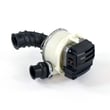
- Dishwasher drain pump DD31-00016A (won’t drain, stops mid-cycle)
- Dishwasher drain hose DD67-00115A (slow drain, backflow, leaks at hose)
- Dishwasher water inlet valve DD33-01001A (not filling or fills very slowly)
A dishwasher that does not latch, fill, or drain correctly often will not start at all because the control is designed to prevent flooding and protect the pump and motor assembly.
For model-specific operating steps and indicator meanings, use the DW80J9945US owner's manual. For installation-related causes (leveling, drain loop, anchoring), use the DW80J9945US installation guide.
Last updated: February 2026
Does the DW80J9945US have a food disposer?
The Samsung DW80J9945US dishwasher does not use a traditional hard food disposer (grinder). Instead, it relies on a filter-based system to capture food soil, so regular filter cleaning and good loading habits are what keep wash performance strong. See the DW80J9945US owner's manual for your exact filtration and cleaning instructions.
Most dishwashers fall into one of these designs:
| System type | What it uses | What you do | What you might notice |
|---|---|---|---|
| Food disposer (grinder) | Chopper blade and impeller | Minimal filter cleaning | More noise, fewer filter cleanouts |
| Filtration (common on Samsung) | Fine/coarse filters and pump | Clean filters routinely | Quieter, needs filter maintenance |
We recommend these quick checks first because they solve most “no disposer” concerns:
- Clean the filter and sump area (remove debris, rinse under hot water).
- Run hot water at the sink before starting the cycle so the dishwasher fills with hot water.
- Use the correct detergent type and amount; avoid overfilling the cup.
- Load so spray paths are open; do not block the WaterWall or spray arms with tall pans.
- Choose a heavier cycle for baked-on soil; normal cycles are optimized for lighter loads.
- Check for drain issues if you see standing water; poor draining can redeposit soil.
If cleaning and loading do not help, these model-compatible parts are often involved:
- Dishwasher drain pump DD31-00016A if the unit is not draining well.
- Samsung dishwasher waterwall spray arm motor and nozzle assembly DD97-00216A if the WaterWall is not moving or coverage is poor.
- Dishwasher water inlet valve DD33-01001A if the dishwasher is not filling with enough water.
A disposer-style dishwasher can “hide” some food soil by grinding it up. A filter-based dishwasher like the DW80J9945US stays quiet and efficient, but it depends on clean filtration and strong water flow to prevent food particles from recirculating.
Last updated: February 2026
Is the DW80J9945US a good dishwasher?
Yes. The Samsung DW80J9945US is a strong choice if you want a premium dishwasher with a stainless steel tub, flexible rack features, and Samsung’s WaterWall-style wash coverage; overall performance depends most on correct loading, detergent use, and keeping filters and spray paths clean (see the DW80J9945US owner's manual).
A “good” DW80J9945US typically delivers consistent cleaning and drying when the wash system can circulate freely and the unit fills and drains correctly.
You will usually be happiest with this model if you want:
- A stainless steel interior for durability and drying performance
- Adjustable/fold-down rack features for pots, pans, and tall items
- Strong spray coverage (including WaterWall components)
- Quieter operation compared with older dishwashers
Before judging performance, we recommend these basics (they solve most “not cleaning” complaints):
- Load so spray arms and the WaterWall path are not blocked by large pans
- Use fresh detergent and the right cycle for soil level
- Rinse heavy food scraps off, then keep the filter area clean
- Confirm hot water supply to the dishwasher (hotter water improves wash results)
- Make sure the unit drains fully at the end of the cycle
| What you notice | Most common cause | What to do first |
|---|---|---|
| Dishes still gritty | Blocked spray path or poor loading | Re-load, clear obstructions, clean filter |
| Water left in tub | Drain restriction or pump issue | Check hose routing and clogs |
| Weak wash coverage | WaterWall drive issue | Inspect WaterWall movement and belt |
| Not drying well | Rinse aid or cycle choice | Use rinse aid, try heated dry options |
If your DW80J9945US stops draining or wash coverage becomes inconsistent, these model-matched parts are commonly involved:
- Dishwasher drain pump DD31-00016A (draining problems, standing water)
- Dishwasher drain hose DD67-00115A (slow drain, backflow, kinks)
- Dishwasher waterwall belt DD66-00144A (WaterWall not traveling correctly)
A dishwasher can seem “bad” when it is actually under-filling, not draining, or blocked by loading. Keeping water flow and spray coverage correct protects the pump and motor assembly, improves cleaning, and reduces repeat cycles.
Last updated: February 2026