 Installation guide
 Owner’s manual
 Error Codes





Are KitchenAid appliances high end?
Yes. KitchenAid is a premium, upper-mid-range appliance brand; for the KitchenAid KESK901SSS00 electric slide-in range, that typically means stronger build quality, better fit and finish, and more feature-focused design than entry-level ranges, without being positioned as true luxury.
What “high end” usually means for KitchenAid ranges
When customers call a range “high end,” they usually mean a mix of performance, design, and long-term support.
- Premium styling and materials (often stainless steel finishes)
- Feature-rich cooking options compared with basic ranges
- Strong parts and service ecosystem for repairs and maintenance
- Higher price point than entry-level brands
- Designed for frequent home cooking, not commercial use
Where KitchenAid fits compared with other brands
KitchenAid generally sits above mainstream value brands and below luxury lines.
| Tier | Typical positioning | Examples |
|---|---|---|
| Entry-level | Basic features, lowest cost | Value-focused ranges |
| Upper-mid-range / premium | Better features and finish | KitchenAid |
| Luxury | Pro-style, highest cost | Luxury lines |
Why it matters for repairs and parts
A “high end” range is still a machine with wear items. The good news is that KitchenAid supports service and factory-specified replacement parts; the warranty language for electric ranges also highlights coverage periods for certain components (such as electric elements and control-system parts). For model-specific use, care, and warranty details, use the KESK901SSS00 owner’s manual.
Common parts customers replace over time
These are typical wear or service items on electric ranges:
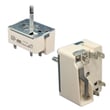
- Surface element controls (infinite switches)
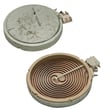
- Surface radiant elements
- Oven heating elements
- Oven temperature sensing components
- Door hardware and bumpers
If you are troubleshooting heating accuracy on this model, the wall oven temperature sensor WPW10131825 is a common component involved in temperature regulation.
Last updated: January 2026
What is the life expectancy of a KitchenAid range?
A KitchenAid range typically lasts 13 to 15 years with normal home use and basic upkeep. For your KitchenAid KESK901SSS00 electric slide-in range, consistent cleaning, avoiding excessive high-heat cycles, and fixing heating or control issues early helps you reach that full service life; see the KESK901SSS00 owner’s manual for care and use details.
Typical life expectancy (what to expect)
Most mid to premium electric ranges, including KitchenAid models like KESK901SSS00, fall into a predictable lifespan range.
| Range type | Typical life expectancy | Notes |
|---|---|---|
| Electric range (radiant/ceramic cooktop) | 13 to 15 years | Surface elements and controls are common wear items |
| Gas range | 15 years | Often fewer electronic heating components |
What usually ends a range’s life first
These are the most common “big ticket” failures that drive replacement decisions on an electric slide-in range:
- Oven heating problems (bake or broil not heating evenly)
- Cooktop element not heating or stuck on high (control or element issue)
- Temperature accuracy problems (sensor or control calibration)
- Door lock or latch issues (often noticed around self-clean)
- Wiring or terminal connection overheating (power supply connection)
Maintenance that adds years (and prevents expensive repairs)
We recommend these habits for KitchenAid electric ranges:
- Keep the cooktop clean and dry; spills baked onto a ceramic surface trap heat and stress elements
- Use flat-bottom cookware sized to the element to reduce cycling and overheating
- Avoid running self-clean back-to-back; high heat accelerates wear on door locks, wiring, and controls
- If baking temps drift, address it early; a failing sensor can cause long preheat times and uneven cooking
- Periodically check that the range is level; uneven leveling can affect door sealing and cooking results
Why it matters
A range that is heating correctly and cycling normally uses less energy, cooks more evenly, and puts less stress on high-cost components like elements, sensors, and electronic controls. The KitchenAid warranty information in the KESK901SSS00 owner’s manual also helps you understand which components may have extended coverage in the early years.
Last updated: January 2026
What does F2 E1 mean on a KitchenAid oven?
On the KitchenAid KESK901SSS00 electric slide-in range, the F2 E1 error code means the control is sensing a keypad or touch-control input problem. Most often, a key is stuck, the touch panel is shorted by moisture or residue, or the control is not reading the keypad correctly.
What to do first (quick, safe checks)
- Press Cancel/Off once; wait 30 seconds to see if the code returns.
- Shut off power at the breaker for 1 minute, then restore power.
- Clean and dry the control area; remove any cleaner residue that can mimic a pressed key.
- If the code appeared after self-clean, let the range cool fully before retesting.
- If the code returns immediately after power is restored, plan on diagnosing the control panel circuit.
What usually causes F2 E1
| Likely cause | What you notice | Typical fix |
|---|---|---|
| Stuck key or failing touch panel | Beeping, random key response, code returns quickly | Replace the keypad or control panel assembly (model-specific) |
| Control board not interpreting keypad input | Code persists with no keys pressed | Replace the electronic control (model-specific) |
| Loose or damaged wiring connection | Intermittent code, changes with vibration or heat | Reseat connectors, repair wiring |
Model-specific guidance for KESK901SSS00
This model uses a single main control area for oven functions and surface element operation. Use the KESK901SSS00 owner’s manual to confirm the correct reset steps and control layout for your range.
When to check the oven temperature sensor
F2 E1 is a keypad or control-input code, not a sensor code. Still, if you also have overheating symptoms (runaway temperature, burning smell, frequent thermal shutdown), check the oven sensor circuit because abnormal heat can stress the control system.
A common part used when diagnosing temperature-related problems:
Why it matters
A stuck key or failing control input can cause constant beeping, prevent baking or broiling, or interrupt cooking cycles. Fixing the input problem restores normal operation and helps prevent repeat shutdowns.
Last updated: January 2026
How do I reset my KitchenAid double oven?
On the KitchenAid KESK901SSS00 electric slide-in range, a “reset” is done by canceling the current cycle with OFF and, if needed, power-cycling the range at the breaker to reboot the electronic oven control. This clears most frozen-display and keypad glitches.
Reset steps for KESK901SSS00 (try in this order)
- Press OFF to stop any active bake, broil, or timed function.
- Wait about 30 seconds, then try selecting BAKE and START.
- If the keypad seems locked, turn Control lock off (steps below).
- If the display is still unresponsive, switch the range circuit breaker OFF, wait 1 minute, then switch it ON.
- Reset the clock if it flashes or shows a power interruption.
If the control panel is locked (common “won’t respond” cause)
Your range has a Control Lock feature that disables most pads. When locked, only TIMER SET/START, TIMER OFF, and OVEN LIGHT work.
To lock or unlock:
- Make sure the oven, timer, and timed cooking are off.
- Press and hold START for 5 seconds until CONTROL LOCK appears or disappears.
For the exact pad names and timing, use the KESK901SSS00 owner’s manual.
If Sabbath Mode is on
Sabbath Mode changes how the oven responds (for example, delayed light and heating response). To exit Sabbath behavior:
- Press OFF to return to normal operating mode.
What each “reset” actually does
| Reset method | What it fixes | What it does not fix |
|---|---|---|
| OFF (cancel) | Stuck selection, wrong mode | No power, dead display |
| Control Lock toggle | Keypad won’t respond due to lock | Heating performance issues |
| Breaker power-cycle | Frozen display, control glitches | Failed component (element, sensor, control) |
Why it matters
Most “reset” requests are really a locked control panel or a control-board reboot. Doing these steps first prevents unnecessary parts replacement and gets the oven back to normal operation faster.
Last updated: January 2026






