 Owner’s manual
 Error Codes



Is the NE58F9500SS a freestanding range?
No. The Samsung NE58F9500SS is an electric slide-in range, not a freestanding range. Slide-in ranges are designed to sit flush with the countertop edges and typically do not have a finished backguard like many freestanding models.
How to tell slide-in vs. freestanding on this model
We use the model’s design and installation requirements to classify it correctly. For NE58F9500SS, the key identifiers match a slide-in range.
- The cooktop is designed to overlap the countertop for a built-in look
- The sides are meant to align closely with adjacent cabinets
- Controls are typically front-mounted on slide-in designs
- Installation clearances and anti-tip setup are specific to slide-in fit
- Replacement parts are listed under electric slide-in range for this model
For the most accurate installation and fit details, use the NE58F9500SS owner's manual.
Quick comparison
| Feature | Slide-in range (NE58F9500SS) | Freestanding range |
|---|---|---|
| Fit at countertop | Sits flush; cooktop often overlaps | Usually leaves small gaps at sides/back |
| Backguard | Often none | Common on many models |
| Look | Built-in style | Standalone style |
| Typical install focus | Countertop/cabinet alignment | Flexible placement |
Why it matters
Getting the type right helps you avoid fit problems (countertop gaps, cabinet interference) and ensures you’re using the correct installation clearances, anti-tip bracket placement, and compatible parts for your Samsung range.
Last updated: February 2026
How to hard reset Samsung oven?
To hard reset your Samsung NE58F9500SS electric slide-in range oven, turn the range power OFF at the home circuit breaker for 5 to 20 minutes, then turn it back ON. This clears many control glitches, frozen keypads, and some error-code lockups.
Hard reset steps (power cycle)
- Locate the range breaker (typically a 240V double-pole breaker) in your electrical panel.
- Switch the breaker OFF.
- Wait 5 minutes for a quick reset; wait 20 minutes for a deeper discharge.
- Switch the breaker ON.
- Set the clock and test Bake, Broil, and the surface elements.
If the control panel is still unresponsive
These checks help narrow the cause after a reset:
- Confirm the breaker is fully seated (OFF then ON again).
- Check for a stuck key or moisture on the control panel; wipe dry and retry.
- If the display is blank or garbled, the display electronics may be failing.
- If the oven heats incorrectly after reset, the temperature sensing circuit is a common suspect.
- If an error code returns immediately, use the troubleshooting section in the NE58F9500SS owner's manual.
Common symptoms and likely next step
| Symptom after reset | What it usually points to | What we recommend |
|---|---|---|
| Display stays blank | Power supply issue or failed display/control | Verify breaker, then consider Samsung range display board DE96-01027A |
| Oven temperature is way off | Sensor out of range | Consider range oven temperature sensor DG32-00004C |
| Error code returns right away | Persistent fault detected | Follow the error-code steps in the manual |
Why it matters
A hard reset restores the control board to a known state. If the problem returns right away, that usually means the range is detecting a real fault (sensor, wiring, or control electronics) rather than a one-time software glitch.
Last updated: February 2026
Does the NE58F9500SS have a self-cleaning feature?
Yes. The Samsung NE58F9500SS electric slide-in range includes an oven self-cleaning cycle (commonly labeled Self Clean on the control panel). We recommend following the exact timing, rack removal, and door-lock steps in the NE58F9500SS owner's manual for best results.
How to confirm and use self-clean on this model
- Look for a Self Clean or Clean pad on the control panel.
- Remove oven racks, thermometers, and any foil before starting.
- Wipe up heavy spills first; self-clean is for baked-on residue, not pooled grease.
- Start the cycle and allow the door to lock; the door stays locked until the oven cools.
- After the cycle, wipe out ash with a damp cloth once the oven is fully cool.
Quick prep checklist (what we do before starting)
| Item | What to do | Why it matters |
|---|---|---|
| Oven racks | Take them out | Self-clean heat can discolor or warp racks |
| Loose debris | Sweep/wipe it out | Reduces smoke and odor |
| Heavy spills | Hand-clean first | Helps prevent excessive smoke |
| Kitchen ventilation | Turn on hood fan, open a window | Improves comfort during the cycle |
If self-clean will not start
These are the most common causes on an electric range like the NE58F9500SS:
- The oven door is not fully closed, or the door switch is not sensing closed
- The control is in a timed mode or another function is active
- A power interruption occurred and the control needs to be reset
- The door lock system is not engaging
If the control shows door-related behavior (won’t lock, won’t unlock, or won’t start clean), checking the range oven door switch DG34-00006A is a practical first step.
Why it matters
Self-clean runs at very high temperatures; correct setup (rack removal, ventilation, and allowing full cool-down) prevents damage to accessories and helps the door-lock safety system work properly.
Last updated: February 2026
What are common Samsung oven problems?
Common problems we see on Samsung electric ranges like model NE58F9500SS include the oven not heating, uneven baking, broil not working, and control panel or display glitches. These symptoms usually trace back to a failed heating circuit (element, sensor, wiring) or an electronic control issue; use the NE58F9500SS owner's manual to confirm operating modes and basic checks.
Most common symptoms (and what they usually point to)
- Oven will not heat or heats slowly: temperature sensor out of range, relay/control issue, or wiring problem
- Uneven baking or temperature swings: sensor drift, convection fan problem, or airflow blocked by foil/pans
- Broil not working: broil circuit issue (element or control)
- Oven shuts off or acts erratic: overheating, loose connections, or control board problems
- Display or keypad issues: display board or control panel cooling/venting problems
Quick checks we recommend before replacing parts
- Verify you are in the correct cooking mode and temperature settings (bake vs. convection bake vs. broil).
- Power reset: turn the range off at the breaker for 2 minutes, then restore power.
- Look for obvious wiring damage or loose connectors (with power disconnected).
- Confirm the oven is not blocked: avoid covering racks or the oven bottom with foil.
- If you have a meter, test components safely using a guide like how to use a multimeter to test electrical parts video.
Parts that commonly solve these issues on NE58F9500SS
| Symptom | Common suspect | Example part for this model |
|---|---|---|
| Oven temperature inaccurate | Oven temperature sensor | Range oven temperature sensor DG32-00004C |
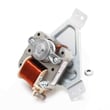
| Convection uneven or noisy | Convection fan motor assembly | Samsung range convection fan motor assembly DG96-00110E |
| Display blank or unstable | Display board | Samsung range display board DE96-01027A |
Why it matters
Heating and control problems can cause undercooking, overcooking, and repeated error conditions. Narrowing the symptom to a specific circuit (sensor, fan, control, or wiring) helps you avoid replacing the wrong part and reduces downtime.
Last updated: February 2026
What is the life expectancy of a Samsung oven?
Most Samsung electric ranges, including model NE58F9500SS, typically last 10 to 15 years with normal household use. Lifespan depends most on how often you cook, how well the oven is kept clean and ventilated, and whether key electrical parts (controls, sensors, wiring) stay in good condition; see the NE58F9500SS owner's manual for model-specific care and operating guidance.
Typical lifespan and what usually wears out
In our experience, the oven cavity and insulation often last the life of the range; service calls are more commonly caused by heating control and electrical components.
- Electronic control or display issues (clock, touch panel, relay control)
- Temperature regulation problems (sensor drift, uneven baking)
- Convection fan noise or failure on convection models
- Surface element heating inconsistencies on radiant cooktops
- Door switch or latch issues that affect heating or self-clean operation
Quick “repair or replace” guide
Use this as a practical rule of thumb for a Samsung slide-in electric range.
| Range age | What we usually recommend | Why |
|---|---|---|
| 0 to 5 years | Repair is usually the best value | Most parts restore full performance |
| 6 to 10 years | Repair if the issue is isolated | One major part can be cost-effective |
| 11 to 15 years | Compare repair cost to replacement | Multiple failures become more likely |
| 16+ years | Replace in most cases | Efficiency and reliability drop |
Parts that can extend useful life on NE58F9500SS
If performance is slipping, these are common “keep it running” parts for this model family.
- If baking temps are off, check the range oven temperature sensor DG32-00004C
- If convection is noisy or not circulating, inspect the Samsung range convection fan motor assembly DG96-00110E
- If a surface burner cycles incorrectly, the surface control switch and radiant element are common suspects
Why it matters
A range that is slow to preheat, bakes unevenly, or has intermittent controls can waste energy and make cooking unpredictable. Catching a failing sensor, fan motor, or control early often prevents secondary damage (overheating, wiring stress, repeated breaker trips).
Last updated: February 2026




