 Owner’s manual
 Error Codes



How to hard reset a Kenmore dryer?
To hard reset a Kenmore dryer model 11066902692, we disconnect power long enough for the control and motor circuits to fully power down, then restore power and try a normal start. This clears many temporary glitches without changing any settings.
Hard reset steps (electric dryer)
- Turn the dryer OFF.
- Unplug the power cord from the outlet (or switch the dryer circuit breaker OFF).
- Wait 1 to 5 minutes.
- Plug the dryer back in (or switch the breaker ON).
- Close the door firmly.
- Select a cycle and press PUSH TO START.
For control locations and normal start steps, use the 11066902692 owner's manual.
If the dryer still will not start after a reset
A hard reset will not fix a failed safety device or a power supply problem. Check these common causes next:
- House power issue (tripped breaker, blown fuse, wrong fuse type)
- Door not fully closed or start button not pressed firmly
- Controls not set to an ON position
- Restricted airflow from a clogged lint screen or blocked venting
Quick checks
| What to check | What “good” looks like | What to do if not |
|---|---|---|
| Lint screen | Clean, clear mesh | Clean before testing again |
| Exhaust airflow | Strong flow at outside hood | Clear lint, fix crushed/kinked vent |
| Start sequence | Door shut, cycle set, PUSH TO START pressed | Reseat settings and retry |
Why it matters
If the dryer overheats or airflow is restricted, safety components can interrupt operation. Resetting power is a fast first step, but correcting lint and vent restrictions helps prevent repeat shutdowns and improves drying performance.
Last updated: January 2026
How much to replace a dryer switch?
For Kenmore electric dryer model 11066902692, replacing a dryer switch typically costs about $50 to $150 total (part plus labor). If the switch is failing, the dryer may not start because it “thinks” the door is open; confirm the exact switch type in the 11066902692 owner's manual.
What the switch does (and why the dryer may not run)
The switch is a safety device that prevents the dryer from running with the door open. When it fails, common symptoms include:
- Dryer will not start even though the controls are set
- Start button is pressed but nothing happens
- Dryer stops when the door is bumped or lightly moved
- Door must be slammed to get the dryer to run
The manual’s troubleshooting guidance for “dryer will not run” also points to basics like making sure the door is firmly closed and the controls are set correctly. Use the 11066902692 owner's manual to match symptoms to checks.
Cost breakdown: DIY vs service
Costs vary by location and whether you do the work yourself.
| Option | What you pay for | Typical total cost |
|---|---|---|
| DIY replacement | Switch + your time | Often under $50 to $80 |
| Service call | Trip/diagnosis + labor + switch | Often $50 to $150 (or more) |
Before you replace the switch
We recommend these quick checks first because they can mimic a bad switch:
- Verify the dryer door closes tightly and the latch engages
- Confirm power is present and breakers are not tripped (electric dryers need full 240V supply)
- Check the lint screen and venting for restriction (overheating can cause other safeties to open)
- If the dryer runs only when holding the door, inspect the latch hardware
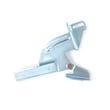
If the door is not latching, a simple fix may be replacing the door latch kit, such as the catch 279570.
Why it matters
A working door switch protects you from a spinning drum and helps prevent no-start complaints that look like timer, motor, or thermal fuse problems.
Last updated: January 2026
What is the average life of a Kenmore dryer?
Most Kenmore dryers, including model 11066902692, typically last about 13 years with normal household use. Consistent airflow maintenance (lint screen and venting) is the biggest factor in reaching that lifespan because restricted exhaust makes the dryer run hotter and work harder.
Typical lifespan and what affects it
A dryer’s life depends more on heat and airflow stress than on whether it is electric or gas.
- Clean the lint screen before every load; a clogged screen is the most common cause of poor airflow.
- Keep the exhaust vent from getting crushed or kinked behind the dryer.
- Use the correct vent materials and routing described in the 11066902692 owner's manual.
- Avoid overdrying; use Auto Moisture Sensing when available to reduce heat exposure.
- Do not overload; heavy loads strain the drive motor, belt system, and drum support rollers.
Quick maintenance checklist (high impact)
Use this simple schedule to protect the heating system, thermostats, and drum support parts.
| Task | How often | Why it helps |
|---|---|---|
| Clean lint screen | Every load | Maintains airflow and drying performance |
| Inspect vent for kinks/crushing | Monthly | Prevents overheating and long dry times |
| Clean vent duct to outside | Every 6 to 12 months | Reduces heat stress and shutdowns |
| Listen for squealing/thumping | As needed | Catches roller or idler wear early |
Why it matters
When airflow is restricted, the dryer can overheat and cycle the heater off more often. That increases wear on heat controls and can shorten the life of key components like the heating element, operating thermostat, and thermal safety devices.
Parts that commonly wear as dryers age
If your dryer is still heating but getting noisy or taking longer to dry, these are common wear items:
- Drum support rollers (often included in a roller kit such as support kit WPW10314173)
- Belt tension components (idler pulley)
- Heating and heat-control components
- Door latch and switch components
Last updated: January 2026
How to test a dryer temperature switch?
To test the dryer temperature switch on Kenmore model 11066902692, we unplug the dryer, access the switch, then use a multimeter to check continuity across the switch terminals. The reading should change predictably as the switch opens and closes with temperature.
Before you test
- Unplug the dryer (240V shock hazard).
- Let the dryer cool completely.
- Have a multimeter set to continuity or lowest ohms.
- Label wires before removing them so they go back on the same terminals.
- Use the wiring diagram in the 11066902692 owner's manual to confirm which terminals to test.
How we test the temperature switch (step-by-step)
- Disconnect power and pull the dryer forward for access.
- Open the cabinet enough to reach the temperature switch (often mounted on the blower housing or heater housing, depending on design).
- Remove the wires from the switch terminals (pull on the connector, not the wire).
- Place one meter probe on each terminal you want to test.
- Check the reading:
- At room temperature, many dryer temperature switches show continuity (near 0 ohms) when closed.
- When heated to its trip point, the switch should open and show no continuity (OL/infinite).
- If the switch does not change state, replace it.
What your meter results usually mean
| Meter result | What it indicates | Next step |
|---|---|---|
| 0 to a few ohms | Switch contacts closed | Heat-test if it is supposed to open |
| OL / infinite | Switch contacts open | Verify it should be closed when cool |
| No change when heated/cooled | Switch stuck | Replace the switch |
Why it matters
A failed temperature switch can cause no heat, overheating, or short cycling. Overheating problems also happen when airflow is restricted, so we always check the venting and lint path after any heat-related diagnosis.
If you are troubleshooting a no-heat or overheating condition, also inspect the dryer operating thermostat WP3387134 and the dryer thermal fuse WP3390719, since these commonly work together in the heating circuit.
Last updated: January 2026









