Owner’s manual
 Error Codes



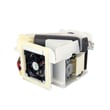
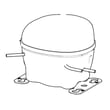
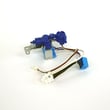
How to fix 23 C error code on Samsung refrigerator?
On the Samsung RF23HCEDBBC refrigerator, the 23C error code points to a condenser fan problem (the fan by the compressor that removes heat). We fix it by restoring airflow, checking the fan for obstructions and damage, and verifying the wiring and control signals before replacing parts.
Quick checks that solve many 23C errors
- Unplug the refrigerator, wait at least 5 minutes, then plug it back in (a proper power reset).
- Pull the unit away from the wall and clean dust from the rear/bottom condenser area.
- Make sure nothing is blocking airflow around the back and underneath.
- Listen for the condenser fan: it should run when the compressor is running.
- Check for ice buildup or debris that could physically stop the fan blade.
Step-by-step troubleshooting (safe DIY)
- Disconnect power at the outlet.
- Access the rear/bottom service area (where the compressor and condenser fan are located).
- Inspect the fan blade: it should spin freely by hand (no rubbing).
- Inspect the fan motor and harness for loose plugs, pinched wires, or corrosion.
- Restore power and confirm whether the fan runs during cooling.
If the fan does not run and the blade spins freely, the most common fixes are replacing the fan motor (if applicable for your configuration) or addressing a wiring or control board issue.
What to replace if the problem persists
| What we find | Most likely cause | Typical fix |
|---|---|---|
| Fan blade blocked by dust/packaging | Airflow restriction | Clean and clear obstructions |
| Fan blade spins freely but never runs | Failed condenser fan motor or no power to motor | Test voltage, replace failed component |
| Fan runs intermittently, error returns | Loose connection or failing control | Reseat connectors, inspect control board |
For model-specific access points, connector locations, and safety notes, follow the RF23HCEDBBC owner's manual.
Why it matters
The condenser fan keeps the compressor from overheating and helps the refrigerator cool efficiently. When it fails, temperatures can rise, ice production can stop, and the refrigerator may protect itself by showing an error code.
Related help
If you also have ice maker symptoms after the error, use our guide: why your Samsung fridge stopped making ice and how to fix it.
Last updated: February 2026
What is metal cooling in a Samsung refrigerator?
Metal cooling in a Samsung refrigerator is a design feature that uses a chilled metal panel on the back wall of the fresh food section to help hold cold temperatures steady. In the Samsung RF23HCEDBBC, it helps reduce temperature swings when the doors open and close.
What it does (and what you will notice)
Metal cooling is mainly about temperature stability and faster recovery after door openings. It does not change your temperature settings; it helps the refrigerator maintain them more consistently.
- Food temperatures stay more even after frequent door openings
- The refrigerator can feel colder near the back wall than near the door bins
- Cooling recovery is quicker after loading groceries
- Frost or moisture issues usually point to airflow, door sealing, or defrost problems, not the metal panel itself
How to use it correctly
For best performance, keep airflow and sensors working normally.
- Do not block interior air vents with bags, boxes, or tightly packed items
- Keep items from touching and covering the rear panel for long periods
- Set the refrigerator and freezer temps to the recommended ranges in the RF23HCEDBBC owner's manual
- If you see overcooling or odd temperature behavior, check for blocked vents first
- If the unit is unplugged, wait at least 5 minutes before plugging it back in
Quick comparison: metal cooling vs. standard back wall
| Feature | Metal cooling back panel | Standard plastic liner |
|---|---|---|
| Temperature stability | Higher | Moderate |
| Recovery after door openings | Faster | Slower |
| “Cold spot” near back wall | More noticeable | Less noticeable |
| Maintenance | Same basic cleaning and airflow rules | Same basic cleaning and airflow rules |
Why it matters
Stable temperatures help protect food quality and reduce warm-ups during heavy use. Keeping vents clear is especially important because blocked vents can lead to overcooling and can contribute to water filter and dispenser issues.
Last updated: February 2026
What is the capacity of the Samsung RF23HCEDBBC?
The Samsung RF23HCEDBBC has a total capacity of 25.8 cu. ft. This is the overall storage space across the fresh food section and the bottom freezer, and it helps you compare this model to other Samsung French door refrigerators by size.
How to confirm the exact specs for your unit
We recommend checking the model’s documentation for the full specification list (capacity, dimensions, clearances, and features) in the RF23HCEDBBC owner's manual.
Key details you can verify there:
- Total capacity (cu. ft.)
- Fresh food vs. freezer capacity breakdown
- Exterior dimensions and required installation clearances
- Temperature setting ranges and recommended settings
- Water and ice system requirements
Capacity vs. size: what to compare
Capacity (cu. ft.) tells you storage volume, while dimensions tell you whether it fits your kitchen. For RF23HC** models, the manual lists these typical exterior measurements:
| Spec type | What it helps with | Typical value shown for RF23HC** |
|---|---|---|
| Total capacity | Storage comparison | 25.8 cu. ft. |
| Width | Cabinet opening fit | About 35 6/8 in. |
| Overall height | Overhead clearance | About 70 in. |
| Depth | Counter and door swing planning | About 31 in. |
Why it matters
Choosing the right capacity helps prevent overcrowding (which restricts airflow and cooling) and helps you plan grocery storage. Pairing capacity with proper installation clearance also supports efficient cooling and lower energy use.
Last updated: February 2026
What is the capacity of the Samsung RF23HCEDBBC?
The Samsung RF23HCEDBBC is sold as a 23 cu. ft. class French door (bottom-mount) refrigerator. The exact “net” (usable) capacity can vary by how Samsung reports it for a specific revision; use the capacity listing in the RF23HCEDBBC manual for the official breakdown.
Capacity: what you should expect
Manufacturers often market a “class” size (rounded) and also publish a more precise net capacity. For shopping and comparisons, the 23 cu. ft. class rating is the key number.
- Marketed size: 23 cu. ft. class
- Net capacity: listed in the manual for your exact version
- Usable space changes with the ice maker, door bins, and shelf positions
- Organization affects capacity more than most people expect (tall items reduce usable volume)
| Spec type | What it means | Best use |
|---|---|---|
| “23 cu. ft. class” | Rounded, marketed capacity | Comparing similar Samsung models |
| Net (usable) capacity | More precise interior volume | Planning storage by compartment |
Why capacity numbers sometimes look different
You may see a number like 22.5 cu. ft. in some listings because brands and retailers sometimes publish net capacity to a decimal, while the product is still marketed as a 23 cu. ft. class refrigerator.
Related spec people confuse with capacity
Capacity is not the same as exterior size. If you are checking fit in a cabinet opening, use the dimensions and clearance guidance in the RF23HCEDBBC manual.
- Depth and width determine whether doors and drawers clear nearby walls
- Height matters for overhead cabinets
- Clearance affects door swing and airflow
Last updated: February 2026
What is the difference between force defrost FD and RD?
On the Samsung RF23HCEDBBC refrigerator, RD is a targeted defrost for the refrigerator (fresh food) evaporator area, while FD is a full force defrost used to clear heavier frost conditions across the cooling system (often including freezer-related defrost circuits). Use RD for fresh-food icing symptoms; use FD for broader icing or airflow problems.
What each mode is used for
- RD (refrigerator defrost): Focuses on defrosting the fresh food section where the refrigerator evaporator and cover area can ice up.
- FD (force defrost): Runs a more comprehensive forced defrost cycle intended to melt heavier frost that can affect overall cooling and airflow.
- Normal operation: This model is frost-free and defrosts automatically during regular use.
When to choose RD vs FD
- Choose RD when:
- The refrigerator section is warm but the freezer is closer to normal
- You hear fan noise changes from ice contact in the fresh food area
- You see frost behind the fresh food evaporator cover
- Choose FD when:
- Airflow is restricted in multiple sections
- Cooling performance is broadly unstable
- You suspect heavier icing that needs a deeper melt-out
Quick comparison
| Mode | Scope | Best for | What you should watch |
|---|---|---|---|
| RD | Fresh food defrost | Fridge-side icing | Fridge temp recovery and airflow |
| FD | Full force defrost | Heavy frost, broader airflow issues | Water dripping to drain pan, longer recovery |
Why it matters
Using the right defrost mode helps restore airflow faster and reduces temperature swings that can shorten frozen food storage life. Since the unit is designed to defrost automatically, frequent need for RD or FD usually points to an underlying issue such as a door not sealing, a drain restriction, or a fan/ice maker-related icing pattern.
What to do after running a forced defrost
- Confirm doors close and seal fully
- Check that vents are not blocked by food packages
- Allow temperatures to stabilize for several hours
- If icing returns quickly, follow the troubleshooting steps in the RF23HCEDBBC owner's manual
- For ice-maker-related symptoms, use our guide: why your Samsung fridge stopped making ice and how to fix it
Last updated: February 2026
What is the most common problem with Samsung refrigerators ice?
On the Samsung RF23HCEDBBC, the most common ice issue is little or no ice because the ice maker is not getting steady water flow or the ice in the bucket clumps and jams after partial melting. Low water pressure, a restricted filter, or a frozen/jammed ice bucket are the usual causes; see the RF23HCEDBBC owner's manual for the model’s ice maker test and operating steps.
Most common causes to check first
- Water pressure is too low; this model needs 20 to 125 psi to run the ice maker properly.
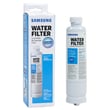
- The water filter is clogged or overdue; replace the refrigerator water filter DA29-00020B.
- Ice cubes melted during a power interruption and refroze into a solid clump in the bucket.
- The ice bucket is jammed with crushed ice residue (common when switching between crushed and cubed).
- The ice maker is in Ice Off mode or the bucket is not seated fully.
Quick fixes that solve most “no ice” complaints
- Dump the bucket: If cubes are fused together, discard the ice and reinstall the bucket.
- Run the built-in ice maker test: Pull out the ice bucket and press the Test button on the right side of the ice maker; release when you hear the chime.
- Confirm water supply: Make sure the shutoff valve is fully open and the supply line is not kinked.
- Replace the filter: A restricted filter can reduce fill volume and cause small or hollow cubes.
Symptom-to-cause guide
| What you notice | Most likely cause | What to do |
|---|---|---|
| No ice at all | Ice Off selected, bucket not seated, low water pressure | Turn Ice On, reseat bucket, verify 20 to 125 psi |
| Small/hollow cubes | Restricted filter or low pressure | Replace filter, confirm supply valve fully open |
| Ice clumps/jams | Melt-refreeze after power loss, crushed ice residue | Dump bucket, dispense a little water/ice to clear chute |
| Crushed ice comes out first in cubed mode | Normal carryover | Dispense a few cubes to purge residual crushed ice |
Why it matters
Ice makers are sensitive to water pressure and flow. When pressure drops or the filter restricts flow, the mold may not fill correctly, leading to slow production, small cubes, or repeated jams that look like an ice maker failure.
Last updated: February 2026