 Owner’s manual

How do I know the model of my garage door opener?
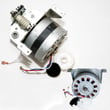
For a Craftsman garage door opener, the model number is printed on the opener’s motor unit (the ceiling-mounted power head). For your unit, the model is 13953315SR; you can confirm it by matching the label on the opener to the model listed in the owner's manual.
Check these common spots on the motor unit housing:
- The side panel near the light lens
- The back of the power head near the power cord
- Under the light cover (some labels are placed near the bulb area)
- Near the wiring terminals or adjustment screws (limits/force)
Record the model number and any serial information you see on the label. The model number is what we use to match the correct parts list, accessories, and troubleshooting steps.
| Item on label | Example | What it’s used for |
|---|---|---|
| Model number | 13953315SR | Finding the correct parts and manual |
| Serial number | Varies | Identifying production details (helpful for service history) |
| Motor rating | 1/3 HP (varies by model family) | Comparing compatible components/accessories |
Use these practical checks to identify the opener:
- Compare your opener’s features and control layout to the diagrams in the owner's manual
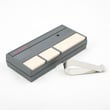
- Look for any model information on the wall control or remote (often a clue, not the full model)
- Check for diagnostic light patterns or error indications and match them to Craftsman error codes
Garage door opener parts and settings (like limit adjustment and force adjustment) are model-specific. Using the correct model number helps prevent ordering the wrong components and speeds up troubleshooting when the door will not open, will not close, or reverses unexpectedly.
Last updated: February 2026
Is it worth repairing a 20 year old garage door opener?
Yes, it’s worth repairing a 20-year-old Craftsman garage door opener when the problem is a basic adjustment, maintenance issue, or a small electrical/control problem. For repeated failures, loud gear noise, or inconsistent safety reversing, replacement is the better long-term value for reliability and safety.
Choose repair when you see these conditions:
- The door is balanced and moves smoothly by hand (no sticking or binding)
- The opener only needs limit/force tuning or chain tension adjustment
- The remote range is poor and a fresh battery restores performance
- The unit runs consistently and only fails intermittently (wall control, sensor alignment)
Choose replace when you see these conditions:
- The opener struggles even after force/limit adjustments
- The door reverses incorrectly or the safety reverse test fails repeatedly
- You have recurring breakdowns (multiple repairs in a short time)
- The door hardware is worn or unsafe (springs, cables, pulleys, brackets)
Start with the same maintenance and safety items the manual calls out:
- Manually operate the door: it must move freely and stay balanced; binding doors need professional door service
- Repeat the safety reverse system test: the door must reverse on contact with a 1-inch obstacle; re-test at least every 3 months
- Check chain tension: too loose or too tight can cause sprocket noise; do not overtighten
- Verify full open/close travel: adjust limits and force if needed
For step-by-step procedures and test intervals, use the 13953315SR owner's manual.
| Situation | Usually makes sense to do | Why |
|---|---|---|
| Door is balanced; opener needs force/limit adjustment | Repair/adjust | Low cost, restores normal travel |
| Remote works only up close | Repair (battery, programming) | Common, quick fix |
| Loud grinding; intermittent movement | Replace (or major repair) | Often points to worn drive components |
| Safety reverse test fails repeatedly | Replace (after basic checks) | Safety system reliability matters most |
A garage door opener is only as safe as its reversing system and the condition of the door itself. The manual emphasizes keeping the door balanced, avoiding spring/cable adjustments, and repeating the safety reverse test on schedule to prevent injury and property damage.
Related troubleshooting help: Craftsman error codes.
Last updated: February 2026
How to resync garage opener?
To resync (reprogram) your Craftsman garage door opener model 13953315SR, you put the opener receiver into learn mode using the SR code button, then press the transmitter button you want to use. The opener’s indicator light confirms learn mode and successful programming; the door can move.
- Make sure the doorway is clear; keep people and pets away from the door.
- Stand away from the door; programming can trigger door movement.
- On the opener head, press the RECEIVER SR code button; the indicator light turns ON.
- Press the transmitter (remote) button you want to use within 30 seconds.
- When the indicator light turns OFF and the door moves, the codes match and the remote is synced.
For diagrams and the exact receiver button location, use the 13953315SR owner's manual.
- Replace the remote battery, then repeat the steps.
- Verify the opener has power (plug a lamp into the same outlet to confirm power).
- Disengage any manual door locks before testing.
- If the indicator light turns off before you press the remote button, repeat the process and press the remote sooner.
| Indicator light behavior | Meaning | What to do |
|---|---|---|
| Turns ON after pressing SR code button | Receiver is ready to learn | Press the chosen remote button |
| Turns OFF and door moves | Programming completed | Test the remote from inside the garage |
| Turns OFF before remote press | Learn mode timed out | Start over and press remote within 30 seconds |
Resyncing restores remote operation after adding a transmitter or changing codes, and it keeps the opener’s digital radio controls working correctly.
Last updated: February 2026





