 Installation guide
 Owner’s manual
 Error Codes







How do I know what model Kenmore oven I have?
You can identify your Kenmore oven model by finding the model number on the appliance’s serial plate (rating label) and matching it exactly, character for character. For Kenmore wall ovens like model 79049443410, the serial plate is the fastest, most reliable way to confirm the correct model for parts and troubleshooting.
Where to look for the model number
Check these common serial plate locations for Kenmore wall ovens:
- Along the oven frame behind the door (open the oven door and look around the front frame)
- On the side trim area visible when the door is open
- On the lower oven frame area (especially on double wall ovens)
- In the installation paperwork that came with the oven
For diagrams and model-specific details, use the owner's manual.
How to read the model number correctly
Model numbers often include a series prefix and a full set of digits. To avoid ordering the wrong part, we recommend:
- Copy the model number exactly as printed (no missing digits)
- Include any suffixes or characters after a dot or dash if shown
- Use the full model number when searching parts (example: 79049443410)
- Record the serial number too; it helps confirm production details
Why the exact model number matters
Kenmore wall ovens can look identical but use different components (controls, wiring harnesses, door parts, and heating elements). The correct model number ensures the parts list matches your oven’s configuration.
| What you’re doing | What to match | Why it helps |
|---|---|---|
| Ordering replacement parts | Full model number | Ensures correct fit and wiring |
| Looking up error codes | Model series (790.4944*, etc.) | Narrows to the right code set |
| Checking electrical requirements | Serial plate wattage | Helps determine breaker/fuse sizing |
If you’re troubleshooting an error message after you confirm the model, the Kenmore 790 manual clean wall oven error codes guide is a good next step.
Last updated: February 2026
What does F3 mean on a Kenmore oven?
On a Kenmore wall oven like model 79049443410, the F3 error code points to an oven temperature sensing problem (most often the oven temperature sensor circuit). The oven may stop heating or heat incorrectly until the sensor issue is corrected; checking the sensor and its wiring is the usual first step.
What to check first (safe, quick checks)
- Reset power: turn the breaker off for 1 minute, then back on; see if F3 returns.
- Let the oven cool completely; an overheated sensor circuit can trigger errors.
- Inspect the sensor harness connection at the back of the oven cavity (loose plug, corrosion, pin damage).
- Look for damaged wiring (pinched, burned, or brittle insulation) between the sensor and control.
- If the code returns quickly, plan to test or replace the sensor.
Parts that commonly solve an F3 on this model
In many cases, replacing the temperature sensor fixes F3. If the sensor and wiring test good, the electronic control can be the cause.
| What it affects | Most likely part | When it is the best match |
|---|---|---|
| Oven temperature feedback | Range oven temperature sensor 5304504897 | F3 appears, baking temps are erratic, or code returns after reset |
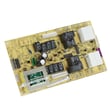
| Temperature signal processing | Oven control 5304513223 | Sensor and wiring check out but F3 persists |
| Power and wiring connections | Terminal block 5304409888 | Signs of overheating at the power connection, intermittent operation |
Why it matters
The oven control relies on the temperature sensor to regulate bake and broil heat. When the control sees an out-of-range reading or a sensor circuit fault, it uses F3 to prevent unsafe or unpredictable heating.
Where to confirm code meaning and run model-specific checks
Use the troubleshooting and error code information in the owner's manual for model 79049443410, then compare symptoms to the sensor and control checks above.
Last updated: February 2026
What are the parts of an electric oven?
An electric wall oven like Kenmore model 79049443410 is built around a heating system (bake and broil), temperature sensing and control electronics, and door and venting components that manage heat and airflow for even baking. Exact features vary by configuration; see the 79049443410 owner's manual.
Core parts you will find in most electric wall ovens
- Bake element: primary heat source for baking (bottom of the oven cavity)
- Broil element: high-heat element for broiling (top of the oven cavity)
- Oven temperature sensor: tells the control board the actual oven temperature
- Electronic oven control (control board): regulates heat, timing, and modes
- Oven vent: routes warm air and moisture out; on this model, the vent is under the left side of the control panel
- Door assembly: hinges, glass, handle, and gasket that help seal in heat
- Oven racks: support cookware and help position food for best results
Model-relevant examples of replaceable parts
These are common service parts we see for Kenmore 79049443410:
| Part type | What it does | Example part on this model |
|---|---|---|
| Temperature sensor | Prevents overheat or underheat by reporting temperature | Range oven temperature sensor 5304504897 |
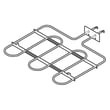
| Bake element | Provides most baking heat | Wall oven bake element 318601604 |
| Control | Manages heating functions and user settings | Oven control 5304513223 |
| Door glass | Helps retain heat and provides visibility | Range oven door outer glass 316446401 |
| Door lock | Locks door during self-clean on equipped models | Wall oven door lock assembly 139021302 |
Why it matters
Knowing which part does what helps you troubleshoot faster. For example, uneven baking often points to a weak bake element or a sensor issue, while error codes and dead controls often point to the control or wiring.
Quick troubleshooting pointers (before replacing parts)
- If the oven heats poorly, inspect the bake element for blisters, cracks, or burn spots.
- If temperatures seem off, try a temperature offset/calibration procedure if your control supports it.
- If you see an error code, match it to the symptom before ordering parts.
- If you notice moisture or warm air at the vent, that is normal; do not block the vent.
- If the control area stays warm after cooking, the cooling fan may continue running after shutoff on some models.
Last updated: February 2026
Why is my wall oven not turning on?
If your Kenmore wall oven 79049443410 is not turning on, the most common causes are a power supply problem at the breaker or junction box, the control being locked (Loc or DOOR LOCKED), or a failed control or wiring connection. Start with power and lock checks before testing parts.
Quick checks first (no parts)
- Reset the breaker fully (switch OFF, then ON) and confirm the oven has the correct supply voltage.
- If the display shows Loc or DOOR LOCKED, unlock it: press and hold the door lock key for about 3 seconds and allow time for the latch to move.
- After a power outage, turn the oven OFF; when power returns, reset the clock and reselect a cooking function.
- If the oven was in a cold area, keep it above 32°F for at least 3 hours before powering on (cold can affect the electronic control).
- If the display is blank, inspect the junction box for a loose or heat-damaged connection.
Power connection checks (turn power OFF first)
| Checkpoint | What to look for | Likely fix |
|---|---|---|
| Junction box splices | Loose wire nut, discoloration | Reconnect correctly, replace damaged wiring |
| Terminal connection point | Melted plastic, arcing marks | Replace the connection parts |
| Ground/neutral setup | Incorrect bonding on 4-wire installs | Correct wiring per instructions |
If you find heat damage where the supply wires connect, replacing the terminal block 5304409888 is a common repair.
Parts that commonly stop startup
- Oven control 5304513223 (dead display, no response)
- Wall oven wire harness 5304506955 (burned connector, broken wire)
- Wall oven door lock assembly 139021302 (stuck lock after self-clean)
Why it matters
A no-power condition is often a simple breaker or lock issue, but overheated wiring or a failing control can worsen quickly. Verifying power and lock status first prevents unnecessary part replacement.
For model-specific lock operation and power-failure guidance, use the owner's manual.
Last updated: February 2026





