 Installation guide
 Owner’s manual
 Error Codes





How to clean KitchenAid gas stove grates?
For your KitchenAid KGRC707LBS0 gas freestanding range, clean the porcelain-coated grates after they cool using a nonabrasive plastic scrubbing pad and a mildly abrasive cleanser; for routine cleaning, soap and water also works well. For model-specific care details, follow the owner's manual.
Best way to clean the grates (porcelain-coated)
- Let the cooktop, grates, and burner caps cool completely.
- Remove the grates and set them on a protected surface (sink or towel).
- Scrub with a nonabrasive plastic scrubbing pad and a mildly abrasive cleanser.
- Rinse with clean water and dry fully before reinstalling.
- Clean acidic spills (tomato, vinegar, citrus) as soon as parts are cool to protect the finish.
Dishwasher use: what’s OK and what’s not
The manual guidance for this model is:
| Part | Dishwasher safe? | Notes |
|---|---|---|
| Grates | Yes | Use the most aggressive cycle; dry before reinstalling. |
| Burner caps | No | Do not wash caps in the dishwasher; do not reinstall wet. |
What to avoid (prevents chipping and finish damage)
- Do not use steel wool, harsh abrasives, or oven cleaner on grates.
- Do not bang grates and caps together or against hard surfaces (chips porcelain).
- Do not reassemble burner caps while wet (can cause ignition and flame issues).
Why it matters
Clean, dry grates and properly seated caps help your burners light consistently, keep flames even, and prevent permanent staining or dulling of the porcelain finish.
Last updated: February 2026
What are the parts of a gas oven?
On the KitchenAid KGRC707LBS0 gas freestanding range, the main gas-oven parts include the bake burner, broil burner, oven racks, oven vent, door gasket, oven light, and the electronic ignition system that lights the gas. For the complete feature list and locations, use the KGRC707LBS0 owner's manual.
Main parts you will find on this model
These are the core components called out for this range and commonly serviced on gas ovens:
- Bake burner (main heat source for baking)
- Broil burner (high heat from the top for broiling)
- Oven racks (support cookware at different rack positions)
- Oven vent / oven door vent (routes heat and moisture out)
- Door gasket (helps seal heat in the oven cavity)
- Oven light and light switch (illuminates the oven interior)
- Electronic oven control (sets bake, broil, and timing functions)
How ignition and flame work (what’s different on a gas oven)
This KitchenAid range uses electronic ignition instead of standing pilots.
- Cooktop burners spark while the knob is held at LITE
- Oven burner uses a glow bar style igniter; it heats up and the burner typically lights after a short delay
- Proper oven flame is a steady blue flame with a defined inner cone (yellow tipping or lifting indicates an adjustment or airflow issue)
If your oven is not heating, the igniter is one of the most common causes on gas ranges; the model-specific lighting sequence and checks are in the KGRC707LBS0 installation guide.
Quick “parts and purpose” table
| Part | What it does | Common symptom when it fails |
|---|---|---|
| Oven igniter | Heats up to ignite gas at the burner | No heat or long preheat |
| Bake burner | Provides heat for baking | Uneven or no bake heat |
| Broil burner | Provides top heat for broiling | No broil or weak broil |
| Door gasket | Seals heat in | Heat loss, poor baking results |
| Oven light | Lights the cavity | Light out (oven still heats) |
Why it matters
Knowing the major gas-oven parts helps you troubleshoot faster and order the right replacement. For example, a failed oven light is a simple fix, while a weak ignition system can prevent the bake burner from lighting at all.
If you’re replacing the oven light, we stock the correct oven light bulb 8009 for this model.
Last updated: February 2026
Why does my KitchenAid gas cooktop keep clicking?
On your KitchenAid KGRC707LBS0 gas freestanding range, continuous cooktop clicking almost always means the igniter is still trying to light a burner. The most common causes are a wet/dirty igniter area, a burner cap that is not seated level, or an ignition component (switch or spark module) that is sticking on.
What’s normal vs. what’s not
The electronic ignition system sparks only while a knob is held/turned to LITE; once the flame is established and the knob is moved off LITE, the clicking should stop. If it keeps clicking with knobs in OFF, something is keeping the ignition circuit “calling” for spark.
| Symptom | Most likely cause | Best first fix |
|---|---|---|
| Clicks after cleaning or boil-over | Moisture under cap or around electrode | Dry and re-seat caps |
| Clicks on one burner only | Misaligned cap, dirty burner head, wet electrode | Clean, dry, align |
| Clicks on multiple burners | Stuck igniter switch or failing spark module | Inspect switches; test module |
Quick fixes we recommend first
- Turn all knobs to OFF.
- Remove grates and burner caps; align cap notches with the pins so caps sit level (an unseated cap can prevent flame sensing).
- Dry everything thoroughly (caps, burner base, and around the igniter electrode).
- Gently clean the burner head ports and electrode area with a soft brush; avoid soaking the electrode.
- Restore power and test one burner at a time.
Parts that commonly solve persistent clicking
If cleaning and correct cap seating do not stop the clicking, these parts are common culprits on gas ranges:
- Spark module (creates the clicking spark): spark module WPW10110491
- Igniter switch assembly (can stick “on”): range surface burner igniter switch assembly WP9755451
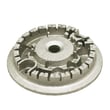
- Burner head (clogged or damaged ports can delay ignition): range burner head WP4455981
Why it matters
Constant sparking can wear out ignition parts faster and can also mask a burner that is not lighting cleanly. Proper cap alignment and a dry igniter area help the burner light within a few seconds and stop the clicking as intended.
For model-specific burner setup and ignition behavior, follow the steps in the installation guide.
Last updated: February 2026







