Error Codes



How do I reset the lid lock on a Maytag washer?
On the Maytag LAT9635AAE, the most reliable “lid lock reset” is a power reset: unplug the washer (or switch off the breaker) for 1 minute, then restore power and try a normal cycle. If the lid still will not unlock or the washer will not start, the lid switch circuit is usually the next thing to check.
- Turn the cycle knob to Off.
- Unplug the washer for 60 seconds (or turn the breaker off).
- Plug back in, wait 10 seconds, then lift and close the lid firmly.
- Select a Spin or Rinse/Spin cycle and press Start.
- If the tub is full of water, set to Drain/Spin first (if available) so the washer can empty before it tries to unlock.
A top-load Maytag like the LAT9635AAE uses a lid switch (not a modern electronic lid lock on many newer models). If the switch is failing or the actuator is misaligned, the washer may act “locked” because it will not run spin or complete the cycle.
Common checks we use:
- Make sure the lid closes squarely and the strike area is not bent.
- Listen for a distinct click when closing the lid.
- Inspect the lid switch wiring for loose or damaged connectors.
- Test the switch with a meter before replacing parts.
- If the washer agitates but will not spin, the lid switch is a top suspect.
If testing points to a failed switch, match the replacement to your exact model.
| Symptom | What it often indicates | Example part for this model |
|---|---|---|
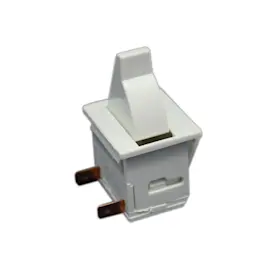
| Won’t start, no spin, intermittent operation | Lid switch not closing electrically | Lid switch W10820036 |
| Starts sometimes, stops when lid is moved | Worn switch or loose mounting/wiring | Washer lid switch WP207166 |
The lid switch is a safety device; it prevents spinning with the lid open. When it is weak or open electrically, the washer can appear “stuck” or “locked” even after a reset.
Last updated: January 2026
What is the capacity of the Maytag 9000 series washer?
Maytag “9000 series” front-load washers are commonly in the large-capacity range, typically about 4.0 to 5.0 cu. ft. depending on the exact model. For Maytag LAT9635AAE, capacity is model-specific and does not match 9000-series front-load specs.
Capacity varies by the exact model number, even within the same “series” name. Use these steps to confirm the right spec:
- Find the full model number on the washer’s model tag (cabinet opening or rear panel)
- Look up the model’s published specifications (capacity is listed in cubic feet)
- If you are comparing machines, compare by exact model number, not “9000 series”
- If you are ordering parts for LAT9635AAE, use LAT9635AAE parts diagrams and part listings
| Washer type | Typical capacity range | Notes |
|---|---|---|
| Front-load (often called “9000 series”) | 4.0 to 5.0 cu. ft. | Larger drum, higher-efficiency wash action |
| Top-load (platform like LAT9635AAE) | 2.5 to 3.5 cu. ft. | Capacity varies by tub design and era |
Using the right capacity helps prevent overloading, improves cleaning and rinsing, and reduces wear on drive and suspension components. If a washer stops mid-cycle or will not spin, that is usually a safety or drive issue, not a “capacity” issue.
- Lid switch W10820036 (lid-closed safety; can stop spin/agitate)
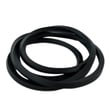
- Washer drive belt 12112425 (belt slip can reduce agitation/spin)
- Timer WP22001638 (cycle control; can stall or skip)
Last updated: January 2026
What is the most common problem with a Maytag washer?
For the Maytag LAT9635AAE washer, the most common service issue we see is the washer not spinning or not draining at the end of the cycle. On this style of top-load washer, a failed lid switch or a worn drive belt are two of the most frequent causes.
- Won’t spin: lid switch not closing, drive belt slipping, drive system wear
- Won’t drain: drain hose restriction, pump or hose blockage, kinked hose
- Stops mid-cycle: lid switch intermittently opening, timer or wiring issue
- Loud noise or grinding: bearing wear, drive components wearing
- Excessive vibration: leveling legs out of adjustment, unbalanced load
- Confirm the lid closes firmly and the lid strike lines up with the switch.
- Try a spin-only portion of the cycle with an empty tub (listen for motor running).
- Check the drain hose for kinks and make sure the standpipe is not clogged.
- Look for a loose, glazed, or broken belt under the cabinet.
- If the washer is dead or intermittent, inspect the cord and visible wiring connections.
| Symptom | Common part involved | What it does |
|---|---|---|
| Won’t spin with lid closed | Lid switch W10820036 | Tells the washer the lid is shut so it can spin |
| Spins weakly or not at all | Washer drive belt 12112425 | Transfers motor power to the drive system |
| Fills but won’t start/spin consistently | Timer WP22001638 | Advances cycles and sends power to components |
A washer that won’t spin or drain leaves clothes soaking wet and can strain the motor and drive system. Catching a simple lid switch or belt problem early often prevents bigger repairs later.
Last updated: January 2026