Installation guide
 Owner’s manual








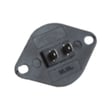
How to do a hard reset on a dryer?
To hard reset a GE GTD65GBSJ3WS gas dryer, we recommend doing a full power reset: turn the dryer off, disconnect power at the outlet or breaker for 1 to 5 minutes, then restore power and start a new cycle. This clears the control’s temporary memory.
Hard reset steps (GTD65GBSJ3WS)
- Press Power to put the dryer in idle.
- Unplug the dryer (or switch the dryer circuit breaker OFF).
- Wait 1 to 5 minutes.
- Restore power.
- Close the door and press Start to run a cycle.
- If the display is unresponsive, leave power disconnected for the full 5 minutes.
- If Control Lock is on, unlock it before testing (the control panel can appear “frozen”).
- If the dryer starts but won’t run a cycle, confirm the door is fully closed and latched.
For control and lock details specific to this model, use the GTD65GBSJ3WS owner’s manual.
What a “hard reset” can and can’t fix
A reset helps when the electronic control is stuck, the display is acting odd, or a cycle won’t start after a power flicker. It usually will not fix a true hardware failure.
| Symptom after reset | Most likely category | What to check next |
|---|---|---|
| Dryer won’t start | Door/controls/power | Door fully shut, Control Lock, outlet/breaker |
| Tumbles but no heat | Gas/heat system/airflow | Gas shutoff open, venting not blocked |
| Stops mid-cycle | Overheat/airflow/control | Lint screen and exhaust duct restriction |
If the dryer still won’t start after a reset
These checks are safe and cover the most common causes:
- Verify the outlet has power and the breaker is fully reset.
- Make sure the door closes firmly; a failed door switch can prevent starting.
- Check the lint screen and airflow; restricted venting can cause shutdowns.
- If you suspect the door switch is not clicking or is intermittent, the compatible replacement is the dryer door switch WE04X28977.
Why it matters
A proper power reset is the fastest way to rule out a temporary control glitch before you spend time troubleshooting parts like the door switch, thermistor, or gas ignition components.
Last updated: January 2026
What is the lifespan of a GE dryer?
A GE dryer typically lasts 10 years. For your GE GTD65GBSJ3WS gas dryer, the biggest factors in reaching that lifespan are keeping airflow unrestricted (proper venting) and staying on top of lint removal so the dryer does not run hot and overwork key components.
What affects lifespan the most
- Venting and airflow: long, crushed, kinked, or clogged ducting makes the dryer run longer and hotter
- Lint control: clean the lint screen before or after each load; clean the exhaust duct periodically
- Load size: chronic overloading strains the belt, idler pulley, and drum bearings
- Heat management: overheating can shorten the life of thermostats and sensors
- Installation quality: correct gas hookup, leveling, and clearances reduce wear and nuisance issues
Maintenance checklist (high impact, low effort)
- Clean the lint screen every load (see GTD65GBSJ3WS owner’s manual)
- Inspect and clean the home exhaust duct at least once a year
- Make sure the outside vent hood opens freely and is not blocked
- Dry similar fabrics together and avoid overloading
- If drying times increase, address venting first (see GTD65GBSJ3WS installation instructions)
Common wear items (and why they matter)
Replacing normal wear parts can keep the dryer running smoothly and help you get full service life.
| Symptom | Likely wear area | Example compatible part for this model |
|---|---|---|
| Drum not turning, squealing, or thumping | Belt and drum support | Dryer drum belt WE03X29897 |
| Dryer runs but heat seems inconsistent | Temperature sensing/control | Dryer heating element control thermistor WE4M398 |
| Dryer will not start when door is closed | Door switch/catch alignment | Dryer door switch WE04X28977 |
Why it matters
Restricted airflow is one of the most common life-shorteners for gas dryers because it increases run time and heat stress, which can accelerate wear on the drive system and temperature controls.
Last updated: January 2026
What is the most common problem with a GE dryer?
The most common GE dryer problem we see is poor drying performance: the dryer runs but clothes take too long to dry or come out damp. On the GE GTD65GBSJ3WS gas dryer, the first things we check are airflow (lint screen and venting) and basic heat operation using the troubleshooting steps in the GTD65GBSJ3WS owner’s manual.
Most common symptoms and what they usually point to
- Runs but no heat or weak heat: gas supply shutoff closed, ignition issue, or a temperature-sensing problem
- Takes too long to dry: restricted exhaust duct, clogged lint screen, or blocked lint chute
- Won’t start: door not fully closed, failed door switch, or power issue
- Stops early or dries unevenly: airflow restriction or sensor-related drying behavior
Quick checks we recommend first (fast, no tools)
- Clean the lint screen before every load; wash it with warm soapy water if it has a waxy film.
- Confirm the dryer is vented outdoors with 4-inch metal ducting and the outside damper opens freely.
- For “no heat,” make sure the gas shutoff valves are fully open.
- Try a timed cycle to compare results versus sensor cycles.
Parts that commonly relate to these issues (for this model)
If basic checks do not fix the problem, these model-compatible parts are common suspects:
| Symptom | Part to inspect/replace | What it does |
|---|---|---|
| Dryer won’t start | Dryer door switch WE04X28977 | Confirms the door is closed so the motor can run |
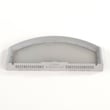
| Long dry times | GE dryer lint screen WE03X23881 | Captures lint to protect airflow through the blower and vent |
| No heat or overheating behavior | Dryer operating thermostat WE04X25200 | Helps regulate drum temperature during normal drying |
Why it matters
Airflow problems can make a GE dryer seem “broken” even when the motor and burner are fine. Restricted venting also increases heat stress on thermostats and other components, which can lead to repeat failures.
Last updated: January 2026