 Owner’s manual
 Error Codes











How to do a diagnostic test on LG dryer?
On the LG DLEX3250V dryer, the built-in diagnostic you can run yourself is the installation test (exhaust check). It runs for about 2 minutes with the drum empty and uses the FLOW SENSE display to show whether your venting is clear or restricted; steps are in the DLEX3250V owner's manual.
Installation test (exhaust check) steps
- Let the dryer cool down if it was recently used.
- Empty the drum; remove the drying rack and any literature.
- Close the door.
- Press and hold SIGNAL ON/OFF and TEMP. CONTROL, then press POWER.
- Press START/PAUSE to begin; the test runs about 2 minutes.
- Watch the FLOW SENSE bars during the test and check the final result.
How to read the results
| Display result | What it means | What to do next |
|---|---|---|
| No bars | Exhaust system is adequate | Keep the vent path clean and as short as practical |
| Four bars | Exhaust system is severely restricted | Check vent hose, wall duct, and outside hood for lint buildup or crushing |
Common issues the test can point to
- Crushed or kinked flexible vent behind the dryer
- Lint buildup in the wall duct or exterior vent hood
- Excessive vent length or too many elbows
- Blocked airflow from a clogged lint screen or housing
- Power supply problems that can trigger codes during the test
If you see an error code during testing
Some codes relate to sensors or power. If the dryer is not heating or the test will not run reliably, start with airflow and basic electrical checks, then use the error-code guidance for LG dryers.
- Confirm the lint screen is clean and seated correctly
- Inspect the lint screen area for gaps or damage; replace the filter if it is torn (see lint filter - dryer part by LG ADQ56656401)
- Verify the exhaust duct is not restricted and the outside damper opens
- If the dryer is electric, confirm the cord and house power are correct (a tripped breaker can cause heating problems)
Why it matters
A restricted exhaust system makes drying take longer, increases energy use, and can cause overheating symptoms. Running the installation test after vent cleaning or moving the dryer helps confirm the airflow is back to normal.
You can order DLEX3250V replacement parts from the parts list for this model, or search by model number on Sears PartsDirect.
Last updated: February 2026
How to hard reset LG sensor dry dryer?
To hard reset your LG DLEX3250V sensor dry dryer, turn the dryer off, cut power at the breaker (or unplug it) for 1 minute, then restore power and start a Sensor Dry cycle again. This clears most control glitches and restores normal sensor timing.
Hard reset steps (safe, reliable)
- Press POWER to turn the dryer off.
- Unplug the dryer, or switch the circuit breaker OFF.
- Wait 60 seconds (this lets the control board fully discharge).
- Restore power (plug back in or turn the breaker ON).
- Press POWER, select a Sensor Dry cycle, then press START/PAUSE.
- If the display shows a vent restriction warning (Flow Sense), run the vent check described in the DLEX3250V owner's manual.
If “Sensor Dry” still acts wrong after the reset
Sensor Dry uses moisture sensors to adjust time automatically, so airflow and lint buildup can make it seem like the dryer is not “resetting” even when it is.
- Clean the lint screen before every load; replace it if torn or warped using the lint filter - dryer part by LG ADQ56656401.
- Check the exhaust vent for crushing, kinks, or heavy lint.
- Avoid overloading; clothes need room to tumble so the sensors read correctly.
- If you see duct restriction codes or multiple Flow Sense bars, correct the venting before running more cycles.
Quick check: reset vs. airflow problem
| What you notice | Most likely cause | What to do next |
|---|---|---|
| Cycle time jumps around | Normal Sensor Dry behavior | Try a different dryness level; clean lint screen |
| Long dry times, hot cabinet | Restricted venting | Clean/repair vent; run Flow Sense test |
| Stops early, clothes damp | Poor sensor contact or low airflow | Reduce load size; clean lint path |
| Error code appears | Specific fault detected | Use the LG dryer error codes guide |
Why it matters
A hard reset clears temporary control-board logic issues, but Sensor Dry performance depends heavily on airflow and a clean lint path. Fixing vent restriction helps drying time, energy use, and prevents repeated shutdowns.
You can also find and order model-correct replacement parts for the LG DLEX3250V from the parts list on this page, or search by model at Sears PartsDirect.
Last updated: February 2026
Do you have to hook up water to a LG steam dryer?
Yes, you need a water source for the steam features on your LG DLEX3250V steam dryer; without water, steam cycles and steam options will not work. You can still use the dryer for standard (non-steam) drying as long as you do not select any steam cycle or steam option.
How steam works on the DLEX3250V
LG’s steam technology injects hot steam to refresh clothes, reduce static, and help with wrinkles. On this model, steam operation depends on having water available for the steam system.
- Steam features are used on dedicated steam cycles (such as Steam Fresh) and as add-on options on some cycles.
- If the dryer cannot get water for steam, you can see a steam-related error and the steam cycle will not run correctly.
- For best results, use plain water only for steam.
If your model uses a steam feeder (manual fill)
The DLEX3250V uses a steam feeder drawer that you fill with water for steam cycles.
- Pull out the drawer and remove the steam feeder.
- Fill with water only up to the MAX line (or to the filter screen level, as shown in the manual).
- Reinstall the steam feeder and fully close the drawer until it clicks.
- Do not use distilled water (the level sensor may not read it correctly).
- Do not use hot water over 86°F (30°C).
For the exact steps and illustrations, follow the DLEX3250V owner's manual.
Quick decision guide
| What you want to do | Do you need water? | What to select |
|---|---|---|
| Regular drying | No | Any non-steam cycle |
| Steam refresh or wrinkle reduction | Yes | A steam cycle or steam option |
| Avoid steam completely | No | Do not choose steam options |
Why it matters
Steam features can improve de-wrinkling and reduce static, but running a steam cycle without the steam feeder properly filled (and the drawer fully closed) can stop the cycle and trigger errors. Keeping the steam system set up correctly also helps you avoid unnecessary troubleshooting.
If you are ordering maintenance items for airflow and performance, common parts for this model include the lint filter - dryer part by LG ADQ56656401. You can also search by model number on Sears PartsDirect.
Last updated: February 2026
What is the most common problem with LG dryers?
The most common problem we see with LG dryers, including model DLEX3250V, is restricted airflow. That leads to long dry times and can trigger overheating protection or early shutoffs. The usual causes are a clogged lint filter, lint buildup in the housing, or a blocked exhaust vent.
Most common symptoms and what they point to
- Clothes take too long to dry: lint filter dirty, exhaust duct blocked, duct run too long
- Dryer stops mid-cycle or feels too hot: airflow restriction causing overheating protection
- No heat or weak heat: heating circuit issue (element, thermostat, thermistor)
- Squealing, thumping, grinding: belt, idler pulley, or drum support rollers wearing
Quick checks we recommend first
- Clean the lint screen every load; if coated with softener residue, wash with warm soapy water and dry fully.
- Vacuum the lint screen opening and lint screen housing area.
- Inspect the vent from dryer to outside hood for kinks, crushing, lint buildup, or a stuck damper.
- If you get a duct restriction alert, fix the venting before replacing parts.
Common parts to check on DLEX3250V
| What you notice | What to check | Model-matched example |
|---|---|---|
| Long dry times, lint bypassing screen | Lint filter not sealing | Lint filter - dryer part by LG ADQ56656401 |
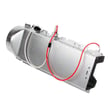
| No heat or poor heat | Heating element | Dryer heating element 5301EL1001J |
| Overheating behavior | Blower thermostat | Dryer blower thermostat 6931EL3002M |
| Squeal or drum not turning well | Belt | Dryer drum belt 4400EL2001F |
Why it matters
Airflow problems raise operating temperatures and reduce efficiency; correcting venting and lint buildup first prevents unnecessary part replacement and helps the dryer run at normal heat.
For maintenance and troubleshooting steps specific to DLEX3250V, use the DLEX3250V owner's manual. If an error code appears, match it using LG dryer error codes. You can order parts from the list for this model, or search by model number on Sears PartsDirect.
Last updated: February 2026










