 Owner’s manual





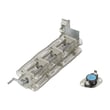
Where is the reset button on the admiral dryer?
Most Admiral dryers, including model ADE7000AYW, do not use a dedicated reset button. When the dryer will not run, the “reset” is usually restoring power or correcting a safety shutdown such as an open thermal fuse caused by overheating; the fix is addressing the cause, not pressing a button.
What to check first (safe, quick steps)
- Make sure the dryer is getting power (check the breaker or fuse at the home panel).
- Confirm the door is fully closed and the door switch clicks.
- Clean the lint screen and check for a crushed or clogged vent.
- Try a timed dry cycle to rule out cycle or sensor-related issues.
- If the dryer is gas, verify the gas shutoff valve is open.
If it still will not start: common “no reset button” causes
A dryer that seems like it needs a reset often has a safety device or start circuit problem.
| Symptom | Most likely area | What we recommend |
|---|---|---|
| No lights, no response | Power supply | Reset breaker, verify outlet power |
| Lights on, won’t start | Door switch, start switch, timer | Check switches for a solid click and continuity |
| Starts then stops quickly | Overheat protection | Clean venting, inspect thermal fuse and airflow |
| Runs but no heat (gas) | Ignition system | Check igniter and flame sensing components |
Parts that commonly relate to “reset” type problems
If overheating or ignition issues are involved, these model-compatible parts are often in the diagnostic path:
- Sensor WP338906 (radiant sensor used in many gas ignition systems)
- Dryer burner igniter WP31001556 (ignites the gas burner)
- Dryer thermostat WP31001192 (helps regulate operating temperature)
Why it matters
A dryer that “needs a reset” is usually protecting itself from unsafe heat or a failed start/heat component. Fixing airflow (lint, vent restriction) prevents repeat shutdowns and helps the dryer dry faster with less wear.
Reference for your exact model
For ADE7000AYW wiring, component locations, and troubleshooting steps, use the ADE7000AYW owner’s manual.
Last updated: February 2026
Where to find model number on admiral dryer?
On an Admiral dryer like model ADE7000AYW, the model number is printed on a rating label attached to the cabinet. We most often see it on the back panel near the top, on an inside side panel near the front, or on the door opening (behind the door).
Common label locations to check
- Back of the dryer cabinet, near the top edge
- Inside the door opening, on the front frame behind the door
- Left or right side panel, near the front (inside the cabinet edge)
- Lower front frame area, just inside the opening
- Rear side panel, close to where the power cord or gas line enters
What the label looks like
The label typically includes:
- Model number (example: ADE7000AYW)
- Serial number
- Electrical or gas information
- Manufacturer details
| Where you look | What you are looking for | Why it helps |
|---|---|---|
| Door opening / front frame | Model and serial tag | Fastest place to confirm the exact model |
| Back panel near top | Rating label | Common on many Admiral and Whirlpool-built dryers |
| Side panel near front | Model/serial sticker | Helps when the back is hard to access |
Why it matters
We use the exact model number to match the correct parts and diagrams for your dryer. Even small model-number differences can change which belt, thermostat, or igniter fits.
For model-specific label diagrams and identification details, use the ADE7000AYW owner’s manual.
Last updated: February 2026
Why is my admiral dryer not starting?
If your Admiral ADE7000AYW dryer will not start, the most common causes are a power problem, a door switch issue, a failed start circuit (timer or motor), or a safety device opening due to overheating. Start with the simple checks first, then move to belt and motor-related causes.
Quick checks (fastest fixes first)
- Confirm the dryer is getting full power; reset the house breaker (electric dryers often use a 2-pole breaker).
- Make sure the door is fully closed and the latch feels solid.
- Verify the cycle is selected and the Start button is pressed and held as designed.
- Check the lint screen and venting for heavy blockage; severe restriction can trigger safety cutoffs.
- If the drum is hard to turn by hand (with power off), suspect a mechanical bind.
What to check next (by symptom)
| What you notice | Most likely area | What we recommend |
|---|---|---|
| No lights, no sound | Power supply | Check outlet voltage, breaker, cord/terminal block |
| Lights work, nothing happens when starting | Door switch or timer/start circuit | Inspect door switch action; test timer contacts |
| Hums but drum does not turn | Belt, idler, drum load, motor | Check belt condition and drum movement |
| Starts then stops quickly | Overheat condition or motor issue | Clean venting; inspect motor and airflow path |
Parts that commonly cause a no-start condition
These parts are commonly involved when the ADE7000AYW will not start or will not tumble:
- Dryer drum belt 341241 (broken belt can prevent tumbling and may stop the start sequence on some designs)
- Dryer drive motor W10410996 (motor can fail or bind under load)
- Timer (if contacts fail, the motor may never get power)
- Door switch (if it does not close electrically, the dryer will not run)
Why it matters
A dryer that will not start is often a simple power or door-switch issue, but it can also be a belt or motor problem that gets worse if you keep trying to run it. Checking airflow and mechanical drag early helps prevent overheating and repeat failures.
Model-specific help
Use the ADE7000AYW owner’s manual for the correct start procedure, safety notes, and any model-specific checks (door switch behavior, cycle selection, and wiring access guidance).
Last updated: February 2026





