Owner’s manual
 Error Codes



How to remove bottom grille on GE refrigerator?
On the GE DFE28JSKGSS bottom-mount refrigerator, the bottom grille (base grille/toe grille) typically comes off by releasing its retaining tabs or removing a few screws, then pulling the grille straight forward and lifting it away. Use gentle, even pressure so the plastic clips do not crack.
Quick steps (safe, typical method)
- Unplug the refrigerator or switch off power at the breaker if your hands will be near wiring.
- Open both fresh food doors for better access.
- Look along the top edge of the grille for screws; remove them with a Phillips screwdriver if present.
- If there are no screws, press in on the grille near the clip locations and pull the top edge forward to release the tabs.
- Once the top is free, lift the grille up and away from the bottom locating slots.
- Set the grille aside flat so it does not warp.
Reinstalling the grille
Line up the bottom locating tabs first, then swing the top edge into place and press until it snaps in. If your grille uses screws, reinstall them snugly (do not overtighten).
| What you see | What to do | Tool |
|---|---|---|
| Screws along top edge | Remove screws, then pull grille forward | Phillips screwdriver |
| No screws, visible clip points | Release clips, pull forward, then lift off | Hands (plastic putty knife optional) |
Why it matters
The bottom grille helps direct airflow across the condenser area. Removing it carefully prevents broken clips and helps you access cleaning points that can affect cooling performance.
Model-specific tip
For diagrams and any fastener locations specific to GE DFE28JSKGSS, use the owner's manual.
Last updated: February 2026
What is the life expectancy of a GE DFE28JSKGSS refrigerator?
A GE DFE28JSKGSS bottom-mount refrigerator typically lasts 12 years. With steady maintenance (clean airflow paths, good door sealing, and timely fixes for cooling or ice maker issues), many units reach 15 years of service in normal home use.
Typical lifespan and what affects it
Most refrigerator life expectancy comes down to compressor run time, heat removal, and how hard the doors and ice maker are worked.
- Condenser cleanliness: dusty coils make the compressor run hotter and longer
- Door gasket condition: air leaks cause longer run times and frost issues
- Ice maker and dispenser use: heavy use increases wear on valves, motors, and augers
- Room temperature and ventilation: tight cabinets and hot kitchens shorten life
- Power quality: frequent outages or surges stress control boards and compressors
What the warranty section tells you (useful for planning)
Your DFE28JSKGSS owner's manual outlines coverage periods that help you understand which systems are considered major components.
| Item (typical) | Common wear pattern | What to do to extend life |
|---|---|---|
| Sealed cooling system (compressor, evaporator, condenser) | Runs constantly, warm fridge | Keep coils clean; ensure airflow behind unit |
| Evaporator fan and airflow parts | Warm spots, noisy fan | Clear vents; avoid overpacking |
| Door gaskets and hinges | Condensation, frost, door not closing | Clean gasket; correct door alignment |
| Water filter and water system | Slow water, weak ice production | Replace filter on schedule; purge air after changes |
Maintenance checklist we recommend
- Vacuum or brush condenser area every 6 to 12 months
- Keep doors closing easily; clean gaskets with mild soap and water
- Set temps to typical targets: 37°F fresh food, 0°F freezer
- Replace the water filter on schedule and flush several glasses after replacement
- Fix puddles, frost, or unusual noises early (they usually get worse, not better)
Why it matters
A refrigerator that is running inefficiently can still cool, but it puts extra hours on the compressor and fans. Reducing run time is the most reliable way to push a GE bottom-mount refrigerator past the average lifespan.
Last updated: February 2026
What is the most common problem with GE DFE28JSKGSS refrigerators?
The most common issues we see on the GE DFE28JSKGSS bottom-mount refrigerator involve the ice maker and water system (no ice, slow ice, dispenser dripping, filter leaks) plus cooling complaints tied to airflow and controls. The quickest wins are checking door closure, filter installation, and basic control settings in the owner's manual.
Most common symptoms (and what they usually point to)
- Ice maker not making ice: ice maker turned off, temperature not stabilized yet, or water supply issue
- Water dispenser dripping/leaking: air in the water line after filter change or water line work
- Water filter leaking: filter not fully locked in place or needs replacement
- Fresh food warm but freezer cold: airflow imbalance, recent power outage, or doors not sealing/aligned
- Refrigerator beeping: door alarm from a door not fully closed
Quick checks you can do first
- Confirm doors are closing and sealing; a slightly open door triggers beeping and can cause warm temps.
- Verify cooling is actually on (controls can be set to turn cooling off); see the control section in the manual.
- After a power outage or first plug-in, wait 24 hours for both compartments to reach set temperatures.
- If the dispenser drips, dispense water for at least 5 minutes to purge air from the line.
- If the filter leaks, remove and reinstall it so it fully locks; replace it if it is clogged or damaged.
Common problems and the best first fix
| Problem you notice | Most likely first fix | Why it helps |
|---|---|---|
| Beeping | Close door fully; snooze/disable alarm with door closed | Stops door alarm and prevents warm temps |
| No ice | Make sure ice maker is ON; allow 24 hours after startup | Restores normal ice production cycle |
| Dripping dispenser | Purge air by dispensing water 5 minutes | Removes trapped air that causes after-drip |
| Filter leaking | Re-seat filter until it locks; replace if needed | Prevents bypass leaks and flow restriction |
Why it matters
Ice, water, and cooling complaints often share the same root causes: door sealing, airflow, and water flow through the filter and lines. Fixing those basics first prevents repeat symptoms and helps you avoid unnecessary part replacement.
Helpful DIY guides
- How to reset the door alarm on a GE refrigerator
- GE refrigerator error codes
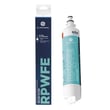
- How to replace the water filter in a GE refrigerator
Last updated: February 2026