- Kenmore refrigerator water filters
- Whirlpool refrigerator water filters
- Samsung refrigerator water filters
- GE refrigerator water filters
- LG refrigerator water filters
- Frigidaire refrigerator water filters
- KitchenAid refrigerator water filters
- Maytag refrigerator water filters
- Kenmore Elite refrigerator water filters
- Estate refrigerator water filters
- GE Profile refrigerator water filters
- Amana refrigerator water filters
- Bosch refrigerator water filters
- Dacor refrigerator water filters
- Electrolux refrigerator water filters
Top DIY repair help
View All Repair Categories
Appliances
Lawn & Garden
Power Tools
Home Improvement
Sports & Leisure
Heating & Cooling
How to reset the door alarm on a GE refrigerator
less than a minute readJul 18Wayne Archer
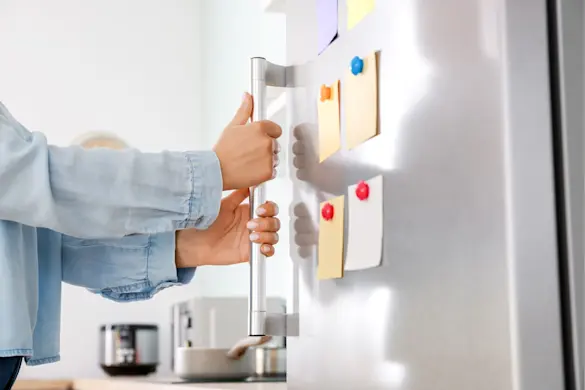
Your GE refrigerator is at it again. That constant "beep, beep, beep" (loudly and repeatedly reminding you the door’s been open too long) is back. Only this time, the door’s closed.
In most cases, resetting the door alarm on a GE refrigerator is quick and straightforward. Whether you’re dealing with a false alarm or just want to turn it off temporarily, we’ll show you exactly what to do.
Why your GE refrigerator door alarm is beeping
The door alarm on your GE refrigerator is designed to let you know when the door’s been open too long, usually to help prevent food spoilage and energy waste. But sometimes, it beeps even when the door is closed. Here are the most common reasons:
Door was left open too long
If the door was ajar for more than a few minutes, the alarm will sound until it’s securely shut. Even a slightly misaligned door or something blocking the seal can trigger it.
Faulty or dirty door switch
The door switch tells the control board whether the door is open or closed. If it’s stuck, dirty, or failing, the fridge might “think” the door is still open.
Power outage or sensor glitch
A power outage or brief interruption can confuse the control board or sensors, triggering a false alarm. In these cases, the system usually just needs a quick reset.
Make sure it's actually the door alarm
GE refrigerators can beep for other reasons too—especially if there’s a system fault or cooling issue. If your fridge is displaying an error code along with the beeping, it may not be the door alarm at all. Check your display panel and reference this GE refrigerator error code guide to see what the beeping is really trying to tell you.
Quick ways to stop the beeping
That beeping probably isn't a serious problem, but it is seriously annoying. Silencing it takes just a few seconds. Here’s how to reset the GE fridge door alarm.
Close the door completely, making sure no items are blocking it from sealing. Wait about 1–2 minutes to see if the alarm resets on its own.
Press the “Alarm” or “Door Alarm” button on the control panel. This often silences the alarm or turns it off temporarily. The button name may vary slightly by model.
Use the touchscreen panel, if your refrigerator has one, to find and select the door alarm option. You can typically turn the alarm off or adjust its behavior from this menu.
Press and hold the “Reset” or “Lock Controls” button for 3 seconds if your model includes one. This may clear false alerts and reset the system.
If your control panel uses different labels or touchscreen icons, check your user manual for model-specific instructions. The exact method may vary depending on the design and features of your GE refrigerator.
Still beeping? Try these quick fixes
If resetting the alarm didn’t work, there could be a physical issue keeping the sensor from reading the door as closed. Try these quick checks before calling for service:
Make sure the door is sealing fully. A food package or storage bin might be preventing the door from closing all the way.
Inspect the door gasket. A dirty or sticky gasket can stop the door from sealing. Wipe it down with warm, soapy water and dry it thoroughly. If you find tears or damage, [replace the door gasket](https://www.searspartsdirect.com/diy/repair-guide/replace-foamed-in-place-door-gasket-side-by-side-refrigerator).
Check for misalignment. If the door looks uneven or wobbles, it may be slightly off its hinge. Lightly lifting and adjusting it may help it sit properly.
Verify that the refrigerator is level. If the fridge leans forward or to the side, the door may not close or latch completely. Use a level and adjust the feet if needed.
Wipe the door switch. Open the door and locate the small button or sensor that tells the fridge the door is closed. Dirt or moisture buildup can interfere with its function—gently clean it and try again.
Even small obstructions or grime buildup can trick your fridge into thinking the door’s still open. A quick clean or adjustment is often all it takes.
When to power cycle the fridge
If the alarm still won’t stop after checking the door and resetting the controls, a quick power cycle can clear lingering glitches in the control system.
Here’s how to do it:
Unplug the refrigerator from the wall outlet, or turn off the circuit breaker that powers it.
Wait about 5 minutes to allow the internal control board to fully reset.
Plug the fridge back in or flip the breaker back on.
Check the door seal and close the door completely to see if the alarm resets.
Power cycling is a simple way to clear out temporary electronic glitches—just be sure the fridge is stable and the door is sealing before restoring power.
When the alarm indicates a bigger problem
Sometimes the door alarm is doing more than just nagging; it’s warning you something’s wrong. If the usual resets don’t stop the beeping, here’s what could be going on:
Faulty door switch: If the switch that tells the control board the door is closed has failed, the fridge might think the door’s still open even when it’s shut.
Malfunctioning control board: In some cases, a faulty electronic control board can misread signals or get stuck in an alarm loop.
Cooling issue: If the fridge is staying too warm even though the door is closed, the alarm may signal a temperature problem instead.
If you've ruled out the basics and the alarm persists, it may be time for a repair. Visit our refrigerator repair help page for troubleshooting guides and DIY instructions. You’ll also find the right replacement parts for your GE refrigerator.
How to turn off the alarm feature completely (if needed)
If your GE refrigerator keeps giving false alarms and none of the quick fixes work, you can turn off the door alarm feature entirely, at least temporarily.
On most models, press and hold the Alarm, Door Alarm, or Settings button for 3 to 5 seconds until the indicator light goes off.
Touchscreen models may have a settings menu where you can toggle the door alarm on or off.
Disabling the alarm can stop the noise, but don’t forget to turn it back on later. It’s there to protect your food and alert you to real problems like a door left ajar or a rise in temperature. You can reset a GE refrigerator door alarm in seconds for most models. If the beeping continues, a quick cleaning or a closer look at the door switch or seals often solves the issue. Still stuck? Visit our refrigerator repair help page for step-by-step diagnostics, part replacement guides, and more ways to keep your fridge quiet and running right.