Owner’s manual
 Error Codes



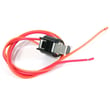
How to remove bottom grille on GE refrigerator?
On the GE PWE23KSKNSS bottom-mount refrigerator, the bottom grille (base grille) typically comes off by releasing its retaining tabs or removing a couple of screws (model-to-model variation). Once released, pull the grille straight out from the front to avoid cracking the plastic.
- Unplug the refrigerator or switch off power at the breaker (safer when working near wiring).
- Open both fresh food doors for better access.
- Look along the top edge of the grille for screws; remove them with a Phillips screwdriver if present.
- If there are no screws, press in on the grille’s retaining tabs (usually near the ends) and pull the grille forward.
- Lift the grille slightly to clear any lower hooks, then remove it.
- Set the grille aside on a towel to prevent scratches.
Reinstalling is usually the reverse: align the grille with the lower hooks, rotate it into place, then push until it snaps in. If your grille uses screws, reinstall and snug them down (do not overtighten).
| What you see | What it usually means | What to do |
|---|---|---|
| 2 screws at the top edge | Screw-mounted grille | Remove screws, then pull grille forward |
| No screws, grille feels “clipped” | Tab-mounted grille | Depress tabs, then pull forward |
| Grille won’t budge | Grille caught on hooks or misaligned | Lift slightly, then pull straight out |
We remove the bottom grille to access the condenser area for cleaning, to reach leveling legs, or to inspect for water leaks and airflow restrictions. Pulling the grille straight out (instead of twisting) helps prevent broken tabs and poor grille fit afterward.
For model-specific diagrams and any fastener locations, use the PWE23KSKNSS owner’s manual.
Last updated: January 2026
What is the most common problem with GE refrigerators ice maker?
The most common GE refrigerator ice maker problem is no ice (or slow ice) caused by a water supply issue or a restricted filter, followed closely by the ice maker being turned off or the freezer being too warm. On GE model PWE23KSKNSS, start by confirming the ice maker is ON and the freezer is set to 0°F.
- Make sure the ice maker is turned ON at the control panel (it will not make ice if it is OFF). See the PWE23KSKNSS owner's manual.
- Confirm the refrigerator is connected to water and the shutoff valve is fully open.
- Check freezer temperature: target 0°F; ice production drops fast when temps rise.
- Replace the water filter if water flow is slow or ice production has decreased; some homes need a filter change before 6 months.
- Dump the first 24 hours of ice after starting the ice maker to avoid odor or taste issues.
| Symptom | Most likely cause | What to do first |
|---|---|---|
| No ice at all | Ice maker OFF or no water supply | Turn ice maker ON; verify water valve is open |
| Slow ice production | Freezer too warm or restricted filter | Set freezer to 0°F; replace filter |
| Small/hollow cubes | Low water flow (often filter) | Replace filter; check supply line for kinks |
| Bad taste/odor | New system or stagnant ice | Discard 24 hours of ice; replace filter if needed |
If the basics check out and you still have issues, these model-matched parts are common next steps during diagnosis:
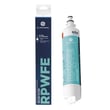
- GE refrigerator water filter RPWFE (restricted flow can reduce ice production)
- Refrigerator temperature sensor WR55X10025 (temperature sensing problems can affect cooling and ice output)
Ice makers depend on two things: steady water flow and a cold enough freezer. A partially clogged filter or a freezer that is even a few degrees warm can turn “no ice” into an ongoing problem.
Last updated: January 2026
What is the most common problem with GE profile refrigerators?
The most common issue we see with GE Profile refrigerators like model PWE23KSKNSS is cooling trouble (fresh food section warm, freezer not holding temperature, or temperatures swinging). In many cases, the root cause is airflow, defrost, or sensor-related, not the sealed system.
- Refrigerator not cooling or warm fresh food section: evaporator fan not moving air, iced-up evaporator, or a temperature sensing problem
- Strange noises (buzzing, clicking, rattling): fan blade hitting ice, failing fan motor, or compressor start components
- Ice maker not working: water supply issue, filter restriction, or dispenser/ice path blockage
- Ice and water dispenser not working: filter, air in the water line, or dispenser mechanism issue
- Water leaking/puddles: clogged defrost drain, door not sealing, or water line connection seepage
For model-specific operating details and control settings, use the PWE23KSKNSS owner’s manual.
- Confirm the doors close fully and the gaskets seal all the way around.
- Set temperatures to normal targets (most households use 37°F fresh food and 0°F freezer).
- Listen for the evaporator fan when the door is closed (it should run much of the time).
- Look for frost buildup on the rear interior panel (a strong clue of a defrost/airflow problem).
- If water flow is slow at the dispenser, replace the filter and purge air from the line.
| Symptom | Common system | Example part for this model |
|---|---|---|
| Warm temps, temp swings | Temperature sensing | Refrigerator temperature sensor WR55X10025 |
| Frost buildup, warm fridge | Defrost system | Refrigerator defrost bi-metal thermostat WR50X10108 |
| No airflow, warm fridge | Evaporator fan | Refrigerator evaporator fan motor WR60X25858 |
| Slow water, weak ice production | Filtration/water flow | GE refrigerator water filter RPWFE |
Cooling complaints often start as an airflow or defrost issue; fixing that early helps protect food, reduces compressor run time, and prevents repeat icing that can damage fans, wiring, and covers.
If your display is showing a fault, our GE refrigerator error codes guide helps narrow the diagnosis fast.
Last updated: January 2026