Installation guide
 Owner’s manual
 Error Codes


How do you clean the moisture sensor on Electrolux dryer?
On the Electrolux EFDE317TIW0 dryer, we clean the moisture sensor by removing waxy residue from the moisture sensing bars (inside the front of the drum) so Auto Dry cycles can read load moisture correctly. Use warm, soapy water for buildup; avoid spray cleaners inside the dryer.
Where the moisture sensor is and what to clean
The moisture sensor is a set of moisture sensing bars near the front of the dryer drum. Residue from dryer-added fabric softener sheets can coat the bars and cause inaccurate drying.
Steps we recommend:
- Unplug the dryer before cleaning inside surfaces.
- Open the door and locate the moisture sensing bars near the front of the drum.
- Wipe the bars with a soft cloth dampened with warm, soapy water.
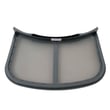
- If the lint filter also has a waxy film, wash it the same way and dry it thoroughly.
- Reinstall the lint filter and run a short cycle to confirm Auto Dry performance.
For model-specific care and cleaning notes, follow the EFDE317TIW0 owner’s manual.
What to avoid (important)
Using the wrong cleaner can create safety issues or leave residue that attracts lint.
- Do not use any type of spray cleanser inside the dryer.
- Do not operate the dryer without the lint filter installed.
- Do not scrape the sensor bars with abrasive pads or metal tools.
Quick symptom guide
| What you notice | Common cause | What cleaning fixes |
|---|---|---|
| Clothes overdry on Auto Dry | Sensor bars coated | Restores accurate moisture reading |
| Clothes still damp on Auto Dry | Sensor bars coated or airflow restricted | Helps sensor; also check venting |
| Drying times getting longer | Lint buildup restricting airflow | Clean lint filter and housing |
Why it matters
Auto Dry cycles rely on the moisture sensing bars to stop the cycle at the selected dryness level. Keeping the bars and lint filter clean helps prevent longer drying times, saves energy, and protects fabrics.
Last updated: January 2026
How to reset electrolux dryer error code?
To reset an error code on your Electrolux dryer model EFDE317TIW0, stop the current cycle, power the dryer off briefly, then power it back on and restart a cycle. If the code returns right away, troubleshoot the underlying cause instead of repeatedly resetting.
Quick reset steps (most common)
- Press Cancel to stop the current cycle.
- Turn the dryer Off.
- Wait about 10 seconds.
- Turn the dryer On.
- Select a cycle and press Start.
If the display shows a demo mode code (example: “dn”)
The manual notes that “dn” indicates a repeating demo cycle; the fix is to reset the dryer back to factory default settings.
- Follow the factory reset steps in the EFDE317TIW0 owner’s manual.
- After resetting, start a normal cycle to confirm the display is back to normal.
When an error code keeps coming back
A repeating code usually points to a real condition such as airflow restriction, overheating protection, or a control sensing issue.
- Clean the lint screen and confirm strong airflow at the outside vent hood.
- Check that the dryer is on a dedicated circuit and the breaker is not tripping.
- If the dryer runs but will not heat, check for a blown fuse or supply issue (electric models can tumble with one fuse blown).
- If the dryer will not start, confirm the door is fully closed and press Start with a bare fingertip (touch console models).
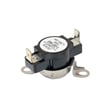
- If overheating protection has tripped, the dryer may need a thermal safety part replaced, such as the dryer inlet thermal limiter 137032600.
Why it matters
Resetting clears the symptom, but fixing the cause prevents repeat shutdowns, long dry times, and overheating conditions that can damage components like the thermistor, high-limit thermostat, or control board.
| What you see | What it usually means | Best next step |
|---|---|---|
| Code clears, then returns | Active fault still present | Troubleshoot airflow, heat, power, and door/start inputs |
| “dn” on display | Demo mode enabled | Use factory reset steps in the manual |
| No heat but drum turns | Power/heat supply problem (often electric) | Check fuses/breaker and installation requirements |
For code definitions and model-specific code lists, use Electrolux iq-touch dryer error codes.
Last updated: January 2026
What is the life expectancy of an Electrolux dryer?
Electrolux dryers typically last 10 to 15 years. With consistent lint removal, good airflow through the exhaust vent, and prompt repair of wear items (belt, rollers, thermostats), an Electrolux EFDE317TIW0 can often reach the upper end of that range.
What affects dryer lifespan the most
The biggest drivers are heat management, airflow, and drum-drive wear.
- Clean the lint screen before every load; restricted airflow overheats components.
- Keep the exhaust duct short, smooth, and clear; use 4-inch rigid or semi-rigid metal ducting.
- Avoid chronic overloading; it strains the drum belt, rollers, and motor.
- Listen for squealing, thumping, or scraping; address early to prevent secondary damage.
- Use the right cycle and dryness level; excessive heat shortens component life.
Maintenance checklist for longer life
Use these habits to reduce breakdowns and improve drying performance.
| Task | How often | Why it matters |
|---|---|---|
| Clean lint screen | Every load | Maintains airflow and stable temperatures |
| Inspect and clean venting | Every 6 to 12 months | Prevents long dry times and overheating |
| Check drum support noise/vibration | Monthly | Catches roller or belt wear early |
| Level the dryer | Once, then as needed | Reduces vibration and cabinet stress |
For venting and installation best practices (including recommended duct type and setup checks), follow the EFDE317TIW0 installation guide.
Parts that commonly limit lifespan (and the symptoms)
These are normal wear items; replacing them on time helps the dryer last longer.
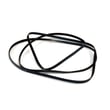
- Drum belt: drum will not turn, or you hear the motor running with no tumbling; see white-westinghouse dryer drum belt 134719300.
- Support rollers: thumping or rumbling as the drum turns.
- Thermal limiter/high-limit thermostat: dryer stops heating or overheats due to airflow or heat issues.
- Blower wheel: weak airflow, longer dry times, unusual rattling.
Why it matters
A dryer that runs hot or has restricted airflow wears out heating and safety components faster and can also damage drum-drive parts. Good venting and routine cleaning usually cost less than repeated repairs and keep drying times consistent.
Last updated: January 2026
Why does the Electrolux dryer take so long?
For the Electrolux EFDE317TIW0 dryer, long dry times almost always come from restricted airflow (lint screen or venting), load issues (too full or too small), or power supply on electric models (208V runs about 20% longer than 240V). Use the checks in the EFDE317TIW0 owner’s manual first.
Quick checks that fix most “takes too long” complaints
- Clean the lint filter before every load; even a thin film can slow airflow.
- Confirm the exhaust duct is 4-inch diameter rigid or semi-rigid metal.
- Reduce bends; keep to no more than four 90° turns.
- Check the outside hood for a stuck flap, lint buildup, or a crushed duct.
- Avoid loads that are too small or nearly dry on Auto Dry; the sensor can end early or behave inconsistently.
- Sort by fabric weight; heavy towels with lightweight items often extends the cycle.
Venting requirements (what “good” looks like)
| Item | Recommended for EFDE317TIW0 | What happens if not met |
|---|---|---|
| Duct diameter | 4 in. | Slow drying, hotter cabinet |
| Duct material | Rigid or semi-rigid metal | Lint buildup, restriction |
| Elbows | Up to 4 (90°) | Longer dry times |
| Outside hood | Opens freely, not clogged | Moist air cannot exit |
Model-specific notes that affect dry time
- Electric on 208V: drying time is typically about 20% longer than on a 240V circuit.
- High humidity: drying takes longer; using a dehumidifier near the dryer can help.
- Cabinet feels very hot or smells hot: treat this as an airflow problem first (lint filter, duct, outside hood).
Parts that can contribute when airflow is fine
If airflow and loading are correct but drying is still slow, a damaged lint screen can reduce airflow and let lint into the blower housing.
- Consider inspecting the dryer lint screen 5304511512 for tears, warping, or heavy residue.
Why it matters
Restricted exhaust makes the dryer run hotter and longer, wastes energy, and can trigger overheating protection. Getting airflow and venting right is the fastest way to restore normal cycle times.
Last updated: January 2026