



How to tell the age of a speed queen dryer?
To tell the age of your Speed Queen dryer (including model AEM497W), we use the serial number date code: the first 4 digits typically indicate the manufacture date, with the first 2 digits as the year and the next 2 digits as the month.
Where to find the serial number
On most Speed Queen dryers, the model and serial tag is usually found in one of these spots:
- Inside the door opening on the cabinet frame
- On the back panel of the dryer
- Along the door area near the lint screen housing
- On the side panel near the front edge
How to read the date code (first 4 digits)
Once you have the serial number, look at the first four numbers.
- Digits 1 to 2: year (YY)
- Digits 3 to 4: month (MM)
- The remaining characters: production sequence and factory info (varies)
| Serial starts with | Interprets as | Example build date |
|---|---|---|
| 2107xxxx | Year 2021, month 07 | July 2021 |
| 1902xxxx | Year 2019, month 02 | February 2019 |
| 2401xxxx | Year 2024, month 01 | January 2024 |
Quick tips to avoid common mistakes
- Treat the first 4 characters as numbers; letters later in the serial usually do not affect the date.
- If the first 4 digits show a month higher than 12, re-check that you started at the very beginning of the serial.
- If your dryer has had major repairs (motor, heater, controls), the serial date still reflects the dryer’s build date, not the part’s date.
Why it matters
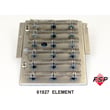
Knowing the manufacture month and year helps us match the correct Speed Queen dryer parts and revisions for your AEM497W, especially for wear items and heat-related components like the thermostat D515873 or the dryer heating element 61928.
Last updated: February 2026
Do Speed Queen dryers have stainless steel drums?
Many Speed Queen dryers are built with stainless steel drums, but the drum material can vary by series and model. For the Speed Queen AEM497W, confirm the drum material by checking the drum surface directly (stainless is typically bright and non-painted) or by matching the drum assembly in the parts breakdown for your model.
Quick ways to confirm on an AEM497W
- Open the door and inspect the drum finish; stainless steel looks metallic and uncoated.
- Look for rust or paint chips; painted steel drums often show coating wear differently than stainless.
- Check the model’s drum-related parts listing and diagrams to see how the drum is described.
- If you are already servicing the dryer, inspect the rear bulkhead area for any drum material markings.
- Compare your drum appearance to common dryer drum finishes (stainless vs coated steel).
Why stainless steel drums matter
A stainless steel drum resists rust and chipping better than coated steel, which helps protect fabrics and keeps the dryer interior looking cleaner over time. Drum material does not change how the heater or thermostat controls temperature, but it can affect long-term durability.
Common drum materials (what you will typically see)
| Drum material | What it looks like | Typical benefit |
|---|---|---|
| Stainless steel | Bright metallic, non-painted | Strong rust resistance |
| Coated steel | Painted or porcelain-like coating | Lower cost, can chip over time |
Related parts that affect drying performance (not drum material)
If the concern is drying results rather than drum construction, these parts are more likely to matter:
For maintenance that helps any drum type perform its best, follow the steps in how to clean and maintain your clothes dryer.
Last updated: February 2026
What does error 5 mean on a speed queen dryer?
Error 5 (often shown as E:05) on a Speed Queen dryer like model AEM497W indicates an invalid value communication issue, meaning the control received an invalid code during a download/communication step. Re-aim the micro-wand (if your unit uses one) and try the download again.
What to do first (quick checks)
- Power the dryer off, wait 1 minute, then restore power and retry.
- If you are using a micro-wand, re-aim it carefully and repeat the download/transfer.
- Make sure the cycle starts normally after clearing the error.
- If the error returns immediately, inspect the control area for loose connections.
- If the dryer will not run, check the door switch operation.
When it points to a control problem
If E:05 repeats after a clean retry, the issue is usually in the communication/control path. On many Speed Queen units, related faults (such as E:07 or E:08) indicate an inoperative control and can require replacing the electronic control.
Parts that can be involved
| Symptom you notice | Commonly related part | What it affects |
|---|---|---|
| Dryer will not start or stops unexpectedly | Switch D512973 | Confirms door/operation input to the control |
| Overheating, shuts down on high heat | Thermostat D515873 | Safety temperature limiting (can interrupt operation) |
Why it matters
Communication and control errors can prevent the dryer from running correctly and can mimic other problems (no-start, random stopping, or incomplete cycles). Addressing the error early helps avoid unnecessary part replacements and reduces downtime.
Last updated: February 2026
What are common problems with Speed Queen dryers?
Common Speed Queen dryer problems (including model AEM497W) are almost always caused by restricted airflow, a heating circuit issue, or a safety switch problem. The most frequent symptoms are long dry times, no heat, unusual noise, or a dryer that will not start.
Most common symptoms and what they usually mean
- Takes too long to dry: lint screen or vent restriction, crushed vent hose, weak airflow
- No heat: failed heater, open high-limit thermostat, or wiring/connection issue
- Will not start: door switch not closing, start switch issue, or motor problem
- Loud thumping or squealing: worn drum support rollers or idler components
- Stops mid-cycle: overheating from poor venting, or a limit thermostat opening
Quick checks we recommend first (before replacing parts)
- Clean the lint screen and confirm strong airflow at the outside vent hood.
- Inspect the vent run for kinks, long runs, or heavy lint buildup.
- Verify the cycle and temperature settings match the load (heavy loads need higher heat and time).
- For electric dryers, confirm the outlet is supplying full power (a partial power loss can run the motor but not heat).
- If the dryer overheats or shuts off, stop using it until the venting is corrected.
Parts that commonly fix these problems on AEM497W
If cleaning and vent checks do not solve it, these model-listed parts are common culprits:
| Symptom | Common part to check | Example part for AEM497W |
|---|---|---|
| No heat or overheating | High-limit thermostat | Thermostat D515873 |
| No heat | Heater circuit | Dryer heating element 61928 |
| Will not start (door not sensed) | Door/start switch | Switch D512973 |
| Thumping noise | Drum support roller | Roller D510708P |
| Humming, no tumble | Drive motor | Motor D511629P |
Why it matters
Airflow problems do more than slow drying; they can overheat the heater duct and trip safety thermostats, which leads to repeated shutdowns and premature failure of heating components.
For prevention tips that reduce long dry times and overheating, use our how to keep a dryer clean and economical guide.
Last updated: February 2026





